What matters when choosing?
Start with the space available while printing, then match paper handling to your busiest timetable session. Wireless setup and ink arrangements matter once those requirements are clear.
| Concern | What to check | Who this matters to |
|---|
| Working footprint |
Measure desk width, depth and height; allow access for loading paper, collecting output and opening the scanner. |
I cannot spare the space behind or in front of a printer just because its body fits when closed. Around 36% of consumers put usable desk space first. |
| Timetable turnaround |
Check automatic duplex for your A4 paper, document speed and input capacity against your largest batch. |
When schedules change near the event, I want to finish handouts without repeatedly turning sheets or refilling paper. Roughly 29% of consumers prioritise that turnaround. |
| Ink commitments |
Compare compatible cartridge options with any eligible plan’s page allowance, connectivity requirement and cancellation terms. |
If event printing varies from month to month, I want to understand what I commit to between busy periods. About 21% of consumers make ongoing ink arrangements their main concern. |
| Printing from a phone |
Confirm compatibility with your device and whether the chosen connection method works at the intended venue. |
I may need to send an updated timetable without setting up a computer beside the printer. Around 14% of consumers place phone-first printing above the other factors. |
Joybuy products for this task
These inkjet models are choices to assess for A4 event paperwork. Their paper handling and space requirements differ, so confirm the features and working clearance that your timetable setup needs.
 No image available
Canon PIXMA TS6550i
Consider for A4 timetable batches when a 100-sheet cassette suits your paper needs. Canon specifies 14 ipm mono output and automatic duplex for A4/LTR plain paper; check the space needed for loading and output.
View on Joybuy
 No image available
Epson Expression Home XP-3200 A4 colour inkjet all-in-one
Consider this A4 model if wireless printing and automatic duplex are on your checklist. Confirm the XP-3200’s working dimensions and duplex paper requirements for your timetable stock.
View on Joybuy
 No image available
Canon MAXIFY GX6150
If you prepare repeated timetable batches, compare this model’s paper capacity and duplex requirements with your workload. Check its operating dimensions carefully before choosing it for a restricted desk.
View on Joybuy
 No image available
Epson Expression Home XP-4200 A4 inkjet all-in-one
Consider for modest A4 timetable batches needing wireless printing and automatic duplex on plain paper. Epson specifies a 100-sheet capacity; confirm this listing’s exact dimensions and the clearance needed in use before relying on it for desk fit.
View on Joybuy
 No image available
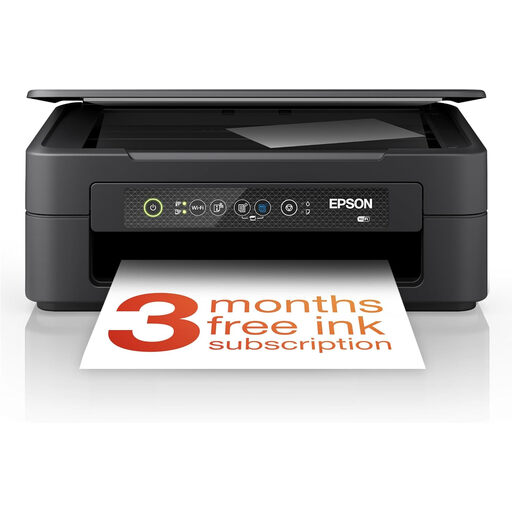
Epson Expression Home XP-2200 3-in-1 inkjet printer
Consider this 3-in-1 model for event paperwork if its working footprint fits your desk. Confirm whether the XP-2200 provides the automatic duplex setting you need before planning double-sided handouts.
View on Joybuy
Frequently asked questions
What should I measure before buying a printer for a small desk?
Measure the available width, depth and height, then allow room to load paper, collect sheets and open the scanner. Epson lists the XP-4200 at 375 × 300 × 170 mm, while Canon lists the TS4150i at approximately 374 × 355 × 168 mm with trays retracted; neither figure alone tells you whether the printer fits while in use.
Can I print event timetables on both sides automatically?
Yes, if the exact printer supports automatic duplex for your chosen paper. Epson specifies A4 plain-paper duplex for the XP-4200, and Canon specifies A4/LTR plain-paper duplex for the TS6550i; check separately before using card or other specialist stock.
Does an ink subscription make sense for occasional events?
It may suit you if the convenience and page allowance match both quiet and busy months. HP’s Instant Ink terms include a monthly page-based charge, connectivity requirements, possible overage charges and cancellation conditions; compare these with buying cartridges compatible with the printer you choose.
What should I do with an old printer when replacing it?
Check an appropriate electrical-equipment collection or recycling route rather than putting the printer in ordinary residual waste. GOV.UK explains that waste electrical and electronic equipment is regulated to reduce the amount sent to landfill; your local authority or retailer can provide collection options.


