If your course requires full assessment-platform access or specialist software, start with a laptop that meets its device guidance rather than relying on a tablet alone. Add a headset for calls in shared accommodation, a second screen only if your laptop and desk can accommodate it, and an extension lead only if your accommodation permits it.
Who this setup suits
Students choosing a primary coursework device
If you need one device for assignments and online seminars, check what your course requires before relying on a phone or tablet. The University of Law advises using phones and tablets as secondary devices for access to full course functionality; the University of Lincoln identifies a webcam and microphone as requirements for online teaching.
Students taking calls in shared accommodation
If seminars or calls happen in a room near other residents, private listening matters as well as call clarity. Queen's University Belfast asks residents to use headphones to limit sound travelling, particularly for late calls.
Students working with a small desk
If a second display or extra socket would make the room easier to use, check desk fit, device compatibility and the property's electrical rules before adding equipment. A portable monitor still needs space beside the laptop, while permission to use an extension lead depends on the accommodation.
What to prioritise
Choose the device needed for coursework first. Then decide which room-specific need matters most: calls, screen space or permitted access to sockets.
| Concern |
What to check |
Who this matters to |
| Coursework device |
Check your course's operating-system and software requirements, plus webcam and microphone needs for online teaching. |
If my assessments need full platform access or specialist software, I need a primary device that can run them. Around 36% of consumers put coursework-device capability first. |
| Calls and listening |
Check the headset's connector and microphone, then consider when your accommodation expects residents to keep noise down. |
When I join calls from a shared room, I want to hear privately without sending sound through speakers. For around 29% of consumers, calls and listening are the primary concern. |
| Second-screen space |
Measure usable desk space and match the monitor's video and power requirements to the laptop's exact ports. |
I want more room for documents or notes, but another display must fit beside my laptop. Screen-space expansion comes first for around 21% of consumers. |
| Sockets and cables |
Read your property's rules; if an extension lead is permitted, check its fused UK plug and maximum rating. |
If the available sockets are awkward to reach, I need a permitted way to connect my equipment without leaving cables across a walkway. Around 14% of consumers make safe power access their main priority. |
Common buying mistakes
-
Using a tablet as the only coursework device without checking the course
A tablet may cover reading and notes without providing the full functionality needed for assessments or specialist applications. The University of Law advises treating phones and tablets as secondary devices, while Durham University recommends a laptop for flexibility in learning and working.
Read your university and course device guidance before choosing a primary device, particularly if an assessment platform or specialist program is required.
-
Assuming any USB-C port will run a portable monitor
The connector shape alone does not establish video-output or power compatibility. Lenovo specifies DisplayPort 1.2 Alt Mode and Power Delivery 2.0 support for one-cable use with its ThinkVision M14.
Compare the exact monitor requirements with the specifications of the laptop port you intend to use.
Without a compatible connection, you may be unable to use the intended one-cable arrangement.
-
Adding extension leads or cube adaptors without checking the rules
Extra sockets do not raise the safe electrical load. Imperial College London prohibits multi-plug adaptors in its accommodation, while the University of Nottingham warns against cube adaptors and unprotected extensions in its halls.
Check your own residence rules before buying. If a lead is allowed, follow its rating, keep it clear of walkways and do not connect one extension lead to another; Electrical Safety First warns that overloaded sockets pose a fire risk.
-
Expecting headphones to solve every shared-room distraction
Headphones can keep playback off your speakers, but they cannot make other residents quiet or remove the need to follow rules on late calls. The University of Surrey suggests a silent study space as another option when hall noise affects concentration.
Use headphones for private listening and calls, and plan where you can work when the room is too distracting.
Relevant brands to consider
Lenovo
Lenovo's ThinkVision M14 is an example to consider if you want a portable second display alongside a laptop.
- Lenovo describes the M14 as a 14-inch display that can extend or duplicate a compatible notebook screen through USB-C.
- The specified one-cable arrangement requires a notebook port supporting DisplayPort 1.2 Alt Mode and Power Delivery 2.0; USB-C alone is not enough.
Logitech
Logitech's H570e illustrates a wired USB headset option for online seminars and calls.
- Logitech specifies a microphone with noise-cancelling capability on the H570e, alongside its wired USB connection.
- The microphone specification does not establish that surrounding room noise will be blocked for the wearer. Check the connection and features of the exact headset you choose.
Anker
Anker lists charging and power-strip accessories that may be relevant where desk and socket space are limited.
- Anker lists a power strip with USB-C Power Delivery among its UK products.
- A power strip's features do not override accommodation rules or its electrical rating. Check the exact model and your property's policy before use.
Joybuy options for calls and second screens
These headsets and portable displays address two possible additions to a student-room setup: private calls and more screen space. Choose by your device's connections and the space available, rather than assuming either accessory is needed for every course.
 No image available
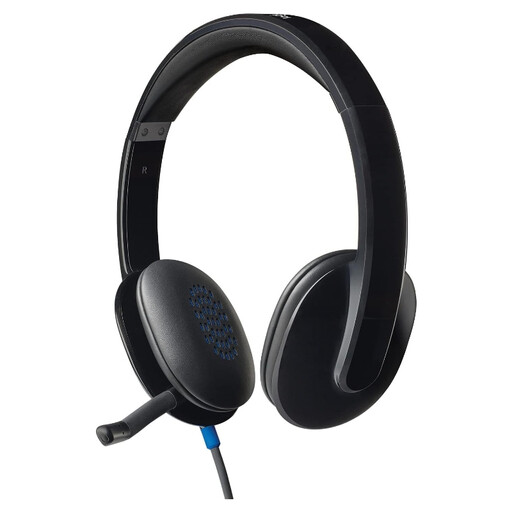
Logitech H540 Wired Headset
A wired headset to consider for calls at a study desk. Check its connector against your device and confirm that it works with your calling software.
View on Joybuy
 No image available
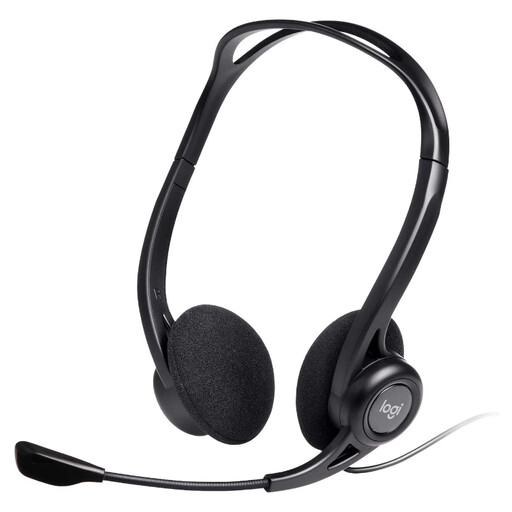
Logitech 960 Wired USB Headset, Black
For computer-based seminars or calls where an inline control is useful. The product name specifies a noise-cancelling microphone; this does not establish that room noise will be blocked for the wearer. Check the USB connection against your computer.
View on Joybuy
 No image available
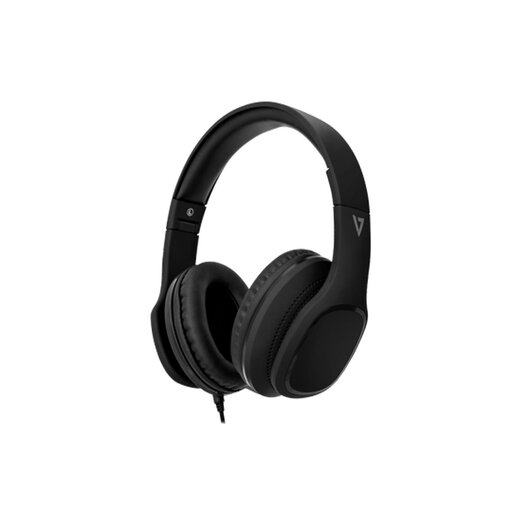
V7 HA701-3EP Wired Over-Ear Headphones with Inline MEMS Mic
An over-ear option for listening and calls when a wired connection suits your device. The product name specifies 40 mm drivers and an inline MEMS microphone; check the connector before buying. Its passive noise-isolation description is not a promise of a quiet room.
View on Joybuy
 No image available
ASUS ZenScreen MB166CR FHD Monitor
A second-screen option if you have room beside your laptop. The product name specifies FHD; check the monitor's dimensions and connection requirements against your desk and laptop before ordering.
View on Joybuy
 No image available
UPERFECT 16-inch 2K 144 Hz Portable Monitor, 2560 × 1600 QLED
Consider this second-screen option if its size and connections suit your workspace. The product name lists a 16:10 screen, Mini HDMI and Type-C; check the exact video-input requirements, dimensions and desk fit before buying.
View on Joybuy
Student-room setup questions
Can a tablet replace a laptop for university coursework?
A tablet should not be assumed to cover every course requirement. The University of Law advises using phones and tablets as secondary devices for full functionality and assessment access; check your own course's software and operating-system requirements before deciding.
Will any USB-C portable monitor work with my laptop?
No: the port must support the requirements of the particular monitor. For example, Lenovo specifies DisplayPort 1.2 Alt Mode and Power Delivery 2.0 for one-cable use with its ThinkVision M14. Compare both devices' exact port specifications before purchase.
Can I use an extension lead in student halls?
Check your own accommodation's current rules before using one, because requirements differ by property. Imperial College London permits a safe extension socket but prohibits multi-plug adaptors; the University of Nottingham prohibits cube adaptors and unprotected extensions in its halls.
What should I check on an extension lead for a student room?
If your accommodation permits an extension lead, check for a standard fused UK three-pin plug and stay within the lead's maximum rating. Electrical Safety First warns that overloading sockets can cause a fire; do not daisy-chain leads or use a damaged one.


