Who needs which backup?
The right routine depends on what would be hard to replace and where a recoverable copy will be kept.
Households protecting photos and documents
If these files cannot easily be recreated, keep a copy away from both the computer and its usual storage location. The Information Commissioner's Office notes that a cloud copy can remain available after a household fire, flood or theft; the National Cyber Security Centre warns that connected backup drives can also be affected by ransomware.
Windows users setting up a routine
Microsoft distinguishes two built-in routes: File History makes regular copies to an external drive or network location, while Windows Backup synchronises selected folders to OneDrive. Choose by the destination and recovery behaviour you need, not simply by the name of the tool.
Mac users choosing a backup disk
For Time Machine, check the disk's capacity and format before dedicating it to backups. Apple recommends a device with at least twice the Mac's storage capacity and says Time Machine cannot back up to a Windows-formatted disk.
What should you check before choosing?
Start with the copies you need to recover, then choose destinations and a routine that keep those copies available.
| Priority | What to check | Your needs |
|---|
| Separate copies | Keep a copy apart from the computer. If malware is a concern, consider whether a completed local backup can be disconnected; for household loss, consider an off-site copy. The National Cyber Security Centre describes ransomware affecting connected backup drives, while the Information Commissioner's Office describes the value of a cloud copy after fire, flood or theft. | My photos and documents would be hard to replace if the computer and a drive beside it were lost together. |
| Capacity | Count the files to be backed up and allow room for growth and retained versions. Check a drive's usable space or a cloud plan's allowance; for Time Machine, Apple recommends a disk with at least twice the Mac's storage capacity. | A growing photo or video collection needs enough space without leaving important folders out. |
| Recovery | Confirm which folders are included, how to restore a file, and what happens to changed or deleted files. Check the recovery period and features of the particular cloud product or plan. | If I delete or overwrite a document by mistake, I want to know whether an earlier copy can still be restored. |
| Routine and compatibility | Check whether the backup tool supports the intended drive or cloud destination and how often it makes copies. Microsoft says File History uses an external drive or network location; Windows Backup synchronises selected folders to OneDrive. | I'm more likely to keep a regular backup if the chosen tool fits my computer and does not depend on remembering every manual copy. |
| File protection | Check available drive encryption, cloud-account security and how recovery details will be kept. The Information Commissioner's Office identifies encryption as protection for stored personal information. | A portable drive or online account holding sensitive records needs protection that will not lock me out when I restore them. |
External drives for local copies
These Joybuy hard drives and portable SSDs are options for keeping a local copy of personal computer files. Pair the drive with a suitable backup routine, and consider a separate off-site copy for risks that could affect both your computer and the drive.
 No image available
Western Digital My Passport 2TB Portable Hard Drive, Black
A 2TB local drive is worth considering for a collection of personal files. Check that its backup software and restore process fit your computer before depending on an automatic routine; keep another copy elsewhere rather than relying on one portable drive.
 No image available
Western Digital My Passport Ultra for Mac 5TB, Silver
This 5TB portable hard drive is a local-storage option for a larger Mac file collection. Confirm its format and compatibility with your intended Time Machine setup before dedicating it to backups; check the required driver if you also plan to use it with Windows.
 No image available
Samsung T7 Shield 1 TB Portable SSD, Blue
Its 1 TB capacity and USB 3.2 Gen 2 connection make this a portable local-storage option if you move a copy between locations. Check how your operating system will schedule and restore backups to the drive, and do not treat carrying one copy as a substitute for keeping copies separately.
 No image available
Samsung Portable SSD T7 1 TB, Blue
This 1 TB portable SSD has a USB Type-C 3.2 Gen 2 connection for a local file copy. Check the connection to your computer and the scheduled-backup and restore workflow you intend to use; protect the drive from liquids when carrying it.
 No image available
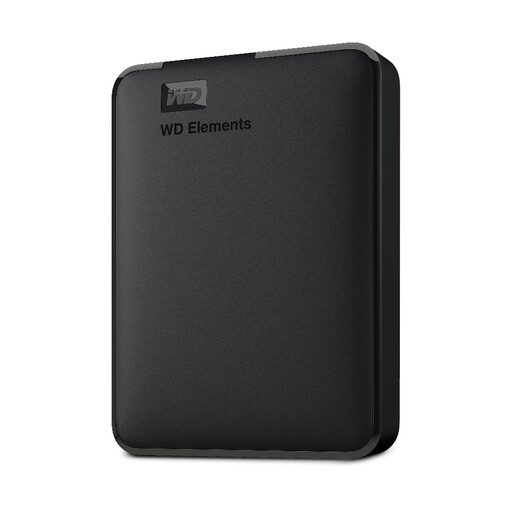
WD Elements 2TB Portable Hard Drive, Black
This USB 3.0 drive offers 2TB of local storage for files you want to copy from a computer. Check the format for your system, whether your chosen backup tool can run on a schedule, and the available encryption options if the drive will hold sensitive files.
Backup questions answered
Should I use an external drive, cloud storage or both?
For files that would be hard to replace, a local drive and a separate cloud or other off-site copy address different risks. Microsoft Support identifies external storage as useful without internet access or for numerous or large files; the Information Commissioner's Office notes that a cloud copy can remain available after a household fire, flood or theft. Keep the local copy protected against incidents affecting connected drives.
Is a synchronised OneDrive or Dropbox folder a complete backup?
Not automatically: check what remains recoverable after a file is changed or deleted. Microsoft Support says Windows Backup synchronises selected folders to OneDrive, while Dropbox describes a separate Backup workflow. For the product and plan you choose, confirm included folders, version history, deleted-file retention and how restoration works.
How large should a Time Machine backup disk be?
Apple recommends a disk with at least twice the storage capacity of your Mac. Check how much space your files use and leave room for backups over time rather than choosing a disk based only on the size of today's files.
Can Time Machine use a Windows-formatted drive?
Apple says Time Machine cannot back up to a Windows-formatted disk. Check the required Mac format and copy any existing files elsewhere before reformatting, which erases the disk.
What should I check before choosing an online backup plan?
Check that its storage allowance fits the folders you want to protect, then examine renewal terms, deleted-file retention, version history and the restore process. These details matter especially if you expect to retrieve an older version or recover files after changing plans; Dropbox Help notes that its updated Backup workflow does not offer Rewind.


