
24/7 Customer Support

Free returns

Same-day & Next-day Delivery

Quality Guaranteed

Unlock Your Welcome Offers: FREE Delivery | Up to 80% OFF | Free 30-day JoyPlus trial
Download the APP
Choosing a new computer monitor can feel like navigating a minefield of technical jargon and inflated marketing claims. With so many options available, it's easy to end up with a screen that either underwhelms or is simply overkill for your needs. As a Joybuy Product Recommendation Officer, my role is to help you sidestep the common purchasing errors and focus on what truly matters for your specific setup.
Before you spend your hard-earned money, let's look at the three most common pitfalls that UK buyers fall into and how you can avoid them.
To make a smart choice, you only need to understand a few key parameters. Forget the marketing fluff; these are the specifications that will directly impact your daily experience.
The technology behind the screen determines its visual characteristics. There are three main types you'll encounter:
The right combination of screen size and resolution is crucial for clarity and comfort.
Instead of a generic list, we've matched specific monitors to the people they're designed for.
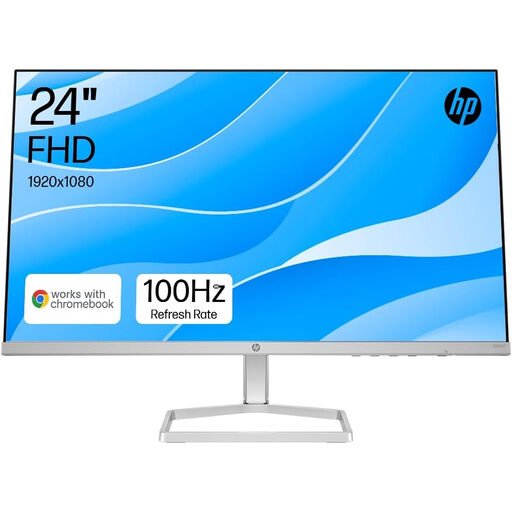
Why This Fits Their Persona: This is an excellent all-rounder for anyone working from home. The 24-inch Full HD screen is the perfect size for a standard UK desk, and the focus on ergonomics and eye comfort makes it ideal for long workdays.
It directly counters the comfort and connectivity trap with a fully height adjustable monitor stand and built-in eye care technology, features often missing from budget models.
A smooth 100Hz refresh rate makes everyday tasks feel more fluid than a standard 60Hz screen. The IPS panel ensures great viewing angles for sharing your screen.
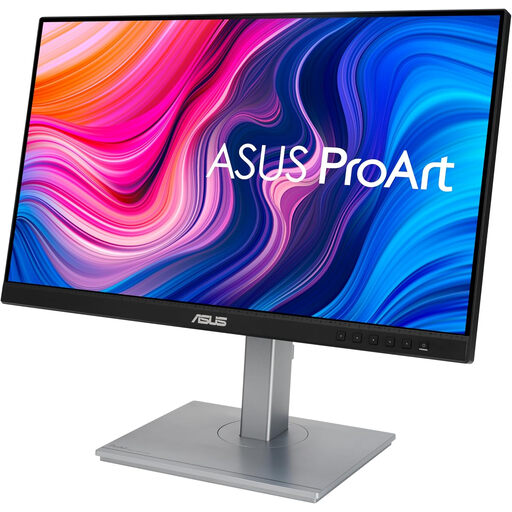
Why This Fits Their Persona: Designed for photographers, designers and video editors who need their colours to be accurate. It prioritises verified colour standards over flashy gaming features, making it a serious tool for creative work.
It avoids the resolution trap by focusing on quality over quantity. Being Calman Verified with 100% sRGB coverage means you're paying for accuracy, not just pixels you might not need.
The USB-C port with 65W Power Delivery is a huge plus, allowing for a single-cable connection to a laptop for video, data and charging. It also has a fully ergonomic stand.
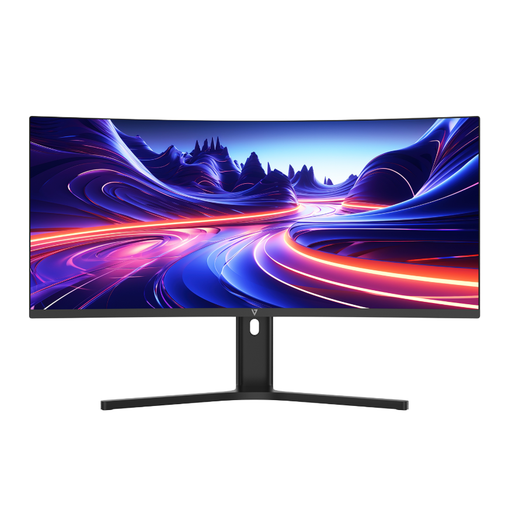
Why This Fits Their Persona: For those who live in spreadsheets, timelines or multiple documents, this ultrawide monitor replaces a clunky dual-monitor setup with one seamless, curved canvas. It's built for serious multitasking.
It sidesteps the resolution vs. size trap by providing a vast WQHD resolution across a 34-inch screen, giving you ample space without forcing you to squint or use awkward scaling.
The combination of a 1500R curve, height-adjustable stand and USB-C 65W Power Delivery creates an incredibly immersive, comfortable and clutter-free workstation.
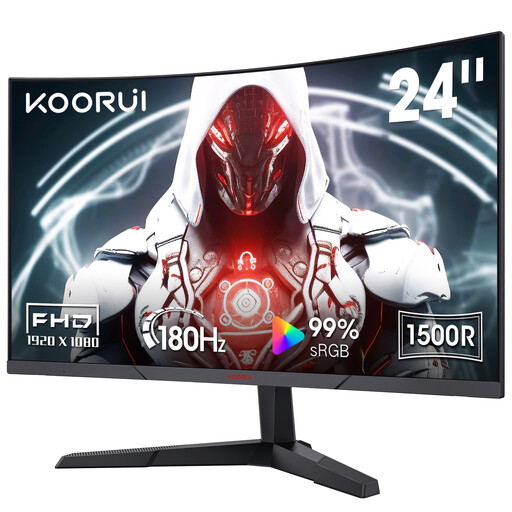
Why This Fits Their Persona: This monitor is for gamers who prioritise speed and responsiveness above all else. The combination of a high refresh rate, fast response time and adaptive sync technology is geared towards competitive, fast-paced games.
It avoids the "gaming" label deception by delivering genuine high-performance specs. With a true 180Hz refresh rate and 1ms response time, it provides the speed that gamers actually need.
The 1500R curved VA panel offers an immersive field of view and high contrast for deeper blacks, enhancing the atmosphere in games. It's a strong contender for a **best value for money monitor** for gaming.
We have compiled a complete, real-time list of products that fully satisfy these strict selection criteria and UK safety regulations.
Absolutely. While often associated with gaming, a 100Hz monitor provides a significant quality-of-life improvement for office tasks. Scrolling through documents, browsing websites and even moving your cursor will feel much smoother and more responsive compared to a standard 60Hz display, which can help reduce the perception of eye strain.
For most people, a 4K monitor is a luxury rather than a necessity. If your work involves graphic design, video editing or viewing high-resolution photography, the extra detail is invaluable. However, for general office work like writing emails, using spreadsheets and browsing on a screen under 27 inches, a Full HD or QHD monitor is often more practical, easier on your computer's hardware and more cost-effective.
A good quality computer monitor should typically last between 5 to 8 years with regular use. The lifespan is primarily determined by the backlight, which can dim over time. To ensure longevity, look for models from reputable brands that come with a solid warranty period (often 2-3 years), as this is a good indicator of the manufacturer's confidence in their product.