
24/7 Customer Support

Free returns

Same-day & Next-day Delivery

Quality Guaranteed

Unlock Your Welcome Offers: FREE Delivery | Up to 80% OFF | Free 30-day JoyPlus trial
Download the APP
Choosing between computer monitors can be difficult when product listings focus on headline features rather than how a screen will perform on your desk. A high refresh rate may be unnecessary for spreadsheets, while a large 4K monitor can expose connection or scaling limitations on an older laptop.
The right choice depends on your workspace, computer, software and viewing habits. This guide explains the specifications that matter, highlights common buying traps and matches several options to practical UK user profiles.
A 4K monitor offers 3840 × 2160 pixels, which can produce sharper text and more detailed images. However, your computer must support the resolution at the required refresh rate. Some laptops may output 4K at 60Hz but need a compatible USB-C, HDMI or DisplayPort connection.
QHD monitors, usually 2560 × 1440, can offer a useful balance between detail and performance. For many office users, a 27-inch QHD screen provides more workspace than Full HD without the higher graphics demand of 4K.
A 100Hz or 180Hz panel can make scrolling and movement appear smoother, but it is most valuable for gaming and fast-moving content. For documents, coding and general office work, panel quality, ergonomics and connectivity may matter more.
Also check whether the computer or console can produce the required frame rate. A gaming monitor with 180Hz capability will not display 180 frames per second if the connected system cannot provide them.
Colour gamut figures such as 99% sRGB, 100% sRGB or DCI-P3 coverage describe the range of colours a monitor can display. They do not, by themselves, guarantee accurate output.
For photography, video editing and graphic design, look for factory calibration, a stated Delta E value, hardware calibration support or verification from a recognised calibration service. Ambient lighting and your own workflow also affect how colours appear.
Match the resolution to the size. Full HD is suitable for many 24-inch screens, while QHD is often more suitable at 27 inches. At 32 inches, 4K can provide clearer text and finer image detail than Full HD.
IPS monitors are popular for office work and creative tasks because they generally offer wide viewing angles and consistent colour across the screen. VA panels can provide strong native contrast, which is useful for films and darker scenes, but specifications vary by model.
For HDR monitors, check more than the “HDR” label. Brightness, local dimming, contrast and supported formats influence the visible result. A Mini LED monitor with full-array local dimming has a different HDR design from a basic screen that accepts an HDR signal without high brightness.
Check your devices before purchasing. Useful connections include:
A stand with height, tilt, swivel and pivot adjustment can be more valuable than built-in speakers. Eye-care modes, flicker-free operation and low blue light settings may support comfortable viewing, but they do not replace sensible brightness, suitable room lighting and regular breaks.
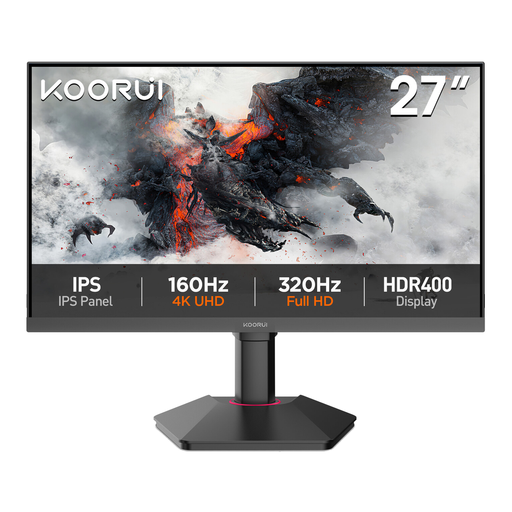
Why This Fits Their Persona: A practical choice for students, home-office users and first-time buyers who want more workspace than Full HD without moving to a high-refresh gaming display.
The 2560 × 1440 resolution, 99% sRGB coverage and IPS panel give useful everyday detail without paying specifically for extreme refresh rates.
27-inch QHD IPS display; 75Hz Adaptive-Sync; HDMI, DisplayPort and VGA; VESA 100 × 100 mm support.
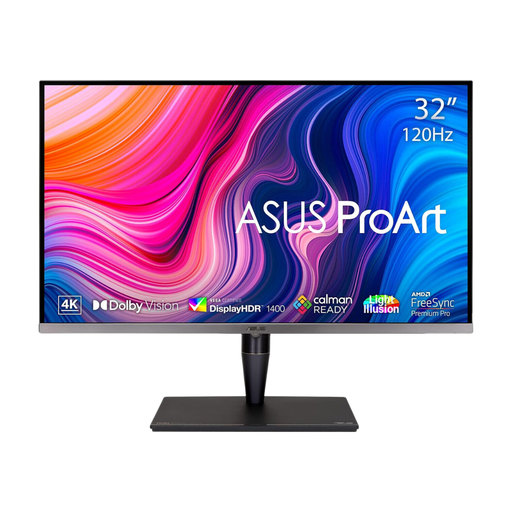
Why This Fits Their Persona: Suited to photographers, video editors and designers who need a large 4K canvas, HDR workflows and extensive colour controls.
It provides stated colour-gamut figures, factory calibration, hardware calibration support and Mini LED local dimming rather than relying on a generic HDR label.
32-inch 3840 × 2160 display; 120Hz refresh rate; 100% DCI-P3 and 99% Adobe RGB listed; HDMI 2.1 and Thunderbolt 3 connectivity.
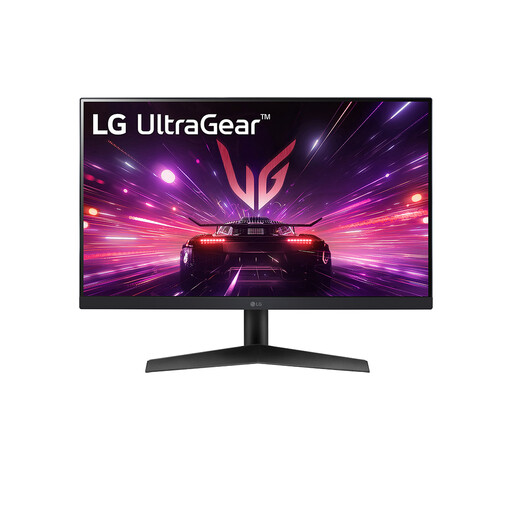
Why This Fits Their Persona: Designed for PC gamers and users who prioritise fast motion, variable refresh support and a compact screen for a dedicated gaming desk.
Its 180Hz specification is paired with a stated 1ms response time and NVIDIA G-SYNC compatibility plus AMD FreeSync support, making the gaming focus clear.
23.8-inch Full HD IPS panel; 180Hz refresh rate; HDR10 support; DisplayPort and HDMI inputs.
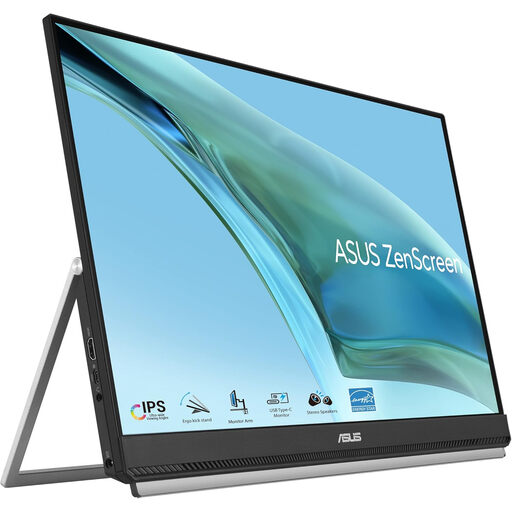
Why This Fits Their Persona: Useful for hybrid workers, hot-deskers and presenters who need a larger second screen that can move between rooms or workplaces.
Its portability is supported by a carrying handle, kickstand, C-clamp arm and partition hook kit, rather than portability being limited to a thin casing.
23.8-inch Full HD IPS display; USB-C with 60W power delivery; HDMI input; built-in speakers and anti-glare coating.
We have compiled a complete, real-time list of products that fully satisfy these strict selection criteria and UK safety regulations.
They can be useful for detailed spreadsheets, text and multitasking, particularly at 27 or 32 inches. QHD may be sufficient if your desk is smaller or your computer has limited graphics output. Operating-system scaling may also be needed to keep text at a comfortable size.
Service life varies with usage, brightness, heat, power cycling and component quality. Keeping ventilation clear, using a suitable power supply and avoiding direct sunlight can help protect the display. Check the manufacturer’s warranty and support terms before purchase.
Power consumption depends on size, brightness, backlight technology and HDR settings. A larger or high-brightness screen generally uses more electricity than a compact office monitor. Enable sleep mode, reduce brightness where practical and switch the monitor off when it will not be used for an extended period.