
24/7 Customer Support

Free returns

Same-day & Next-day Delivery

Quality Guaranteed

Unlock Your Welcome Offers: FREE Delivery | Up to 80% OFF | Free 30-day JoyPlus trial
Download the APP
Choosing among computer monitors can look straightforward until specifications, marketing terms and desk limitations start competing for attention. A screen may advertise a high refresh rate but use a resolution that does not suit your work, while an impressive colour-gamut figure may be less useful if the panel is not calibrated.
As the Joybuy Product Recommendation Officer, I focus on practical comparisons rather than promotional language. The right monitor depends on how you use it, the devices you connect and the space available in your UK home or office.
A 240Hz monitor will only display at 240Hz when your computer or console, game and connection can supply that frame rate. Similarly, a 4K monitor requires suitable graphics hardware for demanding games and high-resolution content. Check the output capabilities of your computer, graphics card and console before paying extra for headline specifications.
A larger display is not automatically more practical. A 32-inch screen may provide a comfortable view for editing or films, but it needs more desk depth. A 49-inch ultrawide monitor can replace two screens, yet it may require a sturdy, wide desk and careful cable planning. Always check the product dimensions with its stand, not just the diagonal screen measurement.
Flicker-free backlighting and low-blue-light modes are useful display settings, but they do not replace sensible monitor positioning, regular breaks and suitable room lighting. Look for an ergonomic monitor with height, tilt, swivel or pivot adjustment where possible. A fixed stand can make even a technically capable display uncomfortable over a full working day.
An IPS monitor typically offers consistent colour and wide viewing angles, making it useful for design, photography and shared office viewing. VA panels can provide stronger native contrast, which may appeal to film viewers and gamers, although colour consistency varies by model.
For a monitor for photo editing, check the stated colour coverage, such as 100% sRGB, and consider factory calibration information. Colour gamut figures should not be treated as a guarantee that every screen will appear identical without appropriate calibration and software settings.
A 60Hz display refreshes the image 60 times per second. Higher rates such as 100Hz, 165Hz or 240Hz can make scrolling and supported games appear smoother. A gaming monitor should also be checked for input options, adaptive-sync compatibility and the connection required to reach its advertised refresh rate.
Response-time figures can be measured in different ways, including GTG and MPRT, so avoid comparing numbers as though they use one universal standard. For console or PC gaming, confirm the resolution and refresh-rate combination supported through HDMI or DisplayPort.
A USB-C monitor can simplify a laptop workspace, but check whether its USB-C port carries video, data, power delivery or only one of these functions. HDMI and DisplayPort remain important for desktops, consoles and higher refresh rates. VGA is mainly relevant when connecting older equipment.
Also check VESA mount dimensions, stand adjustment, wall or arm compatibility and the included cables. For a home office, height adjustment and a built-in USB hub can be more useful than decorative lighting.
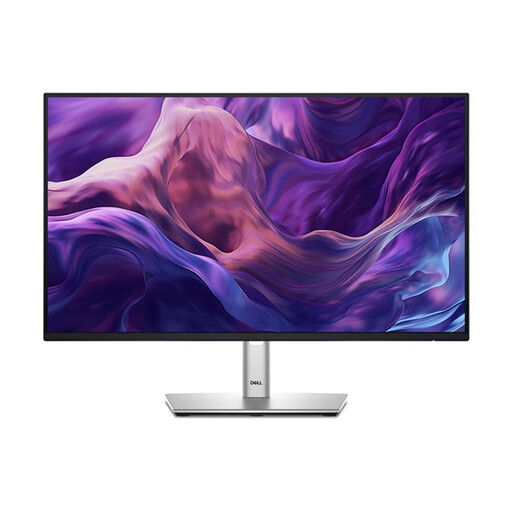
Why This Fits Their Persona: A practical 24-inch choice for UK study areas, compact desks and everyday office tasks, with Full HD resolution and a 100Hz refresh rate.
It provides clearly stated Full HD resolution, IPS technology, USB-C, HDMI, DisplayPort and VGA rather than relying on an unspecified feature list.
99% sRGB coverage, adjustable stand and ComfortView Plus with flicker-free technology.
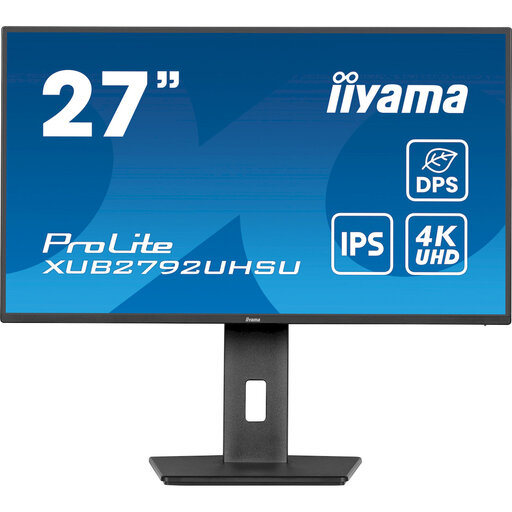
Why This Fits Their Persona: A detailed 4K IPS display for photographers, designers and professionals who need a precise, spacious working canvas.
Its specification lists 3840 × 2160 resolution, 100% sRGB coverage and an IPS panel, making the key creative-work criteria easier to verify.
150mm height adjustment, pivot, swivel and tilt, plus USB-C, HDMI, DisplayPort and a USB 3.2 hub.
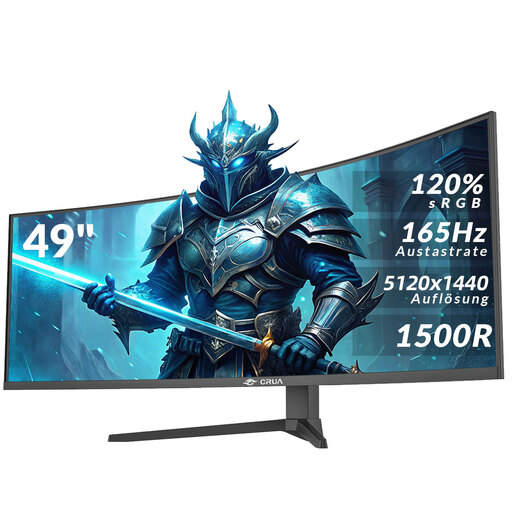
Why This Fits Their Persona: Designed for users combining gaming, video editing and multiple-window office work on one very wide display.
The DQHD 5120 × 1440 resolution is stated alongside the 32:9 format and 165Hz rate, helping buyers assess desk space and hardware requirements.
1500R curvature, 165Hz refresh rate, AMD FreeSync, HDMI 2.1 and DisplayPort 1.4 connections.
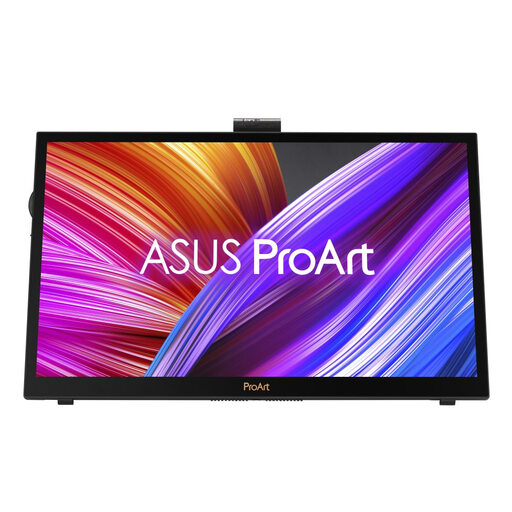
Why This Fits Their Persona: A portable 15.6-inch touchscreen monitor for illustrators and creators who need flexible positioning away from a fixed desk.
It combines a stated 3840 × 2160 IPS touchscreen with USB-C and HDMI connectivity, rather than treating portability alone as a performance specification.
4K IPS display, factory calibration information, ASUS Dial and dual-kickstand positioning.
We have compiled a complete, real-time list of products that fully satisfy these strict selection criteria and UK safety regulations.
It can be useful for detailed documents, large spreadsheets and creative applications because it provides more pixels and workspace. However, a Full HD monitor may be sufficient for email, browsing and standard office software, particularly with a smaller footprint or a computer with limited graphics capability.
Lifespan depends on usage, operating conditions, power management and component quality. Keep ventilation clear, avoid moisture and direct heat, use a suitable mains connection and turn the screen off when it is not required for long periods. Check the individual manufacturer’s warranty for cover against manufacturing defects.