
24/7 Customer Support

Free returns

Same-day & Next-day Delivery

Quality Guaranteed

Unlock Your Welcome Offers: FREE Delivery | Up to 80% OFF | Free 30-day JoyPlus trial
Download the APP
A computer mouse can look simple, yet the wrong model may cause cursor inconsistency, hand discomfort, cable clutter or constant battery changes. UK shoppers also face product listings that emphasise impressive-sounding specifications without explaining whether they matter for everyday use.
Before buying, watch for three common traps:
A wired mouse connects through USB and draws power from the computer. It does not need charging or batteries, making it suitable for fixed office desks, classrooms and shared workstations. Check whether your device has a compatible USB-A port, particularly if you use a slim laptop with only USB-C ports.
A wireless mouse usually connects through a 2.4GHz USB receiver or Bluetooth. A receiver generally offers straightforward plug-and-play use, while a Bluetooth mouse can be convenient for tablets and laptops without using a USB port. Some models, such as tri-mode mice, support wired, Bluetooth and 2.4GHz connections for greater flexibility.
An optical mouse uses an LED-based sensor to detect movement. It is suitable for most desks, mouse mats and non-reflective surfaces. A laser sensor may offer broader surface compatibility, but the practical result depends on the model and surface used.
DPI describes cursor sensitivity. A fixed 1000 DPI setting is generally adequate for documents, email and web browsing. An adjustable DPI mouse is more useful when you switch between detailed design work, large monitors and fast navigation. Gaming models may offer very high DPI ranges, although most users will not need the maximum setting.
A right-handed ergonomic mouse may include a thumb rest or raised palm support. A symmetrical ambidextrous mouse can suit either hand and is useful in shared environments. Compact designs are easier to carry as a laptop mouse, but a full-sized body may provide more support during long desk sessions.
Consider the number of buttons carefully. Three buttons are enough for everyday computing. Side buttons, macros and programmable controls can help with gaming or specialist software, but they may add cost and require drivers.
For a quiet office, library or shared study area, a silent mouse can reduce click noise. Check the listing carefully, as silent clicking may not apply to the scroll-wheel press or every button.
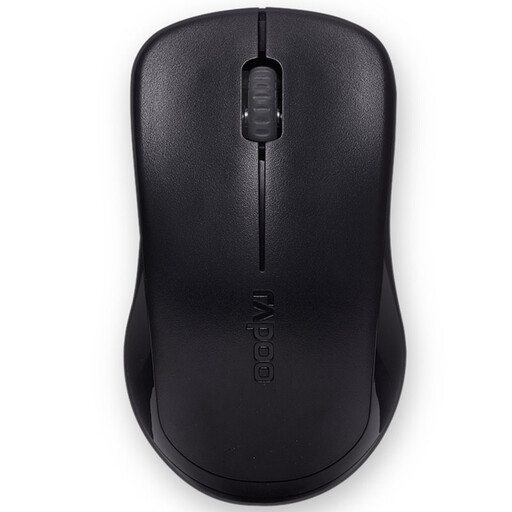
Why This Fits Their Persona: A practical choice for first-time buyers, home users and students who want a compact wireless mouse for browsing, documents and general laptop use.
It states a fixed 1000 DPI rather than implying that an extreme sensitivity figure is necessary, and uses a nano USB receiver for simple setup.
2.4GHz wireless connection, three-button layout, optical tracking and one AA battery with auto-sleep mode.
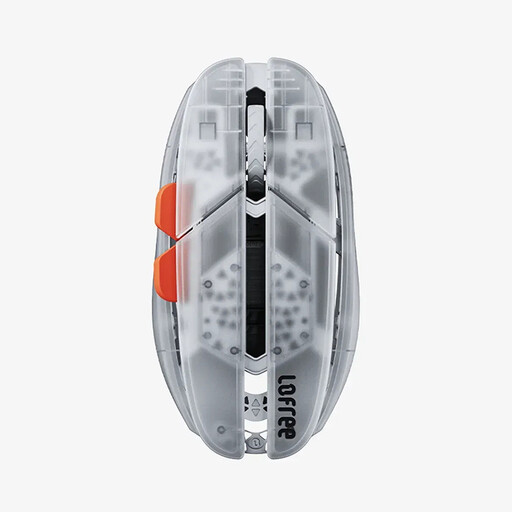
Why This Fits Their Persona: Designed for users moving between a laptop, tablet and desktop who value a lightweight build and more than one connection method.
Its tri-mode connection makes the compatibility requirements clear, while the low 47g weight supports portability without relying on a bulky body.
Wired, Bluetooth and 2.4GHz modes; adjustable DPI up to 40,000 through software; compatibility with Windows, macOS, iOS, iPadOS and Android.
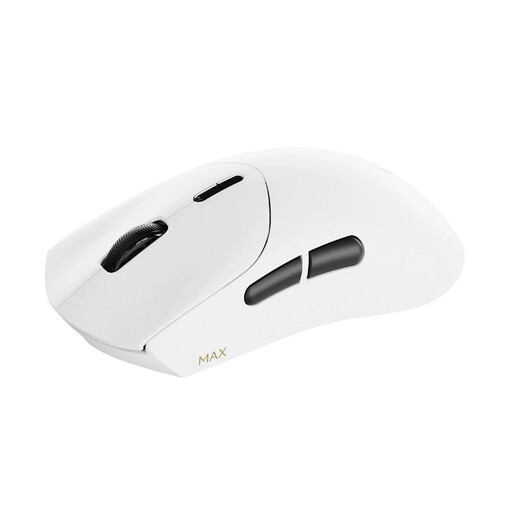
Why This Fits Their Persona: Suited to PC gamers and heavy users who need programmable controls, low weight and adjustable sensitivity for fast-paced play.
Rather than relying only on a headline DPI figure, it provides DPI controls, onboard memory and software-based button customisation.
Approximately 53g, up to 8K wireless polling, 10 programmable buttons and a stated battery life of up to 750 hours at 1000Hz.
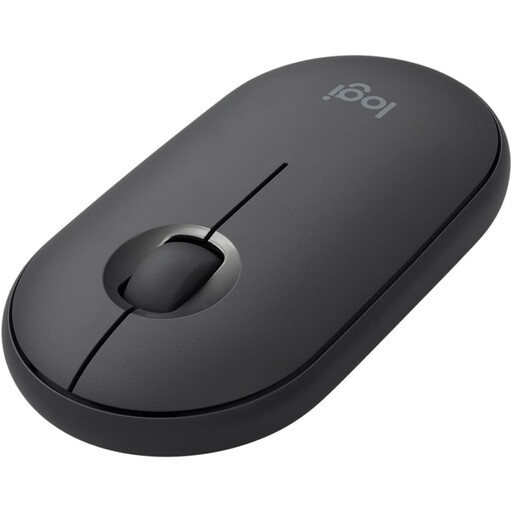
Why This Fits Their Persona: A slim laptop mouse for commuters, students and office workers who use shared spaces, libraries or quiet rooms.
Its low-profile, ambidextrous body addresses portability and hand-position concerns, while quiet clicking is intended for shared environments.
Compact wireless design, smooth optical tracking and an ambidextrous shape for left- or right-handed use.
We have compiled a complete, real-time list of products that fully satisfy these strict selection criteria and UK safety regulations.
Yes, provided the connection matches your laptop. Bluetooth avoids occupying a USB port, while a 2.4GHz model with a nano receiver can be straightforward to install. Check whether the receiver needs USB-A and whether an adapter is required.
Lifespan depends on switch construction, frequency of use, cleaning and cable handling. A wired mouse avoids battery replacement, while a wireless model may require periodic battery changes or charging. Keep the sensor and scroll wheel free from dust, avoid pulling the cable and follow the manufacturer’s care instructions.
Not necessarily. DPI changes cursor speed and sensitivity; it does not alone determine tracking quality. For office work, a moderate fixed setting may be sufficient. Choose an adjustable DPI mouse when you regularly switch between precision tasks, large displays or gaming.