
24/7 Customer Support

Free returns

Same-day & Next-day Delivery

Quality Guaranteed

Unlock Your Welcome Offers: FREE Delivery | Up to 80% OFF | Free 30-day JoyPlus trial
Download the APP
A computer mouse can look simple, yet the wrong choice may lead to cursor jumps, cable clutter, awkward wrist positioning or frequent battery changes. UK shoppers often focus on DPI figures or wireless claims while overlooking the details that affect everyday use.
Before buying, watch for three common traps:
The right computer mouse should match your equipment, workspace and typical tasks rather than simply having the longest feature list.
A wired mouse connects through USB and draws power from the computer. It does not require batteries or pairing, making it useful for offices, classrooms and shared workstations. A cable can restrict movement, however, especially where a small footprint is important.
A 2.4GHz wireless mouse normally uses a USB receiver. It offers cable-free operation while generally supporting a straightforward plug-and-play setup. Check whether your laptop has a compatible USB-A port, or whether you need an appropriate hub.
A Bluetooth mouse connects without a separate receiver, which is convenient for modern laptops and mobile work. Confirm that Bluetooth is available and supported by your operating system before purchasing. Some dual-mode models combine Bluetooth with 2.4GHz wireless, giving you more connection options.
Most everyday models use an optical mouse sensor, which tracks movement using light. Optical tracking works well on many opaque, non-glossy surfaces, but glossy or transparent desks can reduce accuracy.
DPI, or dots per inch, describes pointer sensitivity. A basic office mouse may provide around 1,000 to 1,600 DPI, while a gaming mouse can offer adjustable settings reaching 12,000 DPI or more. For spreadsheets and browsing, reliable tracking and a comfortable speed setting are usually more useful than a very high maximum.
An adjustable DPI mouse is practical if you switch between detailed design work, large monitors and gaming. Look for clearly stated adjustment levels rather than relying only on a headline number.
Right-handed users may prefer a sculpted ergonomic mouse, while an ambidextrous mouse has a symmetrical form suitable for either hand. Some models also support palm, claw and fingertip grips.
Weight affects how the mouse feels during movement. A lightweight gaming mouse may be easier to move quickly, whereas a heavier ergonomic mouse can feel more planted on the desk. Button count should also match your needs: three buttons are sufficient for basic computing, while programmable buttons can help with games, creative applications and repetitive office commands.
Check dimensions, cable length, battery type and software support before ordering. These practical details can prevent an otherwise avoidable return.
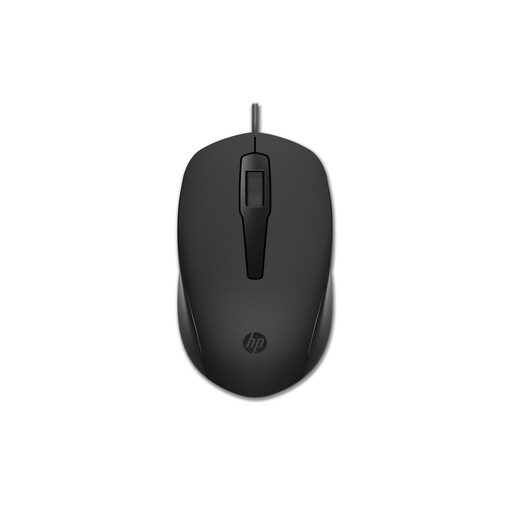
Why This Fits Their Persona: A practical choice for students, home offices and everyday browsing where simple USB operation matters more than gaming features.
Its 1,600 DPI optical sensor is clearly specified, while the wired USB connection avoids batteries, pairing and wireless receiver replacement.
60g ambidextrous design, three-button layout and plug-and-play USB Type-A connection.
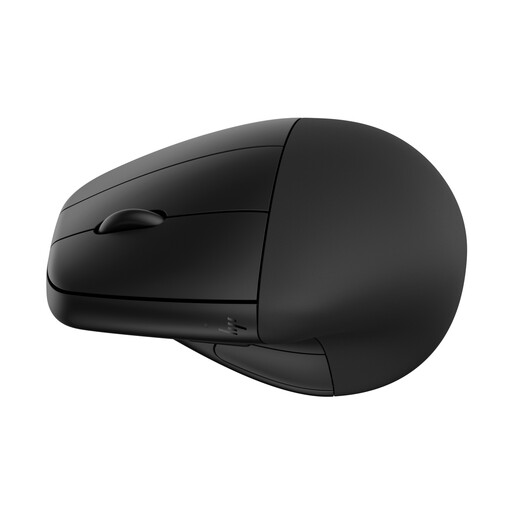
Why This Fits Their Persona: Suited to long desk-based working days where a vertical form, detachable wrist rest and flexible connectivity are priorities.
The design and dimensions are stated openly, and the mouse supports both Bluetooth 5.3 and 2.4GHz wireless rather than relying on one connection method.
Rechargeable Li-ion battery, six buttons, adjustable tracking up to 4,000 DPI and USB-C charging.
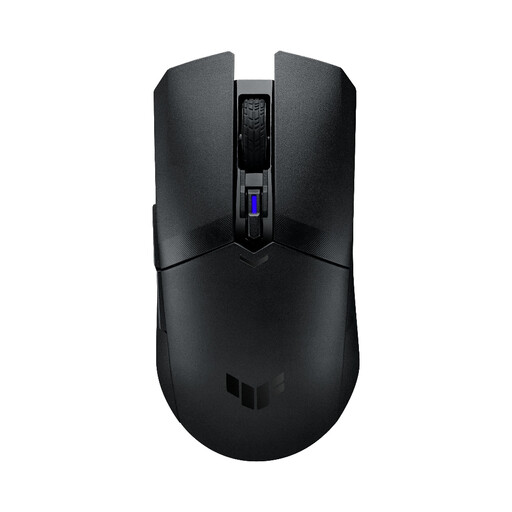
Why This Fits Their Persona: A compact dual-mode option for PC gamers who want wireless flexibility, low weight and customisable controls.
It provides both 2.4GHz RF and Bluetooth 5.1, plus a four-level DPI button instead of offering only an inflated maximum sensitivity.
62g body excluding battery and dongle, 12,000 DPI optical sensor, six programmable buttons and onboard memory.
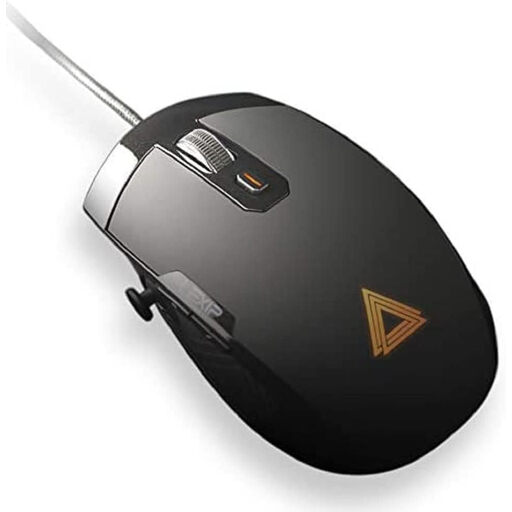
Why This Fits Their Persona: Designed for MMO, simulation, MOBA and 3D software users who need more commands than a conventional mouse provides.
Its dual-joystick layout is specified for navigation and camera control, making its extra controls relevant rather than decorative.
12,000 DPI optical sensor, six programmable buttons, two joysticks and a wired USB connection.
We have compiled a complete, real-time list of products that fully satisfy these strict selection criteria and UK safety regulations.
A wired mouse can be a sensible office choice because it needs no batteries or pairing and normally works as soon as it is connected. The trade-off is cable management and less freedom of movement.
Lifespan depends on click frequency, cleaning, cable handling and construction. Keeping the sensor and feet free from debris, avoiding liquid exposure and preventing sharp cable bends can help preserve performance. A model with replaceable batteries or a rechargeable cell may have different long-term maintenance needs from a USB mouse.
Not necessarily. DPI changes pointer sensitivity, not automatically the quality of tracking. Sensor design, surface compatibility and your operating-system settings also affect control. For many users, a reliable optical mouse with sensible adjustable DPI is more useful than an exceptionally high maximum figure.