Start by checking your laptop’s video output and your TV’s inputs and receiving features; those determine which connection can work. Choose a cable or adapter for a direct wired setup, or a compatible casting route or receiver when you want to share without a laptop-to-TV cable, then check the display mode, audio, network and any extra equipment required.
Who these connection options suit
Whole-screen viewers and gamers
If you want laptop software, games or the desktop on your main TV, check video output, display settings and audio, not just whether a streaming app is available. HP explains that HDMI carries both video and audio, while Google notes that whole-screen Chrome casting may leave audio on the computer.
USB-C laptop owners
If your laptop lacks a convenient HDMI output, check whether its USB-C port supports video before choosing an adapter. Anker’s UK guidance also highlights that charging and accessory connections vary by adapter.
Cable-free sofa viewers
If you want to share photos, videos or browser content without running a cable to the TV, match the laptop’s casting method to the TV or receiver and the relevant network setup. Microsoft, Google and Apple document different receiving and setup requirements for their respective routes.
What to check before choosing
HDMI cables and adapters
Choose this when: your laptop has HDMI output, your TV has an available HDMI input and a cable can reach your seating area.
Trade-off: the connection is wired, and a cable’s rating cannot upgrade the display modes supported by the laptop or TV. Anker’s A8743 ratings are manufacturer specifications, not a test of a complete setup.
USB-C display adapters
Choose this when: your laptop’s USB-C port supports the video-output technology required by the adapter and your TV accepts HDMI.
Trade-off: the shape of a USB-C connector alone does not confirm video support; check the exact laptop and adapter combination. Anker identifies DisplayPort Alt Mode or suitable Thunderbolt video support for the native adapters it describes.
Wireless casting or screen mirroring
Choose this when: the laptop and TV or receiver support the same casting method and you want to avoid a laptop-to-TV cable.
Trade-off: setup depends on the protocol. Google’s Chrome casting instructions specify the same Wi-Fi network; Microsoft documents Miracast using Wi-Fi Direct, so a shared router network is not a universal requirement for every wireless route.
TV streaming devices
Choose this when: your TV lacks the specific receiving feature needed by your laptop, such as a compatible AirPlay or Google Cast receiver.
Trade-off: a receiver adds equipment and setup requirements; it is not automatically a laptop receiver just because it streams TV content. Google specifies a separately sold HDMI cable for Google TV Streamer (4K).
| Concern |
What to check when buying |
Who this matters to |
| Compatibility |
Check the laptop’s video output, the TV’s available input and, for wireless, the receiving protocol. Anker’s guidance specifies video support for its native USB-C adapters. |
I want to avoid buying a connection my laptop and TV cannot use; about 36% of consumers put compatibility first. |
| Picture and audio |
Match the required display mode across the laptop, connection and TV. Check whether the chosen casting method sends the content’s audio to the TV; Google notes that whole-screen Chrome casting may leave audio on the computer. |
When I put games, software or video on the TV, I need the display mode and sound to suit the content; about 21% of consumers prioritise picture and audio. |
| Cable-free use |
Check built-in TV receiving features before buying a receiver, then confirm the protocol’s network requirements. Google’s Chrome casting instructions specify the same Wi-Fi network; Miracast uses Wi-Fi Direct. |
If I want to share from the sofa without a cable to the TV, the receiving method and setup need to fit my devices; about 29% of consumers prioritise cable-free convenience. |
| Complete setup |
Check whether the setup needs a separate HDMI cable, power equipment, charging or USB connections, and any account or setup prerequisites. Google specifies a separately sold certified HDMI cable for Google TV Streamer (4K). |
I want to know what else the setup needs before choosing an adapter or receiver; about 14% of consumers put a complete setup first. |
Laptop-to-TV connection pitfalls
-
Assuming every USB-C port can send video
A USB-C connector does not by itself establish the video output required by a native USB-C-to-HDMI adapter.
Check the exact laptop’s video-output specification before selecting an adapter; Anker’s guidance describes the requirements for its native adapters.
-
Treating all wireless TV devices as interchangeable
Miracast, AirPlay and Google Cast have distinct receiving and setup requirements. A device that streams apps may not support the laptop-receiving method you need.
Match the laptop’s sending method to explicit protocol support on the TV or receiver before buying.
-
Assuming whole-screen casting sends all audio to the TV
Google documents different audio behaviour for tab casting and whole-screen casting; whole-screen audio may play on the computer.
Choose the casting source that suits the content and check its audio on the intended setup before relying on it.
-
Planning only for the receiver
A receiver may need other equipment and setup steps before it can connect to a TV.
Google specifies a certified HDMI 2.1 cable sold separately for Google TV Streamer (4K), so include it in the equipment list.
Google also specifies power and setup requirements for this model. Use the included USB power cable and the supplied power equipment as instructed.
Relevant brands to consider
Anker
Relevant to HDMI cables and native USB-C display adapters for different laptop port configurations.
- Anker rates its A8743 cable for up to 8K at 60 Hz or 4K at 120 Hz. These are manufacturer specifications for that model, not a complete-system test.
- For its native USB-C adapters, Anker says the laptop’s port must support video output; confirm the exact devices and required display mode.
Belkin
Relevant to USB-C-to-HDMI conversion when a compatible laptop needs to connect to a TV’s HDMI input.
- Belkin specifies plug-and-play connection and output up to 8K at 60 Hz for AVC013btBK.
- That adapter capability does not establish that a particular laptop and TV support the same display mode; check the full connection.
Apple
Relevant to Mac households considering a USB-C Digital AV Multiport Adapter or Apple TV 4K as an AirPlay receiver.
- Apple documents HDMI, a standard USB connection and a USB-C charging-cable connection on its multiport adapter, and Mac-screen receiving through AirPlay on Apple TV 4K.
- Compatibility and network settings depend on the devices and route; Apple’s AirPlay guidance does not establish universal receiving support for Windows laptops.
Google
Relevant to Chrome-based casting to a Google Cast TV or Google TV Streamer (4K).
- Google documents tab and whole-screen casting. Its UK Streamer specifications list Ethernet and TV output up to 4K HDR at 60 FPS.
- Google notes that whole-screen casting may leave audio on the computer. The Streamer’s output rating is not a measured laptop-casting result, and a certified HDMI cable is sold separately.
Joybuy product options
These options cover wired connections: USB-C hubs and adapters with HDMI output, plus direct HDMI cables. Check that your laptop supports the required video output and that your TV has a compatible input.
 No image available
Baseus Metal Gleam Series II 10-in-1 USB-C Hub, Cosmic Black
Consider it if your laptop supports USB-C video output and you also need the listed HDMI and accessory connections.
The product name lists HDMI outputs rated 4K at 120 Hz and 4K at 60 Hz, plus USB, Ethernet and SD/TF connections. The product description specifies DisplayPort Alt Mode for video.
Joybuy
 No image available
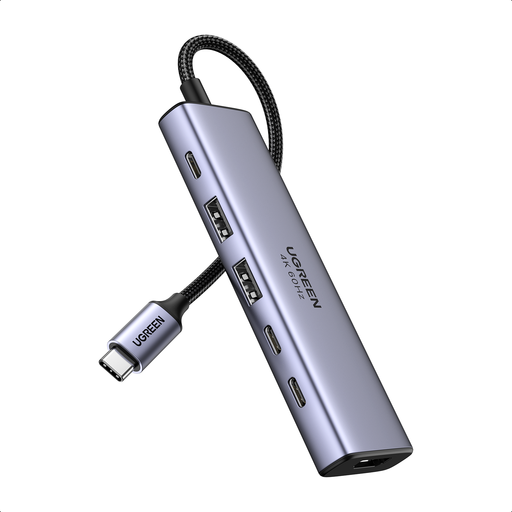
Ugreen 6-in-1 USB-C Multifunctional Adapter
Consider it for a wired HDMI display connection if your laptop supports video output over USB-C.
The product name lists HDMI, two USB-A 3.2 ports, two USB-C 3.2 ports and PD power.
Joybuy
 No image available
Baseus Cafule 4K HDMI Male-to-Male Cable, 3 m
Consider it for a direct wired connection when the laptop has HDMI output, the TV has an available HDMI input and a 3 m cable suits the setup.
The product name specifies a 4K HDMI cable with a 3 m length.
Joybuy
 No image available
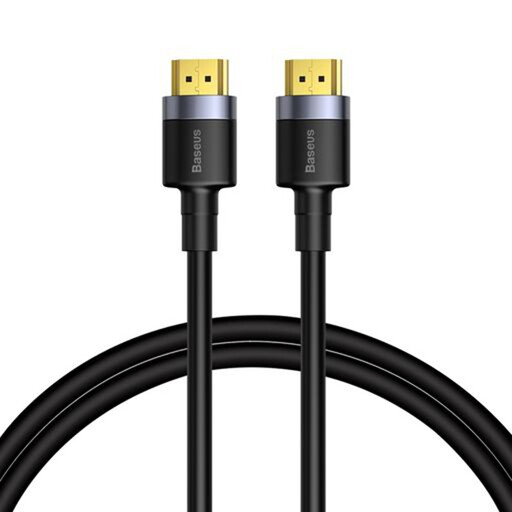
Baseus Cafule 4K HDMI Male-to-Male Cable, 2 m
Consider it for a direct wired connection when the laptop has HDMI output, the TV has an available HDMI input and a 2 m cable suits the setup.
The product name specifies a 4K HDMI cable with a 2 m length.
Joybuy
 No image available
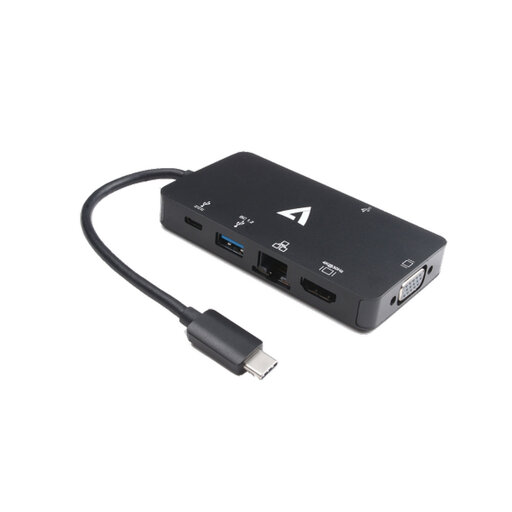
V7 V7UC-U3CRJ45HDVG-BLK USB-C Adapter
Consider it if your laptop supports USB-C Alt Mode for display and you need HDMI alongside other listed connections.
The product name and description list HDMI, VGA, Ethernet, USB ports and 100 W PD pass-through. The description specifies USB-C Alt Mode for display connectivity.
Joybuy
Laptop-to-TV connection FAQs
What should I identify before ordering a cable or adapter?
Check your laptop’s video-output specification, the TV’s available input and the display mode you want. For a native USB-C-to-HDMI adapter, confirm that the laptop’s USB-C port supports video rather than judging by connector shape. For wireless use, identify the receiver protocol and the laptop’s supported casting method.
Must my laptop and television always use the same Wi-Fi network?
No single network rule applies to every connection route. Google’s Chrome casting instructions specify the same Wi-Fi network for the computer and Google Cast receiver, and Apple’s ordinary AirPlay troubleshooting also checks for a shared network. Microsoft documents Miracast as using Wi-Fi Direct, so a shared router network is not an inherent requirement of every Miracast connection. Check the requirements for your specific receiver.
How do I start Windows wireless projection?
With a compatible Miracast receiver switched on, press the Windows logo key and K, then select the display. Microsoft instructs users with a Miracast dongle to connect it to the display first. Check that the laptop supports Miracast rather than assuming every Windows laptop can use this route.
Can I cast a locally stored video rather than the whole desktop?
Google documents opening a local file in a Chrome tab and casting that tab. Google suggests tab casting when you want that tab’s audio to play on the TV; whole-screen casting may leave audio on the computer. This does not establish that every file format or playback application is supported.
What equipment does Google TV Streamer (4K) need?
Google lists an HDMI display, a separately sold certified HDMI cable, Wi-Fi or Ethernet, an electrical outlet, a Google account and a compatible mobile setup device. Follow Google’s instructions to use the included USB power cable and supplied power equipment; do not assume that arrangements for an older Chromecast apply.


