What to check before buying
Check that the laptop can produce the two-screen setup you want before comparing docks; then match charging and peripheral connections to the desk.
| Concern |
What to check when buying |
Who this matters to |
| Two independent displays |
Check the laptop’s supported display count and output protocol, plus the combined resolution and refresh-rate mode. |
If I need two separate desktops rather than a mirrored picture, I would check the laptop’s display limit first. Around 33% of consumers put independent displays first. |
| Older or video-limited laptops |
Check the dock’s USB and operating-system requirements, driver permissions, workload guidance and charging arrangements. |
If my laptop lacks suitable USB-C video, I need a compatible alternative and must be able to install any required software. Around 27% of consumers prioritise a workable route for an older or video-limited laptop. |
| Laptop charging |
Compare host-facing power delivery with the laptop’s requirements, and confirm that the chosen connection supports charging. |
I want one desk connection to handle charging as well as the other connections, but only if it suits my laptop. Around 20% of consumers prioritise charging through the desk connection. |
| Peripherals and cabling |
Count the devices that stay connected and check their port types; consider whether direct video plus a USB hub would meet the need. |
If I keep peripherals at my desk, I want them connected without adding equipment I do not need. Around 20% of consumers focus chiefly on peripheral connections and manageable cabling. |
Joybuy product options
These Joybuy listings cover USB-C docks and adapters for adding display and peripheral connections. Check the laptop’s video capability and the listed display limits: a single-display adapter will not create a two-screen setup on its own.
 No image available
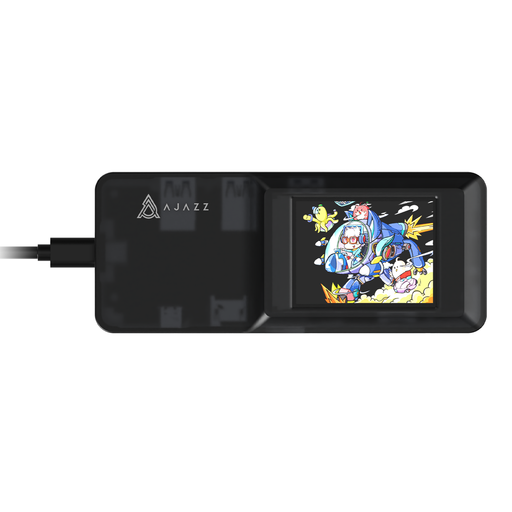
AJAZZ AKP01E 8-in-1 Visualization Hub
Consider it for a desk that needs an HDMI display connection and additional connections in one hub.
The product name specifies a USB-C connection, 4K projection and TF/SD dual card slots. Confirm that the laptop’s USB-C port supports video output before relying on HDMI.
View on Joybuy
 No image available
USB-C Docking Adapter: 2 HDMI, DisplayPort, USB, Ethernet, PD, SD/TF and Audio
Consider it when you need a USB-C adapter with several display and peripheral connections, subject to the laptop’s supported video mode.
The product name lists 2 HDMI, DisplayPort, USB 3.0 and USB 2.0, Ethernet, PD, SD/TF and audio connections. Check the laptop’s display limit and whether the required screens can operate independently.
View on Joybuy
 No image available
Targus USB-C Universal Dual HDMI 4K Docking Station, 100W Power Delivery Pass-Through
Consider it for a USB-C desk setup that needs HDMI connections and power pass-through, after confirming the host supports video over USB-C.
The product name specifies dual HDMI, 4K and 100W Power Delivery pass-through. The listing specifies USB-C Alt Mode for video; those details do not establish the laptop’s supported display count or combined display mode.
View on Joybuy
 No image available
V7 V7UC-U3CRJ45HDVG-BLK USB-C Adapter with 4K HDMI, VGA, Gigabit Ethernet, 100W Power Delivery and Dual USB 3.0
Consider it as a single-display connection alongside a separate, suitable video output when planning a two-screen desk.
The listing specifies SST single-display use only, with HDMI or VGA output, Gigabit Ethernet, 100W Power Delivery and dual USB 3.0 ports. It cannot provide two displays by itself.
View on Joybuy
Questions about laptop docks
Will any USB-C port run two monitors through a dock?
No; the laptop’s USB-C port and graphics must support the dock’s video requirements and the intended display mode. Check the exact laptop’s video protocol and external-display allowance against the dock’s host requirements. StarTech, for example, specifies its cited dual-4K mode only for a DP 1.4 Alt Mode HBR3 host with DSC.
What needs installing for a USB-A video dock?
It depends on the dock. Plugable specifies a USB 3.0 Type-A or Type-C host and the DisplayLink USB Graphics driver for the UD-6950H. If the laptop is managed by your employer, check software permissions and support arrangements with IT before choosing that route.
Will a USB-A dock also charge my laptop?
Do not assume it will. Kensington says USB-A use of its SD4781P requires an alternative laptop power source, and Plugable says its UD-6950H does not charge the host computer. Check the particular model’s host-charging details and keep a suitable charger if needed.
Who pays for equipment or repairs for a work-from-home desk?
Acas advises employers and staff to agree what equipment is needed and who will provide or pay for equipment and repairs. Check your employer’s arrangements rather than assuming a personal dock purchase will be reimbursed.
What if an online purchase does not suit my setup?
GOV.UK guidance says online customers have a time-limited right to cancel an order even when the goods are not faulty; remedies for faulty goods are separate. Check the applicable timing and exceptions in the government guidance and the seller’s terms before ordering.


