Choose the device for the household task: a speaker or display for shared voice and device control, a camera or doorbell for monitoring, or a hub, sensor or plug for automation. Before buying, agree who will control the account and check the exact model’s update support, network requirements and, if it records video, its storage arrangements. UK connected-product security requirements provide a baseline for relevant products, not a guarantee that a particular account or recording setup will meet your household’s privacy expectations.
Who is this for?
Households sharing device control
Several residents need to operate a speaker, display, hub or automation device without passing around one administrator password. Check whether the chosen service offers individual invitations and how access can be removed.
Households considering a camera
Residents need to agree where a camera or doorbell will point, who can view it remotely and who can access recordings. Cloud and local storage also call for different decisions about retention and managing footage.
Households planning to keep a device connected
Anyone expecting years of use should check the exact model’s stated security-update period, how updates arrive and where to report a security issue, as well as who will maintain its account.
What matters when choosing?
Decide what the device needs to do before comparing its account, recording and network requirements. An account and network plan matters whichever type you choose.
Speaker or display
Choose when: Residents want shared voice interaction, media or control of compatible devices.
Trade-off: It adds an account-managed, connected device to a common space; agree on access and microphone settings.
Camera or doorbell
Choose when: Live viewing, motion alerts or recorded events are the main need.
Trade-off: Placement and access to footage affect other household members, while recorded history may depend on a plan or compatible local storage.
Hub, sensor or plug
Choose when: The priority is automation, such as switching a compatible appliance, rather than voice interaction or video.
Trade-off: The setup may still need a particular controller, app, account or network connection.
| Concern |
What to check |
Who this matters to |
| Security-update support |
Find the minimum security-update period and security-issue reporting contact for the exact model and purchase route. A minimum period is not a promise of total device lifespan. |
If I expect to keep a device on our home network for years, I want to know how long its security updates are promised. Around 31% of consumers put that support question first. |
| Household permissions |
Check for individual invitations, available roles, two-factor authentication and a way to remove access or transfer administration. |
When several residents need control, I do not want everyone using the same administrator login. For around 25% of consumers, controlled household access is the primary concern. |
| Recording and storage |
For a camera, distinguish live view from saved video; check plan requirements, retention and compatible local-storage options. |
If we need to revisit camera footage, I want to decide who can see it and how it will be kept. Recording control and its ongoing requirements come first for around 25% of consumers. |
| Network and setup fit |
Check Wi-Fi and hub requirements, how updates are installed, and whether the intended controls work if you use a separate guest network. |
If our phones and devices need to communicate across the home network, I want the proposed setup to work without awkward workarounds. Around 19% of consumers prioritise that network fit. |
Purchasing pitfalls
-
Assuming a security baseline settles every privacy question
The UK consumer connectable product security regime has applied since 29 April 2024 to relevant products that connect to the internet or a network. The Office for Product Safety and Standards describes requirements including a security-issue reporting route and a stated minimum update period; those requirements do not decide who in your home can see recordings. Product exclusions and a distinct position for certain Northern Ireland supplies mean coverage needs checking for the particular product and supply route.
Check the model’s support statement and household privacy controls separately. If supply in Northern Ireland or a listed exclusion is relevant, check the applicable official guidance for that product.
-
Giving everyone the administrator password
A shared login makes it harder to withdraw one person’s access. Google Home, for example, documents invitations for household members, while government smart-device guidance recommends two-factor authentication where offered.
Check whether residents can have individual access, decide who administers the home and plan how to remove a member who leaves.
-
Choosing a camera before deciding whether to save video
Live view and recorded history are different needs. Ring says its cloud video-storage settings require an active plan or trial, and that videos can be lost when retention expires or a plan lapses. Compatible Reolink cameras offer local-storage routes, but the recording method depends on the model.
Decide whether you need saved events and for how long, then check the exact camera’s plan terms, supported storage and who can access the footage.
Local recording can also require compatible storage media, a hub or an NVR, plus someone in the household to manage recordings.
-
Separating a device from the network it needs
The NI Cyber Security Centre notes that a router’s guest Wi-Fi can separate devices from an ordinary network. That separation may also interfere with a setup that needs a phone, speaker or hub to communicate locally with the device. For cameras, National Cyber Security Centre guidance says disabling unneeded remote viewing can also affect alerts or smart-home integration.
Check the intended device workflow and router settings before using a guest network or turning off remote access.
Relevant brands to consider
Amazon Echo
Speakers and displays for shared voice interaction, media and control of compatible devices.
- Amazon publishes Echo security-update support information. Its stated minimum for devices bought new from Amazon as seller in the UK is at least four years from purchase, or a listed later date.
- The applicable statement can differ for refurbished devices or those bought elsewhere; check the exact model and purchase route.
Google Nest
Speakers, displays and cameras used with a Google Home household.
- Google Home documents invited members sharing control of a home and its devices. Google says Nest products with a stable internet connection update automatically.
- Check the current security-update statement and available household permissions for the exact product; automatic updates alone do not establish a support duration.
Ring
Doorbells and cameras for households considering live viewing, alerts and recorded events.
- Ring publishes device-specific security-update dates and a UK security-reporting contact.
- Ring says cloud video-storage settings require an active subscription or trial. Check the recording and retention terms before relying on saved footage.
Reolink
Cameras with model-dependent local-storage options.
- Reolink describes compatible cameras that record to microSD cards, NVRs or Home Hubs without a cloud-storage subscription.
- Confirm the exact camera’s storage compatibility, required hardware and how the household will manage access to recordings.
Joybuy products for monitoring and automation
These cameras and doorbells address household monitoring, while the smart plug addresses appliance automation. Compare their stated features with your account, recording and network needs; they are not substitutes for a speaker or display if shared voice interaction is the goal.
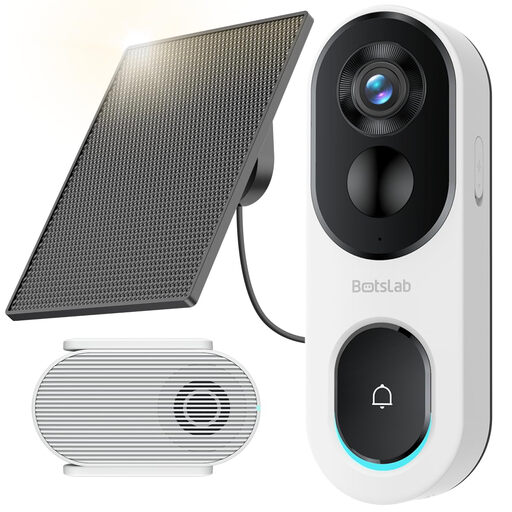 Image unavailable
BOTSLAB R810SE 2K solar-powered video doorbell
Consider this doorbell if several residents need to answer visitors; check how its household access is managed before choosing it. The title specifies two-way audio and 2.4GHz Wi-Fi only. Confirm the exact model’s update support and the storage media needed for your preferred recording setup.
View on Joybuy
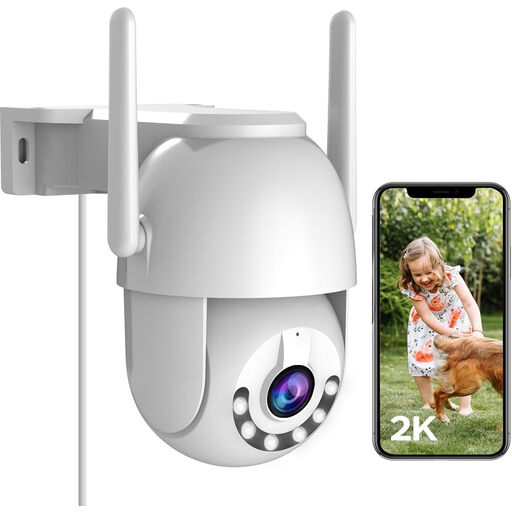 Image unavailable
JOOAN 2K outdoor 360° PTZ security camera
Consider this outdoor camera if household members need shared viewing, but confirm the permissions available to each user. Its title specifies 2.4G Wi-Fi, an IP66 rating and card or cloud recording. Check the cloud-plan terms, storage media and model-specific security-update support before relying on recorded video.
View on Joybuy
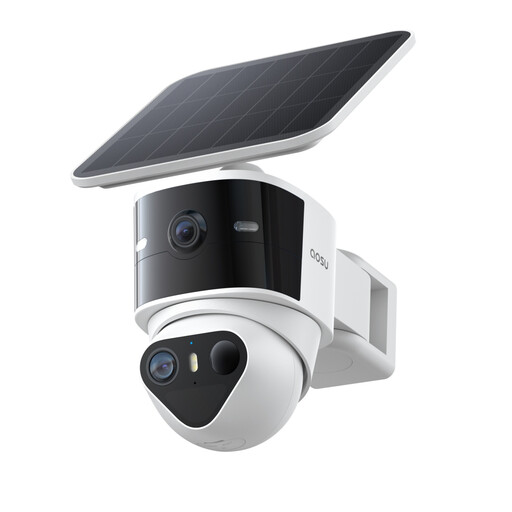 Image unavailable
aosu T2 Pro 3K outdoor solar camera, 5MP dual camera
Consider this camera for an outdoor monitoring position where its solar-powered setup suits the location. The title specifies 360° PTZ and a 170° wide-angle view. Check the network arrangement, household access controls and update support for this model, as well as the storage media your recording plan requires.
View on Joybuy
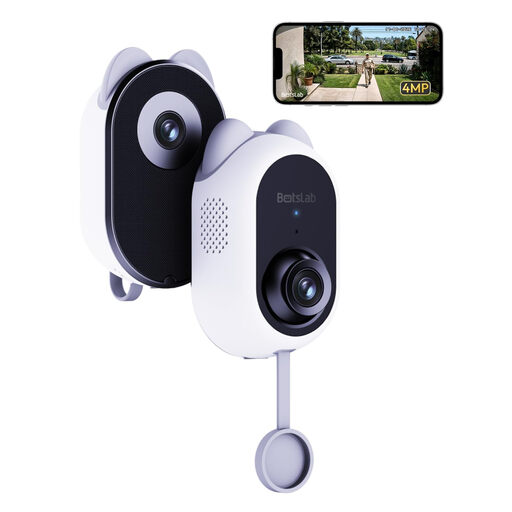 Image unavailable
BOTSLAB W101 4MP indoor window camera, dual lens
Consider a window-mounted camera if that placement suits the view and the people affected by it. The title specifies indoor and outdoor views, app control and 2.4/5GHz Wi-Fi. Confirm which lens serves your intended view, how residents receive access and what storage and update support the exact model offers.
View on Joybuy
 Image unavailable
Eve Energy Matter smart plug with power meter, UK Type G
Consider this plug if switching a compatible appliance is the task rather than monitoring a space. Its title specifies Matter, Thread and compatibility with Apple Home, Alexa, Google Home and SmartThings. Check that your setup has the required compatible Matter controller and Thread border router for full Thread functionality, and confirm its household permissions and update support.
View on Joybuy
Frequently asked questions
Do UK connected-product security rules cover every smart speaker or camera?
No: coverage depends on the product and supply circumstances. The Office for Product Safety and Standards says the UK regime has applied since 29 April 2024 to relevant consumer products that connect to the internet or a network, subject to specified exclusions and a distinct position for certain Northern Ireland supplies. Check the exact product and applicable supply route rather than assuming that a device category alone settles coverage.
What security information should we check before buying?
Look for the exact model’s stated minimum security-update period and the manufacturer’s security-issue reporting contact. The National Cyber Security Centre identifies these as information to seek for relevant connected products; also check how updates arrive and whether the account offers two-factor authentication. A brand-wide statement may not describe an older, refurbished or differently sourced device.
Does a household camera need a subscription to save video?
That depends on the camera and the recording feature. Ring says changing its cloud video-storage time requires an active plan or trial, while Reolink describes local recording on compatible products without a cloud-storage subscription. Check the exact model’s recording functions, retention terms and required storage hardware before choosing.
How should several residents share access to a camera?
Agree who needs viewing and administrator access before installing it, then use individual invitations where the service supports them instead of sharing a master password. Enable two-factor authentication where offered and plan how to remove access later. National Cyber Security Centre camera guidance also recommends disabling internet remote viewing when it is not needed, while noting that this may prevent alerts or smart-home integration.


