Living-room co-op pairs
If two people want to share one screen, check the chosen game’s local-player count and required controllers. A console’s multiplayer capability does not establish that a particular adventure supports couch co-op.


Choose Nintendo Switch 2 if moving between TV and tabletop play matters to your two-player setup: its included Joy-Con 2 controllers can be used individually in compatible games. Choose a PS5 or Xbox Series X route if you mainly play on a TV and the adventures you want are available there. For any console, check the exact game’s local-player and controller requirements, and do not assume 4K or HDR will overcome glare from a bright room.
If two people want to share one screen, check the chosen game’s local-player count and required controllers. A console’s multiplayer capability does not establish that a particular adventure supports couch co-op.
If you mainly play in daylight, consider the TV, its settings and the game alongside the console’s video features. Nintendo UK and PlayStation UK both make their higher-resolution or HDR guidance conditional on the connected setup and supported software.
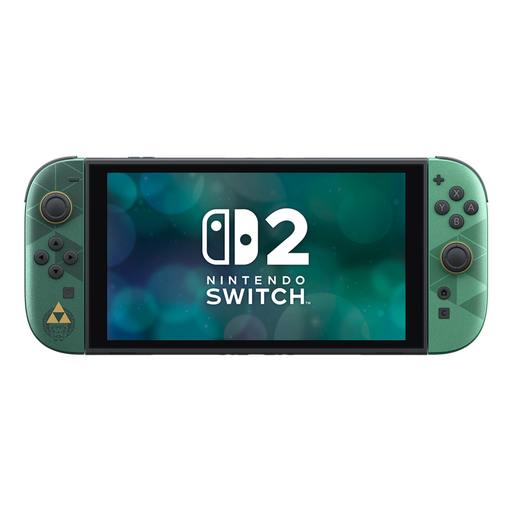
If the living-room TV is not always available, Nintendo Switch 2 offers tabletop play as well as TV play. Its two included Joy-Con 2 controllers can be used separately when the game supports that controller layout, according to Nintendo UK Support.
Settle on the games and local-player setup you need before comparing picture features. The console routes differ in where you can play and in physical-media options, but none makes every adventure playable together on one screen.
Choose it when: Switching between TV and tabletop play is important, and your chosen games support the intended use of its included Joy-Con 2 controllers.
Bear in mind: Nintendo UK says 4K TV output is limited to 60 fps; supported games and a compatible display are required for the relevant video features.
Choose it when: Your co-op adventures are available on PS5 and you expect to play mainly on a TV with a suitable setup for its 4K and HDR capabilities.
Bear in mind: PlayStation UK says image quality depends on the home entertainment setup. Decide whether you need a disc-capable model rather than assuming every PS5 accepts physical games.
Choose it when: Your intended games are on Xbox and native-4K capability matters to your TV setup.
Bear in mind: Xbox Support UK identifies a UHD Blu-ray drive on the standard Series X, but the Digital Edition shown below has no disc drive. Game and display support still determine the output you can use.
| Concern | What to check when buying | Who this matters to |
|---|---|---|
| Picture visibility | Check your TV’s HDR and HDMI capabilities, plus the exact game’s supported video modes. HDR is not a guarantee against glare. | If daylight makes the TV harder to see, I want to know what my screen and game can actually display before choosing a console. Around 40% of consumers would put bright-room display compatibility first. |
| Local co-op setup | Check the game edition’s local-player count, local versus online modes and required controller layout. | When we plan to play together on one screen, I need the game to accommodate our group with the controllers we will have. Local co-op setup would be the first concern for around 40% of consumers. |
| TV and tabletop flexibility | For Switch 2, check whether your games support tabletop play and individual Joy-Con 2 use. | If the main TV is sometimes occupied, I want a way to continue our shared game away from it. Roughly 20% of consumers would prioritise that flexibility. |
Nintendo UK and PlayStation UK describe video features that depend on supported games and compatible displays. Those capabilities alone do not establish how easy your TV will be to see in your room.
Check your TV’s HDR and HDMI capabilities and the exact game’s video modes before choosing a console for its picture specifications.
An adventure described as co-op may not offer the local-player count, console edition or controller arrangement your group needs.
Read the exact game listing for local versus online play, platform version, player count and required controllers before checkout.
PlayStation Direct UK describes PS5 Digital Edition as having no disc drive. Xbox Support UK identifies a UHD Blu-ray drive on the standard Series X; that does not apply to the Series X Digital Edition.
If you intend to use physical games, check the drive configuration of the precise console edition you are buying.
Nintendo UK Support says a Joy-Con 2 can work as an individual controller when the software supports that play style. The game’s own player limit and controller requirements still govern the session.
Count your players and check the game’s supported controller layout before planning a larger group session.
Games that require paired controllers, or groups needing more than the two included Joy-Con 2 controllers, may call for additional controllers.
Nintendo Switch 2 is relevant when TV and tabletop play are both part of the plan.
PS5 is a TV-focused option when the co-op adventures you want are available on PlayStation.
Xbox Series X is a TV-focused option when the intended games are available on Xbox and native-4K capability matters.
These console editions cover Switch 2 play that can move between TV and tabletop, plus digital-only Xbox Series X and PS5 options for TV play. Choose an edition only after checking the games, local co-op modes and display setup you intend to use.
 No image available
Consider this Switch 2 edition if moving between TV and tabletop play matters to your group; confirm that your intended games support local play and the controller layout you need.
Nintendo UK states that Switch 2 can output up to 4K in TV mode with a compatible game and display, at no more than 60 fps when outputting 4K. That specification does not establish visibility on your particular TV in daylight.
 No image available
Consider this TV-focused edition if your intended co-op games are on Xbox and an all-digital game library suits you; check each game’s local-player and controller requirements.
This is the 1TB Digital Edition, not the standard Series X with a UHD Blu-ray drive. Xbox identifies native-4K capability for Series X, while the video mode you can use depends on the game and connected display.
 No image available
Consider this PS5 edition if your chosen co-op adventures are on PlayStation and you plan to buy games digitally; confirm each game’s local mode and controller needs.
The Digital Edition has no disc drive. PlayStation UK says PS5 consoles have 4K and HDR capabilities, but image quality depends on the connected home entertainment setup.
No: HDR capability does not guarantee that a TV will be easy to see in daylight. PlayStation UK says PS5 image quality depends on the home entertainment setup, while Nintendo UK makes Switch 2 video features conditional on supported software and a compatible display; check your TV and the game’s available settings.
No: local co-op is specific to the game and its platform edition. Check the exact listing for local versus online play, the number of local players and the required controllers before buying.
Not always: Nintendo UK Support says each included Joy-Con 2 can be used horizontally as an individual controller in supported software. Check the game’s controller layout, because a game requiring paired controllers or a larger group may need additional hardware.
Check the exact game’s PEGI age rating and content descriptors alongside its local-player requirements. PEGI says its age rating addresses content suitability, not difficulty, so the rating alone will not tell you whether a child can manage the game.