What matters when choosing
Decide where you will sit and which console output you want before comparing screen headlines. Then check whether the display also needs to serve a computer or provide sound for other people in the room.
| Concern |
What to check |
Who this matters to |
| Console video modes |
Check the exact HDMI port’s supported resolution, 120Hz, VRR and HDR modes against your console settings and cable requirements. |
If I want high-refresh console play, I need the intended mode to work through HDMI, not just on a PC connection. Around 31% of consumers would put console-output compatibility first. |
| Size and placement |
Measure the desk or furniture, stand depth and viewing distance; check mounting options if you plan to use an arm. |
In a cramped room, I need the screen and stand to fit where I actually sit, or to store the display when I am done. Physical fit would be the main concern for around 31% of consumers. |
| Computer sharing |
Check the inputs needed by both devices and whether USB-C, KVM or stand adjustment matters to your desk use. |
When one screen handles console play and computer work, I want switching between them to suit my routine. Around 23% of consumers would make shared use their primary concern. |
| Sound and co-viewing |
Check speakers, headphone connections or audio-return features on the exact model, and consider where other viewers will sit. |
If another person regularly watches with me, private headset audio and a desk-facing screen may not meet our needs. Sound and shared viewing would come first for around 15% of consumers. |
Relevant brands to consider
These examples show features to compare on specific models, not features shared by every monitor in a brand’s range.
LG UltraGear
LG UK lists the 27GP950-B as a 27-inch 4K monitor with HDMI 2.1 and VRR up to 120Hz through HDMI.
- Its stated HDMI modes give console players a specific model specification to compare with their intended output.
- LG UK lists no built-in speakers for the 27GP950-B; check audio and console modes separately on any other UltraGear model.
BenQ MOBIUZ
BenQ UK lists HDMI 2.1, USB-C, KVM and eARC features for the 27-inch 4K EX271U, making its connections relevant to a shared console-and-computer desk.
- The EX271U’s listed connections address both console input and computer peripherals.
- Check the EX271U’s exact console resolution, refresh and VRR modes rather than treating its other connections as proof of them.
ASUS ROG
ASUS ROG describes the PG27UQR as a 27-inch 4K monitor supporting native 4K at 120Hz on compatible consoles through HDMI 2.1.
- ASUS ROG also lists VRR and height, swivel, tilt and pivot adjustment for the PG27UQR.
- Those specifications belong to the PG27UQR, not every ROG display; consider whether you need its stated console mode and stand adjustments.
Joybuy display choices
These Joybuy choices cover desk monitors for console setups and one portable screen for a room where storage or moving the display matters. Compare each listing’s exact HDMI console modes with your console before choosing; the screen’s advertised maximum refresh rate alone is not enough.
 No image available
Dahua 32-inch 4K Curved OLED Gaming Monitor
Consider this larger desk-screen format if your furniture and viewing position can accommodate it.
The listing title states 3840 × 2160 resolution, a 165Hz refresh-rate headline, USB-C at 65W and a USB hub. Confirm the HDMI modes available to your console rather than assuming its 165Hz headline applies to console play.
Joybuy
 No image available
LG UltraGear 27G810A-B 27-inch 4K IPS Monitor
The 27-inch format is worth considering for a close desk position where you also want a 4K screen.
The title identifies a dual-mode monitor with a maximum 360Hz headline. Check which resolution, 120Hz and VRR combinations the 27G810A-B accepts from your console over HDMI, and check its audio provision if you need room sound.
Joybuy
 No image available
MSI MAG 275UPD E14 27-inch 4K Monitor
This 27-inch desk monitor is an option if you want to compare 4K and Full HD screen modes for your setup.
Its title lists dual-mode UHD 144Hz and FHD 288Hz operation. Those figures do not establish which modes a console can use through HDMI; check the exact console resolution, refresh and VRR support, plus audio provision if needed.
Joybuy
 No image available
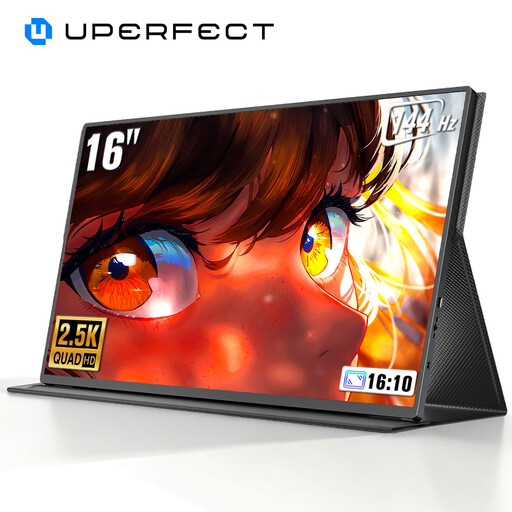
UPERFECT 16-inch 2560 × 1600 Portable Monitor
Consider this format when you need to move or put away the display and can accept a smaller screen than a desk monitor.
The title lists a 144Hz headline, Mini HDMI, USB-C and VESA compatibility. Check how you will power and position it, and which resolution and refresh mode your console can use through Mini HDMI.
Joybuy
 No image available
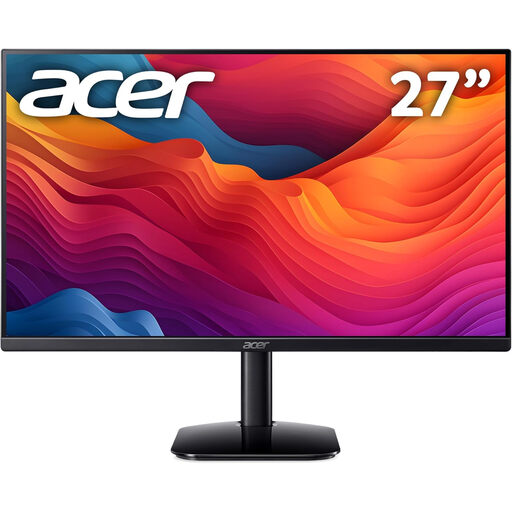
Acer KB272P0bi 27-inch Full HD Monitor with Speakers
This is a desk-screen option if Full HD meets your needs and built-in speakers matter to your room setup.
The title lists a 144Hz refresh-rate headline and FreeSync. Confirm the refresh modes accepted from your console over HDMI, particularly if you want 120Hz play.
Joybuy
Frequently asked questions
Do I need HDMI 2.1 for a console monitor?
Not for every console setup. Xbox Support specifies an Xbox Series X, an Ultra High Speed HDMI cable supporting HDMI 2.1 and an HDMI 2.1-capable display for 4K gaming at 120Hz; lower-resolution 120Hz output can have different requirements. On PS5, check the connected display’s resolution, HDR and VRR information under Screen and Video settings.
Will a 144Hz or 165Hz monitor run console games at that refresh rate?
Not necessarily: the advertised maximum may describe a PC mode rather than the monitor’s HDMI console modes. Check the exact model’s supported HDMI resolution, 120Hz and VRR combinations against your console before buying.
Will a gaming monitor have sound for a bedroom?
It depends on the exact monitor and how you want to listen. LG UK lists no speakers for the 27GP950-B, while BenQ UK describes eARC on the EX271U; check speakers, headphone connections or compatible external-audio options on the model you choose.
Does choosing a small TV instead of a monitor change TV Licence requirements?
The screen type alone does not determine whether you need a TV Licence. TV Licensing says a licence is needed to watch live TV or events, and for live or on-demand BBC iPlayer programmes; assess the viewing you plan to do rather than the display’s name.


