What should you check before buying?
Test the console connection first, then match the next purchase to the limiting part of the connection: the Wi-Fi hop, coverage, competing household traffic or the broadband service.
| Concern |
What to check |
Who this matters to |
| Avoidable Wi-Fi hop |
Compare the console’s wired and wireless connections; check the cable route and available LAN ports. |
If I can cable the console, I want to find out whether its Wi-Fi link is part of the problem before replacing the router. Around 31% of consumers put a practical wired route first. |
| Wi-Fi coverage |
Assess the console room and mesh placement; check whether a wired route to a nearer access point is practical. |
My console is too far away to cable easily, so I need a workable connection in that room. For around 25% of consumers, local Wi-Fi reach is the primary concern. |
| Household traffic |
Check the exact router or mesh model’s device or activity priority controls and any bandwidth settings they require. |
Online play worsens when other devices are busy, and I need to decide whether traffic priority would help manage the connection we share. Around 25% of consumers prioritise household contention. |
| Broadband service |
Use console diagnostics and a wired comparison, then check service availability and speed information for the address. |
If trouble persists over Ethernet, I do not want to buy more Wi-Fi equipment before examining the service itself. Roughly 19% of consumers make that their first concern. |
Joybuy products for mesh and wired ports
These mesh systems are relevant when a console needs a better-planned local Wi-Fi connection; the switch is for adding wired ports where a practical cable route already exists. Check the connection before choosing either route.
 No image available
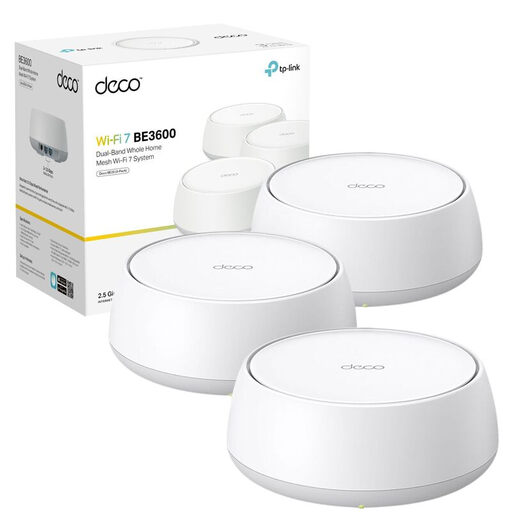
TP-Link Deco BE22 BE3600 Wi-Fi 7 Mesh (3-Pack)
Consider this three-unit mesh system when the console needs a local Wi-Fi connection across rooms. Its Wi-Fi 7 and BE3600 designation do not establish the connection or latency you will get at home; check placement and the broadband service before changing equipment.
View on Joybuy
 No image available
TP-Link Deco BE25 Wi-Fi 7 Mesh (3-Pack)
This three-unit mesh system is a coverage option if the console cannot be cabled to the main router. Check the proposed unit positions and the exact model’s priority controls if competing household traffic is also a concern.
View on Joybuy
 No image available
NETGEAR Orbi 370 RBE373 Wi-Fi 7 Mesh (3-Pack, White)
Consider this three-unit, dual-band BE3600 mesh system for a console away from the main router when a direct cable run is impractical. The product name specifies 2.5 Gbps Ethernet; check the intended connection between units and the console before relying on a wired connection nearby.
View on Joybuy
 No image available
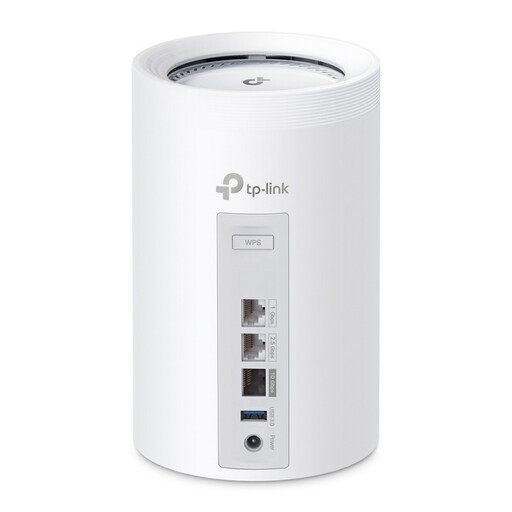
TP-Link Deco BE65 BE9300 Tri-Band Wi-Fi 7 Mesh (3-Pack)
This three-unit mesh system is another local-coverage option for a console that must use Wi-Fi. Check unit placement, the connection path and the exact model’s wired-port and priority features against your intended setup; the BE9300 designation is not a gaming-performance result.
View on Joybuy
 No image available
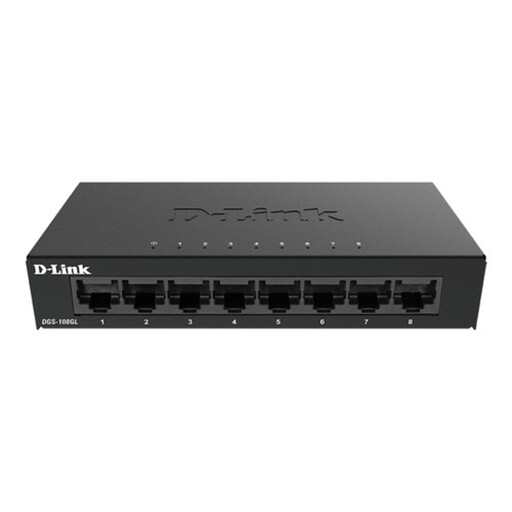
D-Link DGS-108GL 8-Port Gigabit Unmanaged Switch
Use this switch when several devices need wired connections and the router has too few usable LAN ports. It still requires practical cable runs to the router and console, and adding ports does not increase broadband-service capacity.
View on Joybuy
Questions about console connections
Should I try Ethernet before buying a gaming router?
Yes, if a practical cable route exists, compare the console’s wired and wireless connections first. Ofcom identifies the in-home wireless link as a possible bottleneck, while Xbox and PlayStation provide console connection settings and diagnostic guidance. Ethernet will not resolve every broadband or game-server problem.
Can router QoS guarantee lower ping?
No. Quality of Service controls can prioritise a console or gaming traffic when the home connection is busy, but they redistribute available capacity rather than increasing the broadband service’s capacity or controlling a game server. Confirm what the exact router model can prioritise.
What should I check when setting up router or mesh priority?
Use the manufacturer’s controls to prioritise the console or gaming activity, according to what the exact model supports. If the setup requests upload and download bandwidth, use values appropriate to your connection; ASUS and TP-Link document controls that differ by product and software.
When should I investigate broadband rather than buy more Wi-Fi equipment?
Investigate the service when a wired comparison suggests Wi-Fi is not the main limitation, or when several active devices regularly compete for the connection. Check availability and speed information for your address; Ofcom reports that UK home-broadband performance varies by package and technology, while conditions inside the home remain a separate factor.


