What matters when choosing?
Start with the console’s intended HDMI signal, then decide whether image detail, motion or the viewing space should drive the rest of the choice. A desk monitor is not automatically a substitute for a TV used from across the room.
| Concern |
What to check |
Who this matters to |
| Console signal compatibility |
Match the exact model’s HDMI input modes to your console’s intended resolution and refresh rate; check VRR and HDR separately if you want them. |
If I am buying for a particular console mode, I need to know the monitor will accept that signal before comparing panel features. Around 36% of consumers put compatibility first. |
| Image detail and HDR |
Compare native resolution and the conditions behind any HDR claim, rather than treating an HDR label as a measure of display performance. |
For close-up play in visually detailed games, I may care more about 4K presentation and credible HDR performance than a higher headline refresh rate. Roughly 29% of consumers make image quality their primary concern. |
| Motion in fast games |
Confirm a 120Hz HDMI mode at your chosen resolution; assess response time and input lag using comparable test conditions where available. |
When I play fast games, I want a supported 120Hz mode and clear motion, even if that means choosing a lower resolution. Around 21% of consumers prioritise smoothness. |
| Desk fit and viewing distance |
Measure desk depth and stand footprint, and consider where you will sit. Compare a monitor with a TV if the display must also serve sofa-distance viewing. |
If the screen has to fit my desk or work across a shared room, its placement matters more to me than another specification increase. About 14% of consumers put space and viewing distance first. |
Joybuy monitors for desk setups
These monitors provide 4K, QHD and FHD options to consider for desk-based play. Choose by the screen size and resolution you want, then confirm that the exact monitor accepts your console’s intended HDMI mode; a panel refresh-rate figure is not that confirmation.
 No image available
Dahua 32-inch 4K 165Hz curved OLED monitor
Consider this curved 4K option if its size suits your desk and you want a higher-resolution screen. The listing names a 3840 × 2160 resolution and 165Hz refresh rate; confirm your console’s intended HDMI mode separately.
Joybuy
 No image available
Dahua 32-inch QHD 180Hz curved VA monitor
This is a curved QHD option for a desk where a 32-inch-class screen fits. Its listed resolution is 2560 × 1440, with a 180Hz panel rating; check whether the HDMI input accepts the 120Hz mode you want from your console.
Joybuy
 No image available
LG UltraGear G8 27G850A 27-inch 4K Nano IPS monitor
Consider this 27-inch 4K model for a closer desk setup. The title lists HDMI 2.1 and dual-mode 240Hz/480Hz ratings; check which resolution and refresh-rate combinations its HDMI input accepts from your console.
Joybuy
 No image available
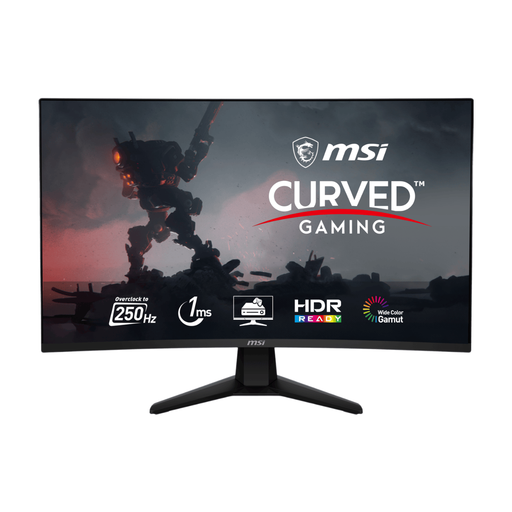
MSI MAG 32C6X 32-inch FHD curved monitor
This FHD model is worth considering if you want a larger curved screen without making 4K a requirement. Its 250Hz overclocked rating describes the monitor’s maximum, not a confirmed console mode; check the HDMI input modes for your console.
Joybuy
 No image available
PHILIPS Evnia 32M2N8900 32-inch UHD OLED monitor
Consider this 32-inch UHD OLED model if that screen format fits your desk. Its title lists a 240Hz refresh rate, but that rating does not establish the HDMI modes available to your console; check those modes before choosing it for 120Hz play.
Joybuy
Common questions
Which console settings should I check before buying a monitor?
Check the resolution, refresh rate, VRR and HDR modes you intend to use, then compare them with the monitor’s HDMI input specifications. PlayStation UK provides a PS5 test for 1440p output modes; Xbox Support UK specifies an Ultra High Speed HDMI cable and an HDMI 2.1 display for Xbox Series X 4K at 120Hz.
Can I use a 4K 120Hz monitor with Nintendo Switch 2?
Yes, you can consider a compatible 4K monitor for docked TV mode, but a 120Hz monitor rating does not make Switch 2 output 4K at 120 frames per second. Nintendo UK states that 4K output is capped at 60 frames per second; check the game and the output mode if higher frame rates are your priority.
Should I buy an ultrawide monitor mainly for console gaming?
A 16:9 monitor is the more straightforward choice for console-first use. RTINGS states that consoles do not support ultrawide signals, so choose an ultrawide for a separate use case rather than expecting a native ultrawide console image.
What should I check when ordering a monitor online?
Confirm the full model number, the seller’s identity and contact details, and the applicable returns and warranty information. For electrical goods, Electrical Safety First advises knowing who you are buying from rather than judging a listing by its apparent appeal alone.


