What should you check before buying?
Decide where play will happen and who else needs the room, then check the audio, controllers and connections required for that arrangement.
| Concern | What to check | Who this matters to |
|---|
| Access to the shared TV |
Decide whether play must continue when the TV is occupied. For Switch 2 TV play, check that you have the correct dock; for a separate monitor, check its console connection and power needs. |
If the television is often in use, I need somewhere else to play rather than another slot in the TV schedule. Around 31% of consumers would put screen access first. |
| Private audio |
Match the headset connection and microphone needs to the exact console. If using Nintendo Bluetooth audio, check its controller restrictions as well. |
When someone nearby needs quiet, I want to hear the game without filling the room with sound, and I may still need chat. Roughly 25% of consumers would make private audio their primary concern. |
| Controllers for shared play |
Count simultaneous players and check the intended games’ controller requirements. Nintendo limits active wireless controllers to two while Bluetooth audio is in use. |
If friends or household members play together, I need enough usable controllers for that session, not simply another controller in the cupboard. Around 19% of consumers would prioritise shared-play capacity. |
| Display and connection reliability |
Check the TV port, cable and any intermediate HDMI equipment against the video feature you want. Test the household connection in normal use before deciding whether a wired network route is practical. |
When the TV connects through other equipment or the household shares Wi-Fi heavily, I want the picture and connection to work as intended. Approximately 25% of consumers would put these checks first. |
Joybuy products for shared-room setups
These headsets, controllers and portable displays address three practical choices: listening privately, adding a player and using another screen when the living-room TV is occupied. Check each accessory against your console and intended connection before buying.
 No image available
LOGITECH ASTRO A10 Gen 2 Wired Headset – White
Consider this wired headset when game audio needs to stay with the player in a shared room. Confirm the connection and microphone functions with your exact console and controller.
View on Joybuy
 No image available
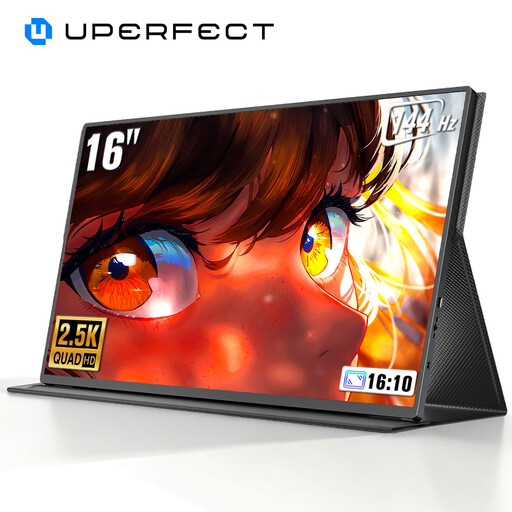
UPERFECT 16-inch 2K 144 Hz Portable Monitor
A separate screen is worth considering when the shared TV is unavailable. The listed display has a 2560 × 1600 resolution and Mini HDMI and Type-C connections; confirm your console’s connection, power requirements and the cables needed for the setup.
View on Joybuy
 No image available
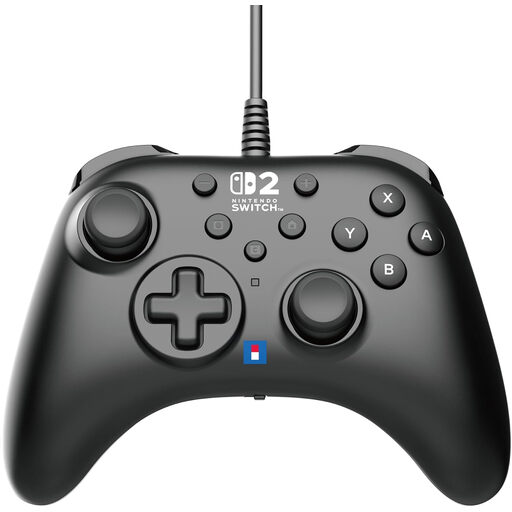
HORI HORIPAD Turbo Wired Controller – Black (Nintendo Switch)
This additional wired controller suits a Nintendo Switch household planning local play. It lacks HD Rumble and motion controls, so check the intended games’ requirements and whether a wired connection suits where players will sit.
View on Joybuy
 No image available
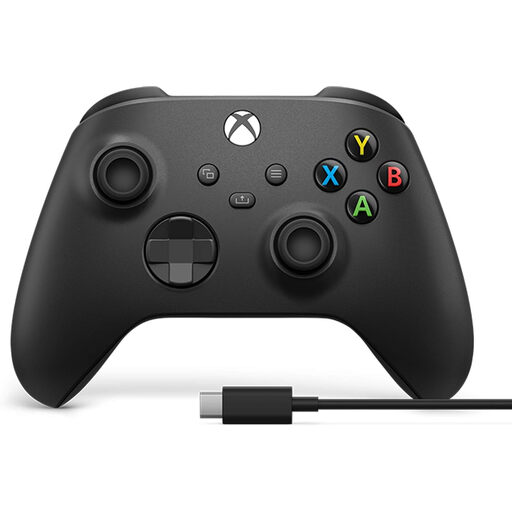
Xbox Wireless Controller + USB-C Cable (Series X|S, One, Windows)
Consider another controller when more people need to play on an Xbox setup. This bundle names Xbox Series X|S, Xbox One and Windows devices and includes a USB-C cable; match any headset and game requirements to the intended controller setup.
View on Joybuy
 No image available
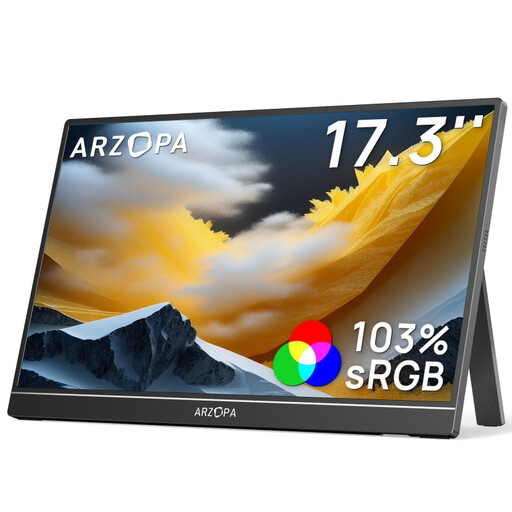
ARZOPA A1M 17.3-inch 1080p Portable Monitor
This portable screen offers another place to play when the living-room TV is occupied. Its title specifies HDMI and USB-C connections and names Xbox and PS5; check the exact console connection, power requirements and cables needed before choosing it.
View on Joybuy
Common questions
Do I need an HDMI 2.1 TV to use a PS5 or Xbox in a shared living room?
No, but the display and HDMI path matter if you specifically want supported 4K at 120 Hz features. PlayStation says PS5 can use older HDMI cables; Microsoft says Series X includes an Ultra High Speed HDMI cable for HDMI 2.1 features. Check the TV port and any equipment between the console and screen.
Can I use Bluetooth headphones while several people play on Switch or Switch 2?
Yes, within Nintendo’s Bluetooth-audio limits: only one audio device can be connected, and no more than two wireless controllers can be active while Bluetooth audio is in use. Bluetooth microphones cannot be used, and local wireless communication can disable Bluetooth audio. Plan another audio connection if your intended session needs more controllers or a microphone.
How can an Xbox player listen privately in a shared room?
A compatible wired headset can connect to an Xbox Wireless Controller with a 3.5 mm headset port, according to Xbox Support. If choosing a wireless headset instead, check its connection method against the exact console and allow for its charging needs.
Can Switch 2 play continue when someone else needs the TV?
Yes, Nintendo documents tabletop and handheld modes that use the Switch 2 screen away from the television. TV mode uses the Switch 2 dock; decide whether the smaller screen and the intended game’s play arrangement work for your household.
Should I run an Ethernet cable based on advertised broadband speeds?
Test the household connection first, especially during normal shared use. Ofcom says availability-checker speeds are predictions and actual speeds at a property may differ; a wired route is worth considering if local Wi-Fi is the practical problem and cable routing is feasible.


