Console desk monitors on Joybuy
These gaming monitors offer different screen sizes and resolutions for a personal console desk setup. Check each model’s HDMI modes against your console before choosing; a PC refresh-rate figure is not a substitute for that check.
 No image available
LG UltraGear 32GX850A-B 32-inch 4K OLED monitor
Consider this model if you want a 4K OLED screen at a desk and have room for its 32-inch format.
The product name lists a dual mode with a maximum of 330Hz; check the HDMI resolution, refresh rate, HDR and VRR modes available to your console rather than treating that maximum as a console mode.
View on Joybuy
 No image available
LG UltraGear G8 27G850A 27-inch 4K Nano IPS monitor
Consider this 27-inch format if you want a 4K display for close-range console play.
The product name lists HDMI 2.1 and 240Hz/480Hz dual modes. Confirm the resolution and refresh rate supported over HDMI for your console, along with the intended HDR and VRR modes.
View on Joybuy
 No image available
Dahua 32-inch curved 4K OLED gaming monitor
Consider this curved 32-inch format only after checking that the screen and viewing position fit your desk.
The product name lists 3840 × 2160 resolution and 165Hz. Confirm the HDMI refresh-rate combination your console can use, as well as console HDR and VRR support.
View on Joybuy
 No image available
Samsung Odyssey G6 S27DG612 27-inch QHD OLED monitor
Consider this QHD model if a 27-inch desk display suits you and you are assessing a lower-resolution console route.
The product name lists 240Hz, but that does not establish PS5 1440p output at 120Hz. Check the model’s HDMI resolution, refresh-rate, HDR and VRR behaviour for your console.
View on Joybuy
 No image available
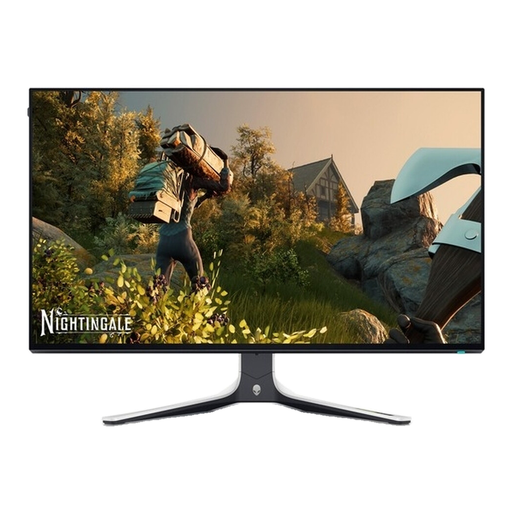
Alienware AW2724HF 27-inch FHD gaming monitor
Consider this Full HD model if you are choosing around a lower-resolution console output rather than a 4K requirement.
Its title advertises 360Hz, which does not establish an HDMI mode available to a PlayStation or Xbox. Check the exact console refresh-rate and VRR support before choosing it.
View on Joybuy
Questions about console monitors
What should I check for a PS5 desk monitor?
Check the monitor’s HDMI modes for the resolution, 120Hz output, HDR and VRR you intend to use. PlayStation provides a PS5 test for a connected display’s 1440p SDR or HDR output at 60Hz or 120Hz and VRR; a game must also support the frame-rate mode you want.
Does Xbox Series S need the same monitor as Series X?
No: choose around the output you intend to use, not the Series X specification by default. Xbox Support describes Series S as designed for 1440p with 4K upscaling, while its Series X guidance specifies an HDMI 2.1-capable display and Ultra High Speed HDMI cable for 4K gaming at 120Hz.
Does HDMI 2.1 guarantee 4K at 120Hz and VRR on my console?
No. Check the exact monitor model’s HDMI resolution and refresh-rate modes and its stated console VRR compatibility. TFTCentral cautions that the HDMI 2.1 label alone does not establish which console capabilities a display supports.
When should I use a longer HDMI cable?
Use a longer cable when the supplied one cannot reach between the console and display without changing your planned placement. For a longer Xbox connection, Xbox Support recommends a certified Ultra High Speed HDMI cable; check that any equipment between the console and monitor also preserves the video mode you need.
Will an older console make a 4K 120Hz monitor unnecessary?
It can, if your console and usual games do not use that output mode. PlayStation says PS4 Pro can provide 4K with compatible content and display settings, whereas a standard PS4 does not offer the same 4K route. Match the monitor to the console and games you use now while considering any later console you specifically plan to connect.


