Families sharing one TV or monitor
If adults or siblings also use the display, the child’s usual play time matters more than simply having a screen in the room. Nintendo’s handheld and TV modes offer two ways to use a Switch 2 when access changes.


Choose a TV-connected console if the child can reliably use the shared display; consider a hybrid console when access to that screen changes from day to day. A PC-style handheld calls for a check of the games the child wants to play. Whichever route fits, plan for sound, storage and child-account settings as part of the shared-room setup.
If adults or siblings also use the display, the child’s usual play time matters more than simply having a screen in the room. Nintendo’s handheld and TV modes offer two ways to use a Switch 2 when access changes.
Where gaming happens near homework, calls or rest, families need to consider how game audio is heard and where a headset can be kept between sessions. Berkshire Healthcare NHS Foundation Trust also advises against playing headphone audio too loudly.
Families setting rules for playtime and online communication need to compare how each platform applies them. PlayStation and Xbox offer family-account tools, while Nintendo says its Switch parental controls apply to the console rather than separately to each user.
Consider it when: the child has predictable access to a TV or monitor and a place to leave the console.
Trade-off: play on the shared display has to fit around everyone else using it.
Consider it when: the child needs personal-screen play as well as occasional TV play; Nintendo says Switch 2 supports handheld, tabletop and TV modes.
Trade-off: Nintendo says parental-control restrictions apply to the console as a whole, which matters if adults also use it.
Consider it when: the family is willing to check the child’s intended games against Valve’s Steam Deck compatibility ratings.
Trade-off: having a game in a Steam library does not establish how it will work on the handheld.
| Concern | What to check | Who this matters to |
|---|---|---|
| Shared-screen access | Check when the TV or monitor is free, its available connections and where a console or dock would sit. | If I can only play when nobody else needs the TV, I need either dependable screen time or a way to play without it. About 31% of consumers put shared-screen access first. |
| Sound in the room | Check headset connection and microphone compatibility with the chosen device, plus a comfortable listening-volume rule. | When others are studying, resting or taking calls nearby, I want game audio to disturb them less. Quieter play is the primary need for about 25% of consumers. |
| Child-account controls | Check the platform’s child-account setup and whether playtime and communication settings apply per account or to the whole console. | I need to set and maintain rules for a child’s playtime and online interaction, especially if adults use the same device. About 25% of consumers prioritise supervision controls. |
| Storage and portability | Measure the available space and plan a place to charge and put away the handheld, controllers and cables. | If the room has to be cleared after play, I need equipment I can move and keep together. A compact, portable setup comes first for about 19% of consumers. |
A fixed setup still needs access to the household display when the child wants to play. A handheld may offer another way to play, but TV mode still needs suitable connections.
Agree when the screen is available, then check its inputs and the proposed console location.
If the arrangement proves impractical, using a separate display or changing the connections adds equipment to the setup.
Controls need to be configured. Nintendo says its Switch restrictions apply across the console; PlayStation warns that an unprotected adult account can allow a child family member to avoid controls.
Set up the child’s account and the relevant playtime and communication rules before regular use. Protect adult-account access where the platform supports it.
Valve rates games individually for their expected Steam Deck experience, so a library listing alone is not a compatibility check.
Look up the games the child intends to play before choosing a Steam Deck-led setup.
Keeping game audio out of the room does not set limits on online communication. The headset also has to connect to the intended console or handheld.
Confirm the connection and microphone requirements, then set communication rules through the platform’s child-account tools.
The Switch 2 ecosystem is relevant when a child will alternate between personal-screen and household-TV play.
A PlayStation console is a TV-connected option for families planning a fixed gaming place and child-account management.
Xbox is relevant to a fixed-console setup where family-group settings are part of the decision.
Steam Deck is a PC-style handheld option for families willing to check individual games before relying on portable play.
These accessories address headset audio and Switch 2 tabletop, controller and charging arrangements. Choose the gaming platform and its place in the room before deciding which accessories fit.
 No image available
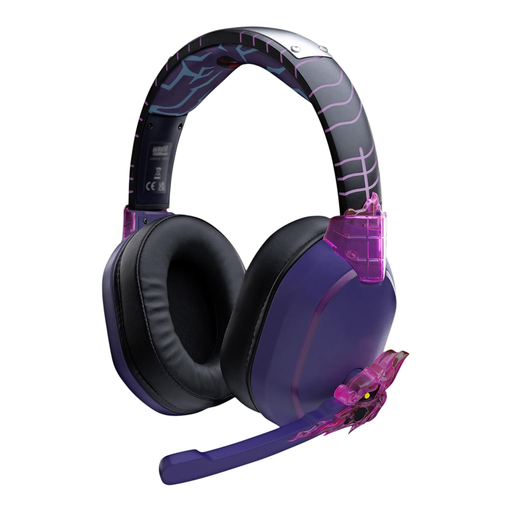
Consider a headset when game audio through speakers would disturb others in the room. For this model, confirm the intended device connection and microphone operation before buying; its listed Bluetooth use for Windows and Mac should not be assumed to apply to the named consoles. Check the child’s fit and agree a comfortable volume.
 No image available
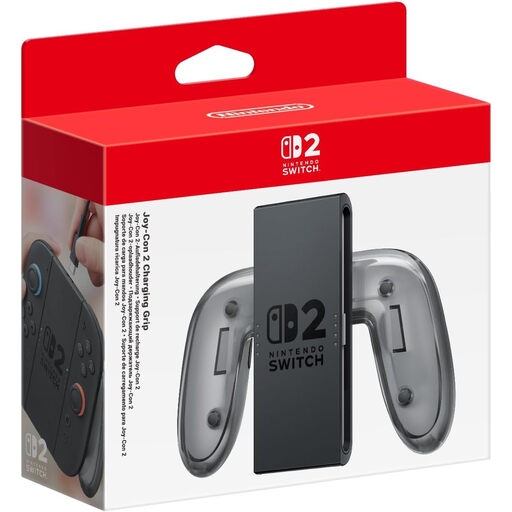
This is a controller accessory to consider for a household already using Switch 2 and Joy-Con 2 controllers. It is not for original Switch Joy-Cons. A USB-C cable is not included, so check the cable and power arrangement.
 No image available
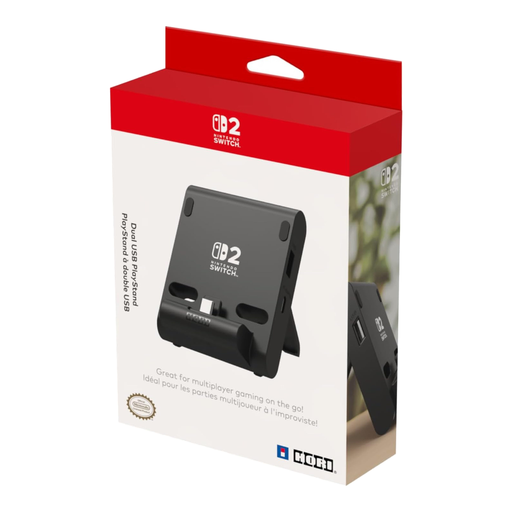
Consider this playstand if Switch 2 tabletop play needs a place in the shared room. Its USB ports are for peripherals, not full TV docking output; do not choose it as a way to connect the console to a television. Check that the available surface and intended peripherals suit the setup.
 No image available
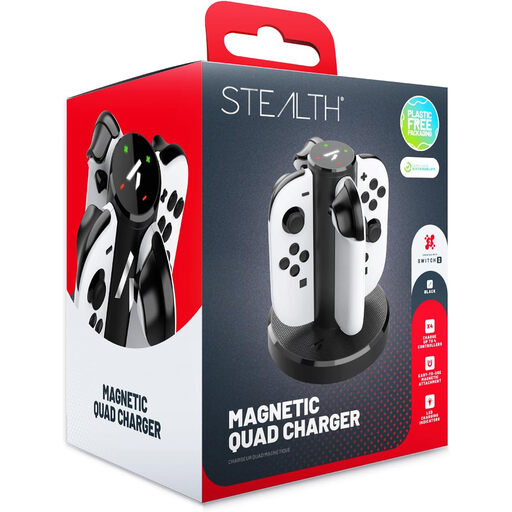
This dock is relevant when several Switch 2 Joy-Con controllers need one charging place. It is designed for those controllers rather than other controller types. It uses USB power; confirm the required power adapter and where the dock will sit.
A fixed console makes sense when the child can reliably use a TV or monitor and the hardware has a place to stay. If screen access changes often, Nintendo’s Switch 2 offers handheld as well as TV play; for a PC-style handheld such as Steam Deck, check the intended games individually.
Yes, but check how the chosen platform applies them. PlayStation and Xbox provide child or family-account tools, whereas Nintendo says Switch parental-control restrictions apply to the whole console rather than separately to each user.
Create the child account or family-group member and configure the platform’s playtime and communication settings before regular use. For PlayStation, protect the adult account with a login passcode: PlayStation warns that without it, a child family member may be able to avoid parental controls.
A compatible headset can keep game audio off the room speakers, but it does not replace the platform’s communication controls. Check the exact device connection and microphone requirements, and set the child’s chat rules separately.
Use them when checking the games a child intends to play, but not as the only basis for choosing hardware. PEGI describes its age ratings as guidance about game content; screen access, sound, account controls and storage still determine how equipment fits a shared room.