Who is this setup for?
The right arrangement depends on whether joining friends, supervising a shared device or combining gaming with other computer use drives the decision.
Parents managing voice chat with friends
For families whose child wants to talk while playing with known friends, account and game communication settings matter as much as the microphone. PlayStation, Xbox and Nintendo each describe controls or age conditions that can affect chat.
Households sharing a TV and console
For families planning play in a shared room, separate child accounts, supervision and enough compatible controllers may shape the setup. Storage should be matched to the chosen console before an expansion accessory is bought.
Households considering one PC for several uses
For families weighing gaming alongside other computer tasks, the intended games still need to work with the child’s friends. On Windows, Microsoft Family Safety settings should be configured on the child’s own standard account.
What should you check before buying?
Start with the intended game and friend group, then decide where play will happen and how the child’s account will be managed. Treat voice chat and accessories as separate decisions: neither a headset nor a storage card can resolve a platform mismatch.
| Concern |
What to check |
Who this matters to |
| Communication boundaries |
Create a child account and check both platform controls and the game’s voice and messaging settings. |
If I allow chat with known friends, I need to know whether other players can contact my child. Around 36% of consumers put communication boundaries first. |
| Playing with friends |
Check the exact game’s supported platforms, cross-platform play, age rating and online-membership rules. |
My child wants to join a particular group, so a familiar console is little use if that game cannot connect them. For around 29% of consumers, playing with friends is the primary concern. |
| Shared-household management |
Decide where the screen will be used, set up the child profile and test playtime and privacy settings. |
When gaming happens on a family TV or shared computer, I need an account arrangement I can supervise. Household management comes first for around 21% of consumers. |
| Storage and accessories |
Match cards, drives and controllers to the exact console model and its playable-storage requirements. |
If I plan to add storage or charge several controllers, I want accessories that fit the device we actually own. Around 14% of consumers prioritise that compatibility. |
Platform brands to consider
These ecosystems differ in their account, communication and online-play arrangements; choose among them using the child’s intended games and friends, not the brand name alone.
PlayStation
Relevant when the child’s games and friends use PlayStation and an adult can manage a separate child account.
- PlayStation family controls include communication, privacy, playtime and content settings for a child family member.
- Restricting Communication and User-Generated Content disables voice chat and text messages with other players. PlayStation says most PS4 and PS5 online multiplayer games require PlayStation Plus, with game-specific exceptions.
Xbox
Relevant to households considering Xbox consoles, Windows PCs or both within a Microsoft family group.
- Xbox organisers can manage family members’ privacy and online-safety settings; Microsoft also provides screen-time settings across connected Windows and Xbox devices.
- Xbox markets online console multiplayer with Game Pass Essential. Check the intended game and current plan before relying on that arrangement.
Nintendo
Relevant when the intended games and friend group use Nintendo Switch or Switch 2.
- Nintendo parental controls include game-age restrictions and management of other console functions.
- Nintendo Switch Online is required for online features in many games, but not all. Its app voice chat for compatible games is limited to members aged 13 or over, and Switch 2 requires microSD Express for expandable storage.
Joybuy products for this setup
These choices cover gaming-capable laptops and accessories for voice communication or an existing Switch 2 setup. Check the intended games and devices first: an accessory does not establish online access or chat permission.
 No image available
Lenovo LOQ Essential 15ARP11 gaming laptop
Consider this PC route if the child’s intended games support play with their friends on a laptop.
Listed configuration: AMD Ryzen 7 170, 16GB RAM, 1TB SSD, GeForce RTX 5050 and a 15.6-inch 144Hz FHD display.
Check each game’s requirements and set up the child’s own standard Windows account separately.
View on Joybuy
 No image available
HP OMEN 17-db1000na gaming laptop
This is another laptop option for a household whose intended games and friend group support PC play.
Listed configuration: AMD Ryzen AI 7 350, 16GB RAM, 1TB SSD, RTX 5060, Windows 11 Home and a 17-inch Full HD display.
Confirm game compatibility and configure family settings on the child’s standard account.
View on Joybuy
 No image available
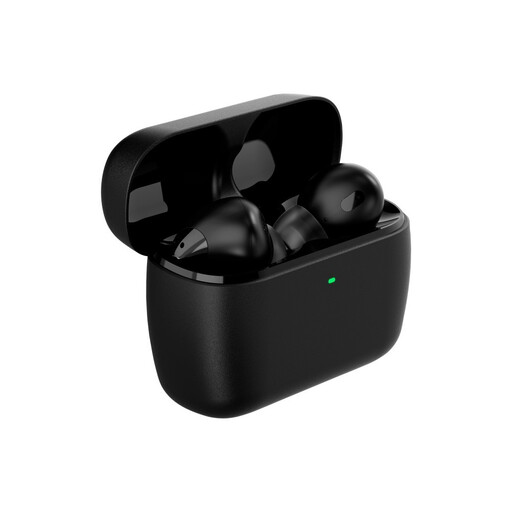
HyperX Cloud MIX Buds 2 gaming earbuds with mic
Consider earbuds with a microphone only after deciding that voice chat is appropriate for the child’s account and game.
Check the connection and chat compatibility with the exact device; the microphone alone does not enable voice chat.
View on Joybuy
 No image available
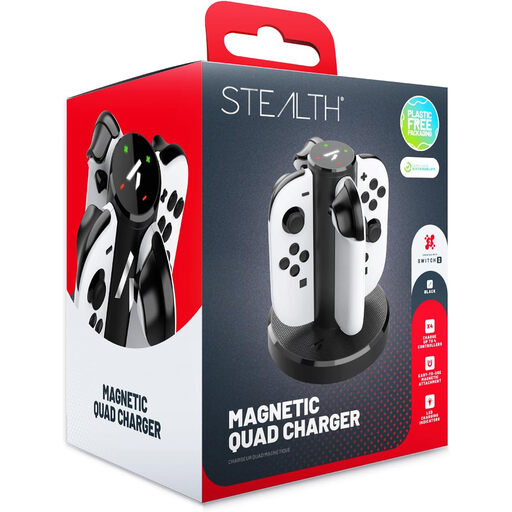
Stealth Quad Charging Dock for Switch 2 Joy-Cons
This charging accessory is relevant to a household already using Switch 2 Joy-Con controllers.
Confirm the controller models before buying; a charging dock does not provide a console, game or online access.
View on Joybuy
 No image available
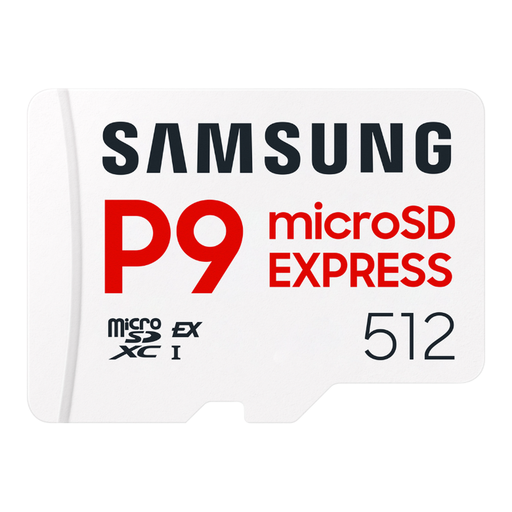
Samsung P9 Express 512GB microSD card
Consider storage expansion if the household uses Switch 2 and needs more space for its games.
The product name specifies 512GB and microSD Express; Nintendo says Switch 2 requires microSD Express cards. Confirm the console model before buying.
View on Joybuy
Frequently asked questions
Should my child have a separate gaming account?
Yes, use a child-specific account where the platform provides one. PlayStation ties its family controls to a child family member, and Xbox organisers manage settings for children in their family group. On a Windows PC, use a standard account: Microsoft warns that an administrator can change Family Safety settings.
Will a gaming headset let my child talk to friends online?
Not by itself: voice chat also depends on the game, account, age and family settings. PlayStation communication restrictions can disable chat, while Nintendo limits its Switch Online app voice chat for compatible games to members aged 13 or over. Check the game’s settings as well as the platform’s.
Does console multiplayer always require a membership?
No; the requirement depends on the platform and game. PlayStation says most PS4 and PS5 online multiplayer games require PlayStation Plus, Nintendo says many Switch games require Nintendo Switch Online, and Xbox markets online console multiplayer through Game Pass Essential. Check the intended game’s listing for the applicable rule or exception.
Can a Switch microSD card be used for Switch 2 games?
Do not assume it can. Nintendo says Switch 2 requires a microSD Express card; a standard microSD card previously used with Switch cannot be used for Switch 2 game storage.
Do PEGI age ratings affect buying a game for a child in the UK?
Yes, for the sale or hire of games rated PEGI 12, 16 or 18: UK government guidance says they cannot be sold or hired to someone below the stated age. The rating applies to game selection, not to buying a console or headset, and does not replace checking the game’s communication settings.


