PS5 players keeping games ready to launch
PlayStation says a compatible internal M.2 SSD can hold and launch PS5 games. A USB drive can hold PS5 games for later copying back, and can play PS4 games directly.


Choose storage by platform and by whether games must launch from the added space. PlayStation says a PS5 can store—but not play—PS5 games on USB storage, while Xbox says Optimised for Xbox Series X|S games need the internal SSD or a Storage Expansion Card for play. Nintendo Switch uses microSD rather than an external USB hard drive for game storage; Nintendo Switch 2 requires microSD Express.
PlayStation says a compatible internal M.2 SSD can hold and launch PS5 games. A USB drive can hold PS5 games for later copying back, and can play PS4 games directly.
Xbox distinguishes USB storage for keeping and transferring games from its Storage Expansion Card, which can launch Optimised for Xbox Series X|S titles. Check which games need to remain playable from the added storage.
For a PC game library, check whether the game launcher and computer can use the intended external drive. Nintendo UK says Switch uses microSD for downloaded software and does not support external USB hard drives; Switch 2 requires microSD Express.
Start with the games you want to launch from added storage, then check the platform’s storage standard before comparing capacity or transfer specifications.
| Priority | What to check | Your needs |
|---|---|---|
| Play or archive | PlayStation allows PS4 games to run from PS5 USB extended storage, but PS5 games must be copied back before play. Xbox requires its internal SSD or a Storage Expansion Card to play Optimised for Xbox Series X|S titles. | I want current-generation games ready to launch, rather than stored until I move them back. |
| Platform standard | For PS5 USB storage, PlayStation specifies SuperSpeed USB 5 Gbps or later and 250 GB to 8 TB. Xbox specifies USB 3.0 storage of at least 128 GB for games and apps. Nintendo says Switch 2 uses microSD Express cards up to 2 TB. | A drive or card needs to work with my exact console before its stated capacity is useful to me. |
| PC library use | Check the game launcher, computer port and cable before choosing an external SSD or HDD as a PC game-library location. Compare the interface and capacity for the files you expect to keep on it. | I would like a portable PC library, but need to know whether my games and computer can use it as intended. |
| Archive or portability | Consider how often games will be transferred and whether the drive will travel between systems. PCMag UK identifies capacity, speed, interface and physical size among factors for comparing external drives; its drive picks do not change console play rules. | If I mainly keep games for later, capacity matters more to me than launching every game directly from the drive. |
PlayStation says PS5 games cannot run directly from USB extended storage. Xbox says Optimised for Xbox Series X|S games must be installed on the internal SSD or a Storage Expansion Card to play.
Identify the console and game generation first. If direct play is the goal, check the platform-supported expansion route before choosing an HDD or SSD.
A USB drive chosen for those games may serve as archive storage rather than the added launchable space you intended.
PlayStation and Xbox set different USB capacity and connection requirements, while Nintendo Switch 2 requires microSD Express rather than standard microSD for expanded game storage.
Check the exact console model, capacity range, connection and card standard against the platform’s instructions before ordering.
Formatting a drive for PS5 extended storage erases its existing contents.
Use a blank drive, or make and check a separate copy of your files before formatting it.
Nintendo UK says Nintendo Switch does not support external USB hard drives for this purpose. Switch 2 uses microSD Express for expanded game storage.
Choose the memory-card standard for your console instead, and remember that Nintendo game save data stays in console system memory.
These examples illustrate different product lines; a brand name alone does not establish where a game can be played.
A reference point for shoppers comparing portable external SSDs for a PC library.
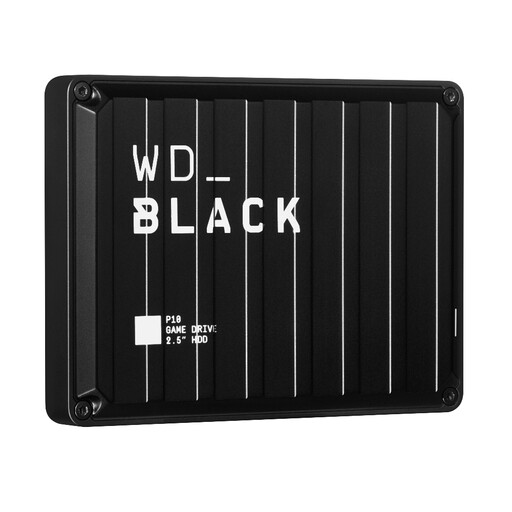
Its P10 Game Drive is a portable-HDD example for a gaming library.
A brand to consider across distinct storage categories, not as a single compatibility route.
These options cover a Switch 2 memory card and portable USB drives for supported PC or console storage. Match the product to your platform and to whether you need direct play or an archive.
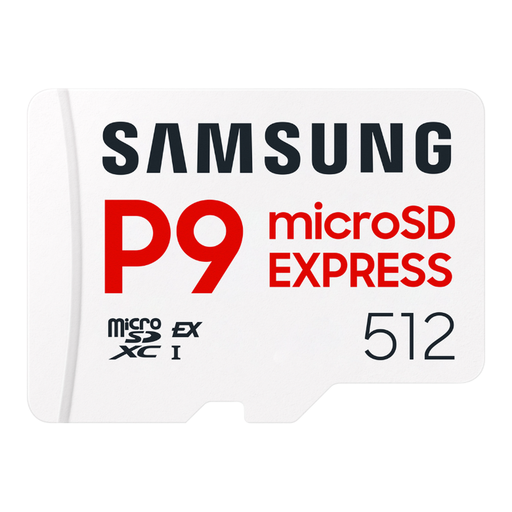 No image available
A memory-card option for Switch 2 storage expansion rather than a USB drive. Nintendo UK specifies microSD Express for Switch 2; confirm the card standard for your console before buying.
 No image available
A portable-drive option when you want 5TB of library space for supported USB play or archiving. PlayStation says native PS5 games must be copied off USB storage before play; Xbox requires its internal SSD or a Storage Expansion Card to play Optimised for Xbox Series X|S games.
 No image available
This portable 2TB SSD is a USB-storage option for a PS5 library or a compatible PC setup. On PS5, it can store PS5 games, but PlayStation says they must be copied back before play. For PC games, check the game and launcher’s external-drive support.
 No image available
A 1 TB USB 3.2 Gen 2 portable SSD for a compatible device. For PS5 storage, PlayStation permits direct play of PS4 games from USB extended storage, but PS5 games must be copied back before play. Check the connection and formatting requirements for your device.
 No image available
A 2TB USB 3.2 Gen 2 portable SSD listed for PC, PS4 and PS5 use, with stated read speeds up to 1050MB/s and write speeds up to 1000MB/s. On PS5, USB storage can play PS4 games, but PS5 games must be copied back before play.
No. PlayStation says PS5 games can be kept on USB extended storage but must be copied back to console storage before play. PS4 games can be played directly from PS5 USB extended storage.
PlayStation specifies SuperSpeed USB 5 Gbps or later and a capacity from 250 GB to 8 TB. Check those requirements and the console’s connection instructions before formatting a drive for extended storage.
No. Xbox says those games must be installed on the console’s internal SSD or a Storage Expansion Card to play. USB storage can hold games for transfer, so decide whether you need archive space or more space for games that remain launchable.
Xbox Support specifies a USB 3.0 external drive with at least 128 GB capacity for games and apps. It also calls for a USB 3.0-compliant cable in good condition; these requirements do not make USB storage a direct-play route for Optimised for Xbox Series X|S titles.
Nintendo UK says Nintendo Switch uses microSD for downloaded software, updates and DLC, while Switch 2 requires microSD Express for expanded game storage. Nintendo Switch does not support external USB hard drives for this task, and game save data remains in console system memory rather than moving to a memory card.