Who needs extra console storage?
The useful upgrade depends on the games you want to keep available, not just how much space a drive or card adds.
PS5 players with several current games installed
If you want to launch PS5 games from the added storage, PlayStation identifies a compatible internal M.2 SSD as the expansion route. USB extended storage can hold PS5 games, but they must be copied back to playable storage first.
Xbox Series X|S players with mixed libraries
Separate games marked Optimised for Xbox Series X|S from compatible older titles. Xbox Support says Optimised games need internal storage or a Storage Expansion Card for play; suitable USB storage can hold them for transfer and can play compatible older games.
Nintendo Switch-family digital-library owners
Check which console you own before choosing removable storage. Nintendo UK lists microSD formats for the original Switch but requires microSD Express for Switch 2; adding a card does not make every type of save or update data movable.
What should you check before buying?
Start with the game you want to keep playable, then match the storage format to the console. Extra capacity alone does not establish that a game can launch from the new location.
| Concern |
What to check |
Who this matters to |
| Playing current-generation games directly |
For PS5, check Sony's M.2 NVMe interface, 250 GB–8 TB capacity, physical-fit and heat-dissipation requirements. For Optimised Xbox Series X|S games, check that it is a Storage Expansion Card rather than an ordinary USB drive. |
I want the games I play regularly to launch without moving them between drives. Around 36% of consumers could put direct-play capacity first. |
| Keeping a larger game archive |
Check the console's USB requirements and which games can run from the drive. PlayStation says PS5 games stored on USB must be copied back before play, while PS4 games can run from PS5 USB extended storage. |
If I return to a game only occasionally, keeping it stored for a later transfer matters more than launching it immediately. Archive space could be the first concern for around 27% of consumers. |
| Expanding an original Switch library |
Confirm an original Nintendo Switch model and a supported microSD format. Nintendo UK says downloadable software can use card storage, but game-save data stays in console memory. |
My downloaded games and add-ons need more room, but moving game saves is not the reason for buying a card. Around 27% of consumers could prioritise original Switch library space. |
| Choosing a Switch 2 card |
Confirm that the console is a Nintendo Switch 2 and the card is microSD Express. Check which software data the console allows you to move. |
I do not want to buy a card intended for the original Switch and find that Switch 2 cannot use it. Avoiding that format mismatch could come first for around 10% of consumers. |
Relevant brands for reference
These product lines illustrate different storage formats; the brand name alone does not establish compatibility with your console or the games you want to play.
WD_BLACK
WD_BLACK's internal NVMe SSD range includes heatsink-equipped drives presented for compatible PS5 M.2 slots.
- SanDisk identifies the WD_BLACK SN850 with heatsink as an option for a compatible PS5 M.2 slot.
- Check the exact variant against PlayStation's interface, capacity, dimensions and cooling requirements; PlayStation does not guarantee every third-party drive that appears to meet its specifications.
Seagate
Seagate makes dedicated Storage Expansion Cards for Xbox Series X|S.
- Seagate UK lists 1 TB, 2 TB and 4 TB card models; Xbox Support identifies the Storage Expansion Card as a location for playing Optimised Xbox Series X|S games.
- This dedicated card route is for Xbox Series X|S, not a general-purpose storage format for Xbox One or Windows devices.
SanDisk
SanDisk's Nintendo-licensed microSDXC cards are relevant to original Switch owners expanding downloadable-game storage.
- SanDisk lists Nintendo-licensed cards with capacities up to 1 TB.
- Nintendo UK requires microSD Express for Switch 2, and an original Switch does not store game-save data on its microSD card.
Joybuy storage options
These options cover USB drives for managing console game libraries and removable cards for original Nintendo Switch or Switch 2. Check the direct-play rules for your console before choosing a USB drive.
 No image available
Western Digital WD BLACK P10 Game Drive 6TB – Black
Consider this external game drive when keeping a larger library stored matters more than playing current-generation games directly from the drive.
6TB capacity. PS5 games on USB storage must be copied back to playable storage; Xbox places a similar direct-play restriction on Optimised Series X|S games.
Joybuy
 No image available
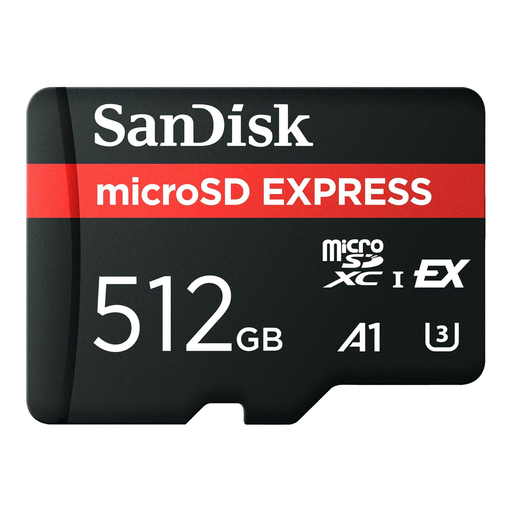
SanDisk Express microSD Card 512GB
For a Nintendo Switch 2 owner choosing removable storage, the microSD Express format matches Nintendo UK's card requirement.
512GB capacity. Check the console's data-management options before assuming that save data or every update can be moved to the card.
Joybuy
 No image available
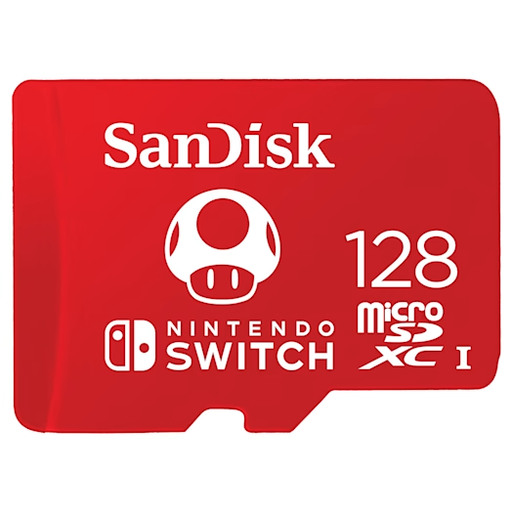
SanDisk microSDXC Card for Nintendo Switch 128GB
For expanding downloadable-game storage on an original Nintendo Switch-family console, check the exact console model before ordering.
128GB microSDXC card. Nintendo UK says original Switch game saves remain in system memory; Switch 2 requires microSD Express instead.
Joybuy
 No image available
SanDisk Extreme 1TB Portable SSD for PlayStation 5 and PC
Consider this portable SSD for holding PS5 games that you are willing to copy back before playing.
1TB capacity. PlayStation says PS5 games cannot launch from USB extended storage, although PS4 games can be played from it.
Joybuy
 No image available
Lexar ES4 Portable SSD with Magnetic Set 2TB
For someone considering portable USB storage for PS5 or PS4, confirm the intended console use and the drive's storage requirements before buying.
2TB external SSD with USB 3.2 Gen 2. A PS5 game stored on USB extended storage cannot be played there, regardless of the drive's advertised transfer speed.
Joybuy
Frequently asked questions
Can I play PS5 games straight from a USB drive?
No. PlayStation says PS5 games on USB extended storage must be copied to console storage or compatible M.2 SSD storage before play. PS4 games can be installed and played directly from PS5 USB extended storage.
What should I check when buying an M.2 SSD for PS5?
Check Sony's complete compatibility requirements for the exact drive and heatsink. PlayStation specifies a PCIe Gen4x4 M.2 NVMe SSD, 250 GB–8 TB capacity, supported physical dimensions and effective heat dissipation; M.2 SATA SSDs are not supported.
Will an ordinary USB SSD play Optimised Xbox Series X|S games?
No, not from the USB drive. Xbox Support says Optimised for Xbox Series X|S games need the console's internal SSD or a Storage Expansion Card for play. Suitable USB storage can hold them for transfer and can play compatible older Xbox games.
Can I use my original Switch microSD card in Switch 2?
A standard original-Switch microSD card does not meet Nintendo Switch 2's storage-card requirement. Nintendo UK says Switch 2 uses microSD Express cards, so check the card's format rather than relying on its Nintendo Switch branding.
Will a microSD card store my original Switch game saves?
No. Nintendo says game-save data on an original Nintendo Switch stays in the console's system memory and cannot be copied or saved to a microSD card. Choose a card to expand supported downloadable software and media storage, not to move saves.


