What should you check before buying?
Start with the console model and the games you want ready to launch. Once the storage route supports that use, compare capacity, installation and how often you are willing to transfer games.
| Concern |
What to check |
Who this matters to |
| Playing PS5 games from added storage |
For an internal M.2 SSD, check PlayStation's PCIe Gen4x4 NVMe Key M, 250 GB–8 TB, size and cooling requirements. Its recommended sequential read speed is 5,500 MB/s or faster. |
If I revisit PS5 games often, I want them ready to launch without copying them back from USB. Around 27% of consumers put direct PS5 play first. |
| Playing Optimised Xbox Series X|S games |
Confirm that your console is a Series X or Series S and that the card is a compatible Storage Expansion Card. Xbox Support says optimised games need that card or the internal SSD for play. |
When I regularly switch between optimised Xbox games, I would rather keep them playable than use USB solely as an archive. For around 20% of consumers, direct Xbox play is the primary need. |
| Choosing a Nintendo card |
Match the card to the console: original Switch-family models use compatible standard microSD formats; Switch 2 requires microSD Express. Check the relevant system-update requirement. |
If I am adding space for downloads and captures, the wrong card standard could leave that space unusable for my console's games. Getting the Nintendo generation right comes first for around 20% of consumers. |
| Keeping a USB archive convenient |
Check the console's USB rules. For PS5 USB extended storage, PlayStation specifies SuperSpeed USB 5 Gbps or later, 250 GB–8 TB and a direct connection rather than a USB hub. |
If I keep games I play less often, I care about the work of moving them back when needed. Around 20% of consumers chiefly prioritise a convenient archive-and-transfer routine. |
| Archiving a larger library |
Check supported capacity and whether the games can launch from the USB drive or must be transferred. An external hard drive cannot bypass the PS5 or optimised Xbox direct-play restrictions. |
If I mainly want to retain older games instead of deleting them, I can accept a transfer before playing. Bulk archiving is the leading need for around 13% of consumers. |
Joybuy products for these storage routes
These choices cover portable SSDs for a PS5 archive-and-transfer setup and a microSD card to assess for Switch 2. If your priority is launching PS5 games or Optimised for Xbox Series X|S games from added storage, follow the internal SSD or Storage Expansion Card requirements above instead.
 No image available
Samsung T7 Shield 1 TB Portable SSD, Blue
Consider this plug-in SSD for a PS5 game archive if you are willing to copy PS5 games back before playing; PlayStation permits direct play of PS4 games from compatible PS5 USB extended storage.
The product name specifies 1 TB and USB 3.2 Gen 2. Check the PS5 USB extended-storage setup requirements before use.
View on Joybuy
 No image available
SANDISK Extreme 2 TB Portable SSD for PlayStation 5 and PC
This portable SSD is a choice for keeping PS5 games on external storage when you do not need to launch them from the drive. Copy a PS5 game back to playable storage before starting it.
The product name specifies 2 TB. Check PlayStation's USB extended-storage requirements when setting up the drive.
View on Joybuy
 No image available
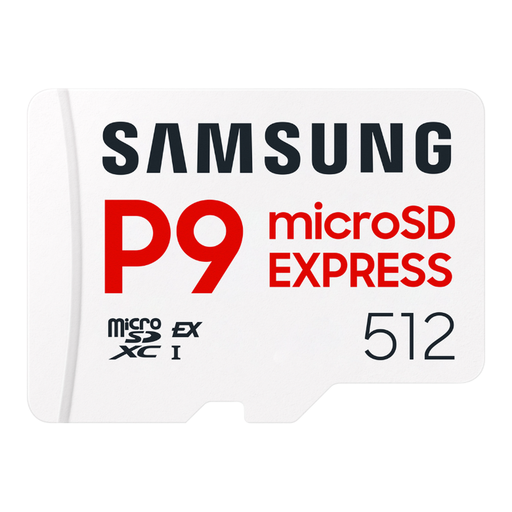
Samsung P9 Express microSD card
If you are choosing storage for Switch 2, confirm that this card is marked microSD Express: Nintendo requires that standard for Switch 2 game storage.
Confirm the exact capacity before ordering, as the product information identifies both 256 GB and 512 GB for this item. Nintendo also says first use of a microSD Express card requires an internet system update.
View on Joybuy
Frequently asked questions
Can I play PS5 games from an external USB SSD or hard drive?
No. PlayStation says PS5 games can be kept on PS5 USB extended storage but must be copied back to playable console storage before you launch them. PS4 games can be installed and played directly from compatible USB extended storage on PS5.
What should I check on an internal SSD for PS5?
Check PlayStation's PCIe Gen4x4 M.2 NVMe Key M requirement, supported 250 GB–8 TB capacity, physical dimensions and effective heat dissipation. PlayStation recommends a sequential read speed of at least 5,500 MB/s and does not support M.2 SATA SSDs; meeting the listed figures does not guarantee that every third-party drive will work.
Can a USB drive run Optimised for Xbox Series X|S games?
No. Xbox Support says those games must be installed on the console's internal SSD or a Storage Expansion Card to play. A compatible USB drive can hold games for storage and transfer.
Can I use my original Switch microSD card for Switch 2 games?
Not if it is a standard microSD card. Nintendo says Switch 2 requires microSD Express for game storage; a standard card previously used in a Switch can instead be used to import screenshots and videos into Switch 2 system memory. Check the card standard, not just its capacity.
Will formatting console storage erase what is already on it?
Yes, formatting a drive as PS5 USB extended storage erases its existing data, according to PlayStation. Nintendo also warns that information on a formatted microSD card cannot be recovered. Save any captures or files you need elsewhere before formatting.


