Choose according to your exact console and whether you need games to launch from the added storage or merely stay available for later transfer. PlayStation says PS5 games cannot run from a USB drive but can run from compatible internal M.2 storage; Xbox Support says Optimised for Xbox Series X|S games need internal storage or a Storage Expansion Card to play. If only a few games are inactive, moving, deleting or later redownloading them may be enough without another drive.
Who needs more console storage?
Players who want current-generation games ready to launch
If you regularly play PS5 or Optimised for Xbox Series X|S games, archive space alone will not give you direct access. PlayStation permits PS5 games to launch from compatible internal M.2 storage; Xbox Support specifies internal storage or a Storage Expansion Card for Optimised games.
Players with a large collection of inactive games
If you are willing to move games before playing them again, USB storage can hold PS5 games for later transfer and serve as storage for Xbox games. Check the play-from-drive rules for your game generation before treating an archive as ready-to-play space.
Nintendo Switch-family digital-library owners
The removable-storage choice depends on the console generation: original Switch systems use supported microSD-family cards, while Nintendo says Switch 2 requires microSD Express. Game save data stays in console system memory rather than on the card.
What should you check before buying?
Start by checking whether clearing inactive games would solve the problem. If you still need more space, identify your console and decide whether the added storage must launch games or only hold them for transfer.
| Concern |
What to check |
Who this matters to |
| Play directly from added storage |
Check the console and game generation. PlayStation supports PS5 launches from compatible internal M.2 storage, while Xbox Support requires internal storage or a Storage Expansion Card for Optimised Series X|S games. |
If I play current-generation games often, I want them ready without copying them back first. Around 31% of consumers would put play-ready expansion first. |
| Archive a large library |
Check the console’s USB requirements and whether stored games must be moved before play. Consider how much space you actually need for inactive titles. |
When several games are paused or finished, I would rather keep their files available than download them again. For around 25% of consumers, archive space would be the primary need. |
| Choose the correct format |
Match the storage interface and format to the exact console model. Nintendo says Switch 2 requires microSD Express; a PS5 internal upgrade needs a compatible M.2 drive. |
If my console requires a particular card or expansion type, avoiding the wrong format matters before capacity does. Around 25% of consumers would make compatibility their first concern. |
| Move an archived library |
Check the drive’s connector and supplied cables, then confirm the console’s USB storage rules. An external SSD does not change where PS5 or Optimised Xbox Series X|S games must be installed to play. |
If I move archived games between storage locations, a convenient connection matters to me, even though USB does not remove play restrictions. Around 19% of consumers would prioritise this transfer workflow. |
Storage mistakes to avoid
-
Assuming a USB SSD will run every current-generation game
Drive speed does not override console storage rules. PlayStation requires PS5 games on USB storage to be copied to console or compatible M.2 storage before play; Xbox Support requires internal storage or a Storage Expansion Card for Optimised Series X|S games.
Decide whether you need an archive or play-ready expansion before choosing between a USB drive and a console-specific expansion option.
-
Buying a standard microSD card for Switch 2
Nintendo says Switch 2 requires microSD Express, whereas original Switch systems use supported standard microSD-family cards.
Check the console name and card format on the listing and packaging before ordering.
-
Using a removable card as a save-data backup
Nintendo stores game save data in console system memory, not on the removable storage card.
Manage downloaded software and save data separately, and check Nintendo’s save-data options before deleting users or system data.
-
Formatting a drive that still contains needed files
Formatting a drive for PS5 USB extended storage erases its existing data, according to PlayStation.
Copy files you need elsewhere before formatting the drive for console use.
Relevant brands to consider
Seagate
Seagate offers PlayStation-branded USB game drives and an Xbox Series X|S Storage Expansion Card.
- Its product lines address different jobs: USB storage for compatible console workflows and a dedicated card for Xbox Series X|S expansion.
- A Seagate USB drive cannot make PS5 games playable from USB. Check the exact product and console before treating the two formats as interchangeable.
Samsung
Samsung’s T7 family is a portable USB SSD option for console storage workflows that permit USB drives.
- Samsung describes T7 variants as compatible with gaming consoles and lists USB-C-to-C and USB-C-to-A cables for the cited variants.
- General console compatibility does not establish that a particular game can launch from USB; check the platform’s rules.
WD_BLACK
The WD_BLACK range includes the C50 Expansion Card for Xbox and NVMe SSD products positioned for PS5 consoles.
- These are distinct product families for dedicated Xbox expansion and PS5 internal-SSD consideration.
- Check the exact model, capacity and console requirements rather than assuming one WD_BLACK storage product fits both routes.
Joybuy console-storage options
These choices cover a Switch 2 microSD Express card and USB drives for compatible PlayStation or Xbox storage workflows. The USB options can help with archiving, but they do not replace PS5 internal M.2 storage or an Xbox Series X|S Storage Expansion Card when current-generation games must launch from the added space.
 No image available
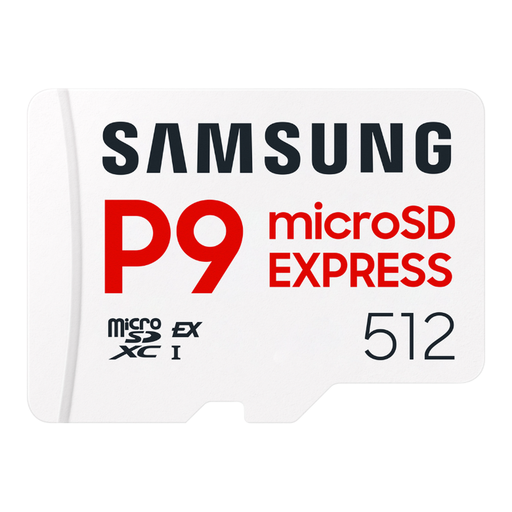
Samsung P9 Express 512GB microSD card
Consider this microSD Express card for Nintendo Switch 2 library expansion, rather than USB-drive storage. Its stated capacity is 512GB; Nintendo says game save data remains in console system memory.
View on Joybuy
 No image available
Western Digital WD_BLACK P10 Game Drive 6TB, Black
Consider this 6TB game drive if you need space to hold inactive games for later transfer. PlayStation says PS5 games cannot launch from USB storage; Xbox Support likewise requires internal storage or a Storage Expansion Card to play Optimised Series X|S games.
View on Joybuy
 No image available
SANDISK Extreme 2TB Portable SSD for PlayStation 5 and PC
For a PS5 USB archive, this 2TB portable SSD offers space to hold games that you are willing to copy back before playing. PS5 games cannot launch directly from USB storage.
View on Joybuy
 No image available
Samsung T7 Shield Portable SSD 1 TB, Blue
Consider this 1 TB USB SSD for a PS5 storage workflow that includes playing PS4 games from the drive or archiving PS5 games. PlayStation requires archived PS5 games to be copied to console or compatible M.2 storage before play.
View on Joybuy
 No image available
Lexar ES4 2TB Portable SSD with Magnetic Set
Consider this 2TB portable SSD if you are checking USB storage options for PS4 or PS5. Confirm the intended console workflow before purchase: PS5 games stored on USB must be copied to console or compatible M.2 storage to play.
View on Joybuy
Common questions
Can I play PS5 games from an external USB drive?
No. PlayStation says a USB extended-storage drive can hold PS5 games, but you must copy them to PS5 console storage or compatible M.2 storage before playing; PS4 games can play directly from PS5 USB extended storage.
Will a USB SSD play Optimised for Xbox Series X|S games?
Not directly from the USB SSD. Xbox Support says those games must be installed on the console’s internal SSD or a Storage Expansion Card to play; a qualifying USB drive can hold them for transfer.
Which removable storage does Nintendo Switch 2 need?
Nintendo says Switch 2 requires a microSD Express card and does not currently support external USB hard drives. Check for the Express designation rather than relying on the card’s capacity alone.
Can I move Nintendo Switch save data onto a microSD card?
No. Nintendo says game save data remains in console system memory on Switch-family systems, rather than being copied to the removable card.
Will formatting a drive for PS5 storage erase my files?
Yes. PlayStation says formatting a drive for PS5 USB extended storage erases its existing data and that the erased data cannot be recovered. Copy files you need elsewhere first.


