Choose storage for your exact console and decide whether you need to launch games from it or keep them ready to transfer. A compatible internal M.2 SSD lets a PS5 launch PS5 games from added storage; Optimised Xbox Series X|S games need internal storage or a Storage Expansion Card for direct play. Switch and Switch 2 require different card formats, while extra space for game files should not be mistaken for a save-data backup.
Who needs which storage?
PS5 players who want games ready to launch
If you want to launch PS5 games from the added storage, look for an internal M.2 SSD that meets PlayStation’s PS5 requirements. PlayStation says PS5 games held on USB extended storage must be moved back to console or M.2 SSD storage before play.
Xbox Series X|S players with current and older games
Separate games labelled Optimised for Xbox Series X|S from older titles when choosing storage. Xbox Support says Optimised games need the internal SSD or a Storage Expansion Card for direct play; a USB drive can serve as a place to hold and transfer games.
Nintendo players growing a digital library
Check the console generation before choosing a removable card: Nintendo distinguishes microSD storage for the original Switch family from microSD Express expansion for Switch 2. Nintendo also says save data cannot be copied to either type of card.
What matters when choosing?
Identify the console and the games you want to keep available, then decide whether waiting for a transfer before play is acceptable. The checks differ for game installs, downloadable content, captures and save data.
| Concern |
What to check |
Who this matters to |
| Launching current-generation games |
Check the exact console model and whether your games are PS5 or Optimised for Xbox Series X|S. For direct play, compare the applicable M.2 SSD or expansion-card requirements. |
If I want a PS5 or Optimised Xbox game ready to launch without moving it first, the type of added storage is decisive; about 39% of consumers put direct play first. |
| Keeping games ready to transfer |
Check the console’s USB requirements and whether each game can run from USB or must be moved before play. |
When I would rather retain more games than download them again, I can accept moving some back before playing; keeping a library ready to transfer is the primary need for about 23% of consumers. |
| Nintendo card format |
Confirm whether the console is a Switch, Switch OLED, Switch Lite or Switch 2, then check the required card format and capacity for planned downloads. |
If my Nintendo downloads, updates and DLC are filling the available space, I need a card suited to my console generation; this is the main concern for about 23% of consumers. |
| Games, captures and saves |
Identify which files need space or protection. Check the platform’s rules for save data separately from its rules for installed software and captures. |
I may need room for games or screenshots, but I do not want to mistake that space for a backup of my progress; about 15% of consumers primarily need to make that distinction. |
Storage mistakes to avoid
-
Assuming every external drive launches every game
PlayStation says PS5 games stored on USB extended storage must be moved to console or compatible M.2 SSD storage before play. Xbox Support says Optimised Xbox Series X|S games require internal storage or a Storage Expansion Card to play.
Check both the console model and the game-generation label before choosing a direct-play upgrade or a USB drive for storage.
If the drive is used as an archive, moving a game before play takes additional time.
-
Choosing an original Switch card for a Switch 2 library
Nintendo distinguishes the microSD cards used for original Switch-family storage from the microSD Express format used to expand Switch 2 downloadable-software storage.
Confirm whether you own a Switch, Switch OLED, Switch Lite or Switch 2 before selecting a card.
-
Treating game storage as a save backup
Extra space for installed games does not establish a backup route for progress. Nintendo says Switch save data cannot be copied to microSD cards and Switch 2 save data cannot be copied to microSD Express cards.
Decide whether you need space for software and captures or a way to protect saves, then check your console’s separate save-data options.
-
Formatting a drive before copying its files
PlayStation warns that formatting a drive as PS5 USB extended storage erases its existing data.
Copy any files you need to keep before formatting the drive for console use.
Relevant brands for reference
Seagate
Seagate offers a Storage Expansion Card line for Xbox Series X|S players who want added storage for direct play.
- Seagate says its card stores and plays both legacy and Series X|S games directly. Xbox Support confirms that a Storage Expansion Card is a direct-play route for Optimised titles.
- This is an Xbox Series X|S-specific route; check the exact card and current availability before ordering.
Samsung
Samsung offers PCIe 4.0 NVMe M.2 SSDs, including 990 PRO with Heatsink variants relevant to a PS5 internal-upgrade search.
- The 990 PRO with Heatsink combines an M.2 SSD with an integrated heatsink in the model identified by Samsung.
- A performance figure for that model does not establish that every 990 PRO variant meets PlayStation’s installation requirements. Check the exact variant and dimensions against PlayStation’s current specifications.
SanDisk
SanDisk offers Nintendo-licensed microSDXC cards for the original Switch family and separate microSD Express products for Switch 2.
- SanDisk lists its Nintendo Switch microSDXC line for Switch, Switch OLED and Switch Lite.
- Choose by console generation rather than treating that original Switch product line as interchangeable with a Switch 2 microSD Express card.
Joybuy storage selections
These selections cover a card for Switch 2 digital-library expansion and external drives for keeping console games ready to play where supported or transfer where required. Check your console’s connection and formatting requirements before using an external drive.
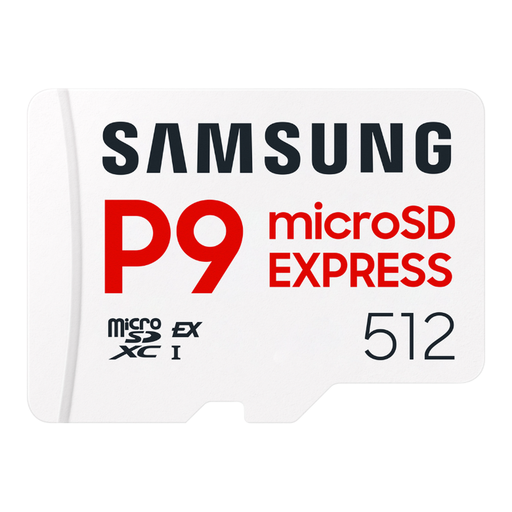 Image unavailable
Samsung P9 Express 512GB microSD card
Consider this card if you need more room for a Switch 2 digital library. The product information identifies the P9 Express as a microSD Express card for Switch 2 games and DLC; the named capacity is 512GB. Nintendo says Switch 2 save data remains in system memory rather than on a microSD Express card.
View on Joybuy
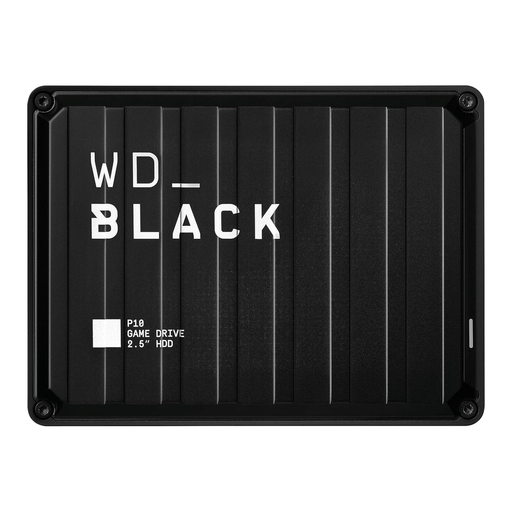 Image unavailable
Western Digital WD BLACK P10 2TB Game Drive
This 2TB external game drive is a choice for keeping games available to play or transfer according to the console and game generation. Its product information describes direct play for PS4 and Xbox One games and archive use for PS5 and Xbox Series X|S games. PlayStation requires PS5 games to be moved off USB storage before play; Optimised Xbox Series X|S games likewise need eligible direct-play storage.
View on Joybuy
 Image unavailable
SanDisk Extreme 2TB Portable SSD for PlayStation 5
If you want to keep PS5 games available between sessions without leaving them on internal storage, this 2TB external SSD is described for that archive-and-transfer use. PlayStation says a PS5 game must be moved to console or compatible M.2 SSD storage before it can be played.
View on Joybuy
 Image unavailable
Samsung T7 Shield 1TB portable SSD, blue
For a PS5 library with both PS4 and PS5 games, this USB 3.2 Gen 2 external SSD is described for playing PS4 games and storing PS5 games. Its named capacity is 1TB. PS5 games must be moved to console or compatible M.2 SSD storage to play, and formatting a drive for extended storage erases existing files.
View on Joybuy
 Image unavailable
Lexar ES4 2TB portable SSD with Magnetic Set
Consider this external SSD for a PS5 or PS4 library if you need 2TB of portable storage. Its product name specifies USB 3.2 Gen 2 and read and write speeds of up to 1050MB/s and 1000MB/s respectively; those figures do not change PlayStation’s rule that PS5 games stored on USB must be moved before play. Check the console connection and formatting requirements before use.
View on Joybuy
Console storage questions
Can I play PS5 games directly from an external USB drive?
No. PlayStation says PS5 game data can be kept on USB extended storage, but you must move it to PS5 console storage or compatible M.2 SSD storage before playing.
Can an Xbox USB drive play Optimised Series X|S games?
Optimised for Xbox Series X|S games need the console’s internal SSD or a Storage Expansion Card for direct play, according to Xbox Support. USB storage can hold games for transfer; check a game’s generation before choosing storage for playing it.
Can I use an original Switch microSD card for Switch 2 digital games?
Choose a microSD Express card to expand Switch 2 downloadable-software storage. Nintendo distinguishes it from the microSD cards used for the original Switch family, so check the card format rather than relying on the microSD name alone.
Will extra console storage back up my game saves?
Extra game storage is not automatically a save-data backup. Nintendo says Switch saves cannot be copied to microSD cards and Switch 2 saves cannot be copied to microSD Express cards; check your console’s separate save-data options if protecting progress is the goal.


