Shared-room console and television users
If other people also watch the screen, decide how television content will reach it, where viewers will sit and whether built-in sound is enough before comparing gaming features.


A TV is the more direct choice when one screen needs to serve people watching television across the room as well as playing console games, provided the model has the television access, sound and inputs you need. A gaming monitor suits close-up console play if you can arrange television content and audio separately. For either route, check the intended console modes against the display’s specific HDMI input, cable and games.
If other people also watch the screen, decide how television content will reach it, where viewers will sit and whether built-in sound is enough before comparing gaming features.
A gaming monitor is worth considering when play usually happens near the screen. Plan the television source and sound separately rather than assuming the monitor provides either.
If 120 Hz or variable refresh rate (VRR) matters to you, check the console model, game, cable and particular display input. Xbox Support and Sony UK Support describe these as conditional capabilities, not features guaranteed by a gaming label.
Choose it when: television viewing and watching together are central to the room.
Trade-off: gaming and sound features vary by TV model and sometimes by HDMI port, as Sony UK Support’s model guidance illustrates.
Choose it when: close-up console play takes priority and you have a workable source for television content.
Trade-off: check how sound will work, and do not mistake a monitor’s maximum refresh rate for a console-supported mode.
Once the screen’s main role is clear, work through the television source, console signal and physical connections before choosing a model.
| Concern | What to check | Who this matters to |
|---|---|---|
| Television viewing | Identify the live-TV or streaming source and check the display’s relevant inputs, apps and sound. | I want one screen that others can use for television without arranging a separate viewing setup each time. Around 36% of consumers put that all-in-one role first. |
| Console video modes | Match the intended resolution, refresh rate and VRR mode to the console, game, cable and specific HDMI input. | If I am choosing a screen for supported high-frame-rate games, I do not want an unused display feature to drive the decision. For around 29% of consumers, console-mode compatibility is the primary concern. |
| Close-range play | Compare the monitor’s supported console input modes with your viewing distance; do not rely on its maximum refresh-rate figure alone. | Playing near the screen makes the gaming setup more important to me than TV-first convenience. Around 21% of consumers prioritise that close-range use. |
| Sound and connections | Count the devices you will connect and check audio output or the TV’s ARC/eARC port if using a soundbar. | I need the console, television source and external sound to work together without competing for the same connection. That is the first concern for around 14% of consumers. |
Features such as 4K at 120 Hz, VRR and audio return may differ between inputs on the same TV. Sony UK Support lists feature availability by model, so a connection plan matters as much as the headline specification.
Check the exact model’s port guide and decide where the console and any soundbar will connect before buying.
A high monitor refresh-rate figure does not establish which resolution and refresh-rate combinations your console and games can output through its HDMI input.
Check supported console signal modes for the exact monitor and prioritise the modes you intend to use.
In the UK, TV Licensing says the requirement depends on what you watch, not whether the device is called a TV or monitor. Watching live TV or using BBC iPlayer requires a TV Licence on any device; other on-demand viewing does not by itself require one.
Decide which services you will use before treating a monitor as an alternative way to watch television.
A monitor-led setup may call for separate speakers or headphones and a separate television source. With a TV and soundbar, the required audio connection may also affect which HDMI ports remain available.
Choose the audio path and television source alongside the screen, then check that all the devices can be connected.
BRAVIA televisions are relevant when a shared-room TV is the starting point and console features also matter.
LG televisions are another TV-first route to assess for everyday viewing alongside console use.
Odyssey gaming monitors are relevant to close-range, console-led setups where television content and sound can be arranged separately.
These Joybuy listings cover the TV route for console gaming and shared-room viewing. Check each model’s television source, sound and exact console input modes against your setup; the monitor route remains an alternative if close-up play matters more.
 No image available
A TV-route option if one screen needs to serve console play and shared viewing.
The product name specifies an ONKYO 2.1 sound system and Google Cast. Check the native refresh rate and the console-supported modes rather than treating its advertised Game Accelerator figure as a console mode.
Confirm which HDMI inputs provide the gaming and audio features needed by your connected devices.
 No image available
Consider this TV route if the same room needs a console display and a screen for television viewing.
The product name specifies VIDAA OS and a built-in subwoofer. Check how your intended television services will reach the screen.
Its Game Mode Ultra name does not establish the resolution and refresh rate your console and games can use; check the exact HDMI signal modes.
 No image available
This TV-route model is relevant when console use needs to share a screen with room viewing.
The product name specifies VIDAA OS and a built-in subwoofer. Its Game Mode PRO wording is not, by itself, confirmation of a console-supported refresh rate.
Check the intended console mode and port allocation, particularly if other devices will also use HDMI.
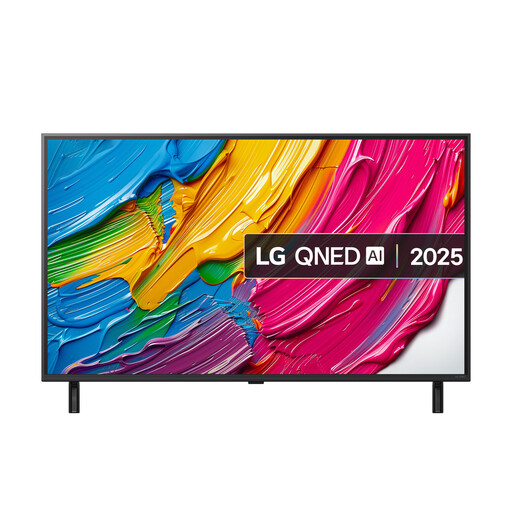 No image available
The 43-inch format is worth assessing against your seating distance if a larger shared-room screen is not essential.
The product name specifies webOS, VRR, ALLM and eARC. Confirm which input carries the features you need before planning a console and soundbar connection.
Do not assume support for a display mode above 60 Hz without checking the exact model’s specifications.
 No image available
This is a TV-route option for keeping streaming and console play on one shared-room screen.
The product name specifies Google TV and a 120 Hz Game Accelerator labelled FHD. That label does not establish 120 Hz at 4K or a supported console mode.
Check the HDMI input arrangement and the resolution and refresh-rate combination you intend to use.
A monitor can serve as the console screen if you can provide the television content and sound the room needs. Check its inputs, audio arrangement and supported console modes before relying on it for both uses; a high maximum refresh rate alone does not confirm console compatibility.
The monitor itself does not change the rule: TV Licensing says watching live TV or using BBC iPlayer requires a TV Licence on any device. Watching other on-demand services alone does not trigger that requirement; decide which services you intend to use.
Xbox Support says 4K gaming at 120 frames per second requires an Xbox Series X, an Ultra High Speed HDMI cable supporting HDMI 2.1 and a TV supporting HDMI 2.1. Check the chosen display input and whether the games you intend to play offer the mode.
No: check the features assigned to the exact input you plan to use. Sony UK Support lists different HDMI feature combinations across BRAVIA models, so the model’s port guide is more useful for planning a console and soundbar setup than the HDMI label alone.