Families joining an existing friend group
Start with the games, editions and platforms the child’s friends use. A game appearing on two systems does not, by itself, mean those players can join the same session.


Choose around the games and platforms the child’s friends actually use: a console suits a group playing compatible console versions, while a Windows PC or laptop makes more sense when the intended games or friends require PC access. Check the exact game’s multiplayer and chat requirements before buying, then set up a child account and family controls before enabling online communication.
Start with the games, editions and platforms the child’s friends use. A game appearing on two systems does not, by itself, mean those players can join the same session.
Consider where the device will be used and how a child account will work alongside other household users. PlayStation, Xbox and Nintendo offer family controls, but the settings and who they apply to differ.
Check the game, any online-play membership and the equipment needed for local play or permitted chat. PlayStation, Nintendo and Xbox describe different multiplayer membership arrangements, so the intended game matters.
Settle the game and friend-group compatibility before choosing hardware; then decide how the device, online service and child account will work at home.
Choose when: The child’s regular friends use a compatible console version of the intended game, or that game confirms cross-network play.
Allow for: A matching game version and account are still necessary, and online-play membership requirements depend on the platform and game.
Choose when: The intended games or friend group require Windows PC access, or the household also needs the device for other computer tasks.
Allow for: Check each game’s requirements against the exact device. If using Microsoft Family Safety, Microsoft advises against giving the child administrator access because that access can let them change or break the settings.
| Concern | What to check | Who this matters to |
|---|---|---|
| Playing with friends | Confirm the exact game and edition, friends’ platforms and current cross-network-play support. | If my child wants to join their usual friends, I need a game version that can enter the same online sessions. Around 31% of consumers put friend-group compatibility first. |
| Communication and supervision | Review child-account chat, privacy, spending and playtime settings before enabling online play. | I want my child to play with friends without giving them unrestricted contact or account access; around 31% of consumers make supervision their primary concern. |
| Shared-home use | Decide where the device will be used; check local-player and extra-controller support if others will play too. | When several people use the gaming space, I need the device and its settings to work for the household. Around 19% of consumers prioritise shared-home practicality. |
| Memberships and equipment | Check multiplayer membership and renewal terms for the intended game, plus any controller or chat equipment needed. | I want to know what is needed beyond the device before my child tries to join a game; around 19% of consumers put the complete setup first. |
A game can be available on several platforms without allowing every version to play together. Hardware alone cannot establish that the child can join a particular group.
Write down the games and editions the group uses, then check each game publisher’s current multiplayer and cross-network information.
PlayStation Plus includes online multiplayer, while Nintendo Switch Online provides online play in supported titles. Xbox plan features and free-to-play exceptions differ, according to the respective platforms.
Check the intended game’s service requirements and renewal terms before choosing a membership. Add a controller or headset only if the planned play requires one.
A headset supplies audio hardware; it does not determine who can contact the child. UK government online-gaming guidance notes that games can allow communication with strangers through voice or messages.
Set the child account’s communication and friend permissions before enabling chat, and confirm headset compatibility with the chosen device.
Microsoft warns that administrator access can let a child change or break Microsoft Family Safety settings.
If relying on those settings, make the child a standard Windows user and keep the parent or guardian account protected.
A PS5 ecosystem to consider when the child’s intended games and friends use a compatible PlayStation version.
An Xbox and Windows-connected ecosystem for households considering those platforms and Microsoft family accounts.
A Switch ecosystem to consider when the intended games and friends use compatible Nintendo online play.
These headsets and controllers are options once the household has chosen a compatible gaming platform. Check the child’s game and permitted chat or local-play features before adding an accessory.
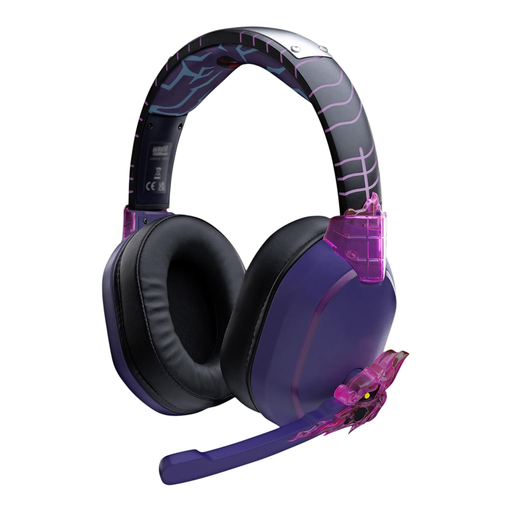 No image available
Consider this headset if the child needs voice chat in a game where you have enabled communication. Check its connection with the chosen console or computer and confirm that the game supports the intended chat feature.
 No image available
This wireless controller is relevant to a Nintendo Switch setup when an additional controller is needed. Confirm compatibility with the household’s exact console, intended game and any features the child uses.
 No image available
For a household already using PS5, this wireless controller is an option when another controller is needed. Confirm local-player support in the intended game; a controller does not provide online access or replace child-account settings.
 No image available
This wireless controller is an option for a compatible Xbox setup needing another controller. If the child plays on Windows instead, check the exact device and game before choosing it; online multiplayer and family settings are separate decisions.
Not necessarily: it depends on the exact game, edition and supported cross-network play. Check the game publisher’s current multiplayer information rather than assuming that availability on several systems means their players can join one another.
Do not assume the console alone covers the intended online game. PlayStation says multiplayer is included with PlayStation Plus memberships; Nintendo Switch Online provides online play in supported titles; and Xbox says free-to-play multiplayer is open to every Xbox player, while other plan features vary. Check the current requirements for the specific game.
Create a child account in the chosen platform’s family system and set communication, privacy, playtime and spending permissions before enabling online play. Nintendo says its Switch console-level parental controls apply to all users of that console; if using Microsoft Family Safety on Windows, Microsoft warns against giving the child administrator access.
Nintendo says GameChat needs a persistent internet connection and a Nintendo Switch Online membership. For a user under 16, a parent must set up approval through the Nintendo Switch Parental Controls app; check the communication and camera permissions before allowing its use.