Who this choice affects

Families joining an existing group

If a child wants to play with particular friends or relatives, their games and platforms shape the device choice. Ofcom’s 2026 research reports that 72% of UK children aged 8–17 play games online; that figure does not establish which device a household should buy.

Households sharing a console

When siblings and adults use one device, check whether restrictions follow each account or apply to everyone. Nintendo UK Support says Nintendo Switch console parental controls apply to all users of that console.

Parents managing child accounts

Separate accounts matter when children need their own content, communication, play-time or purchase settings. PlayStation, Xbox, Apple and Google document different family-control arrangements, so compare the controls for the ecosystem you intend to use.

What to check before choosing

Games console

Consider it when: The intended games are available on that console and the family wants a shared gaming device.

Allow for: Online membership rules vary by game and service, while some controls on a shared console may apply to every user.

Gaming tablet

Consider it when: The child mainly plays tablet or app-store games on an individually used device.

Allow for: A wanted console game, cross-play feature or publisher-account control cannot be assumed to work the same way on a tablet.

Concern What to check Who this matters to
Games and playing partners Check each intended game’s device availability, cross-play rules and account requirements. If my child wants to join particular friends or relatives, the device must support the games and ways they play together. About 31% of consumers put that connection first.
Child-account supervision Check separate child accounts, chat and privacy permissions, and any controls inside the game itself. When a child will play online, I want age-appropriate access and communication settings without handing over an unrestricted adult profile. That is the primary need for about 31% of consumers.
Shared-device rules Find out whether restrictions apply per account or across the device; Nintendo UK Support says Switch console restrictions apply to everyone using it. With siblings or adults sharing one console, I need rules that work for users of different ages. About 23% of consumers chiefly need to make shared use manageable.
Ongoing access Confirm the exact game’s online membership requirement and which payment routes purchase approvals cover. Before choosing hardware, I want to know what continued online play and controlled purchases will involve. For about 15% of consumers, that is the main concern.

Mistakes that can disrupt family play

  • Buying hardware before checking the group’s games

    Owning the same game does not establish that children on different platforms can play together; cross-play and account conditions depend on the title.

    List the games and playing partners first, then check platform availability, cross-play, publisher accounts and online membership requirements for each game.

  • Making an adult account the child’s usual profile

    An unrestricted shared profile does not provide the separate child settings documented by PlayStation, Xbox, Apple and Google.

    Set up the relevant adult organiser and child accounts before online play, then test game access, communication and purchase settings with the child account.

  • Assuming one setting covers every chat or purchase

    A publisher may provide controls separate from the device’s controls. Google says Google Play purchase approvals apply only to purchases through Google Play billing.

    Review both platform and game-account settings, including chat, friend requests and payment permissions.

  • Expecting personalised rules from every shared console

    Nintendo UK Support says Nintendo Switch console parental-control restrictions apply to everyone who uses that console.

    For a shared Switch, set console-wide restrictions with the youngest user in mind and check which additional account settings meet the household’s needs.

Relevant gaming and account ecosystems

Nintendo

Nintendo Switch family-console accounts, parental controls and Nintendo Switch Online are relevant to households considering shared console play.

  • Nintendo UK Support documents play-time, age-rating and communication restrictions. Its Switch Online family membership can cover up to eight Nintendo Accounts.
  • Nintendo Switch console parental controls apply to everyone using that console. Check the precise controls on a Switch 2 before relying on the same arrangement.

PlayStation

A console and child-account ecosystem to examine when the intended games and playing partners use PlayStation.

  • Sony Interactive Entertainment documents PS Family app settings for games, communication, privacy, playtime and spending.
  • PlayStation Plus includes online multiplayer, but check the exact game’s access requirements and any separate publisher-account settings.

Xbox

Microsoft family accounts span Xbox consoles and Windows PC, which may matter when a household uses both.

  • Microsoft Xbox Support documents family privacy and online-safety settings across Xbox Series X|S, Xbox One and Windows PC.
  • Game and online-play benefits vary by Game Pass plan, platform and region; check the intended title and current plan terms.

Apple

iPad and Family Sharing are relevant when a child mainly uses individually played tablet games.

  • Apple documents separate Apple Accounts with Family Sharing, Ask to Buy and Screen Time.
  • Those controls do not establish a particular game’s multiplayer, cross-play or publisher-account settings.

Google

Family Link and Google Play controls are relevant to families considering Android-tablet games.

  • Google documents supervised-account content restrictions and eligible Google Play purchase approvals.
  • Google Play content restrictions are device-specific, and its purchase approvals cover only Google Play billing.

Joybuy console selections

These consoles are options to compare if the child’s intended games and playing partners point towards PlayStation, Xbox or Nintendo. Check each game’s online access and the family settings for the exact console before choosing.
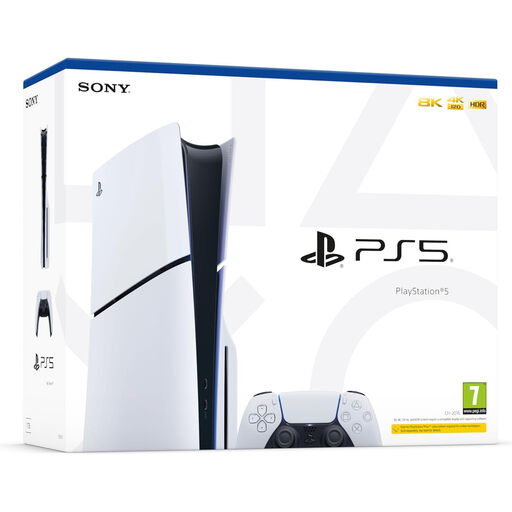
Sony PlayStation 5 Slim Disc Edition console

Sony PlayStation 5 Slim Disc Edition

Consider this console if the child’s intended games and playing partners use PlayStation and the household wants the Disc Edition. Set up a child account through PlayStation’s family controls, and check each game’s multiplayer, publisher-account and membership requirements.

View on Joybuy
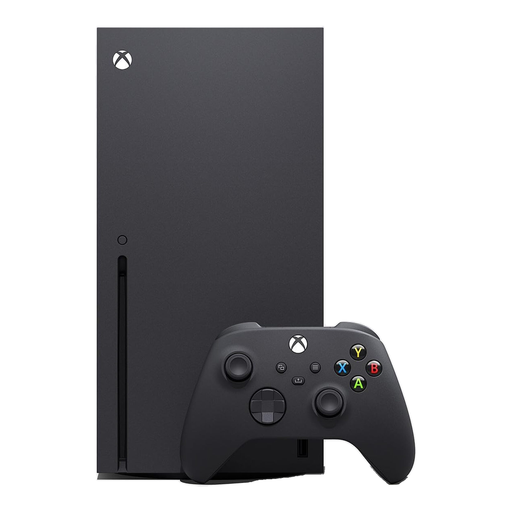
Xbox Series X 1TB console in black

Xbox Series X 1TB Black

Consider this Xbox Series X if the child’s games and playing partners fit Xbox and the household wants this 1TB variant. Microsoft’s family settings cover Xbox Series X|S; check the intended games and any online-play plan separately.

View on Joybuy
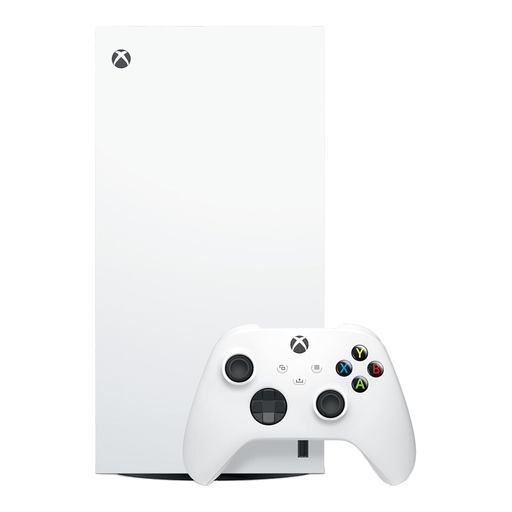
Xbox Series X 1TB Digital Edition console in white

Xbox Series X 1TB Digital Edition White

This variant is for a household choosing an Xbox digital-game route rather than physical game discs. It is the 1TB Digital Edition; confirm the child’s games, online-play terms and publisher-account controls before choosing it.

View on Joybuy
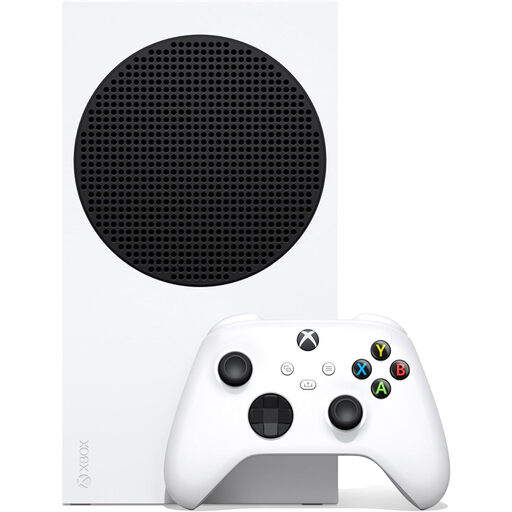
Xbox Series S 1TB console

Xbox Series S 1TB

Consider this 1TB Xbox Series S if the household’s intended games and playing partners fit Xbox. This is an all-digital console, so it will not play physical game discs; check game availability and online-play requirements before buying.

View on Joybuy
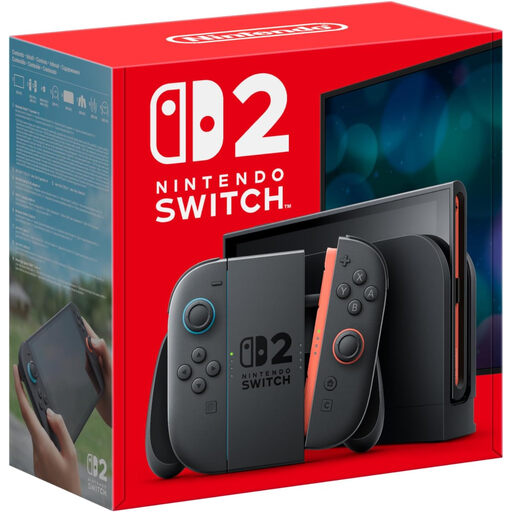
Nintendo Switch 2 console, UK version

Nintendo Switch 2 Console (UK Version)

Consider this Switch 2 if the child’s intended games and playing partners use Nintendo’s platform. For shared use, check the parental-control behaviour of this exact model rather than assuming Nintendo Switch console settings work identically; also confirm each game’s online membership and storage needs.

View on Joybuy

Family gaming questions

What does a PEGI rating tell me about a game?

PEGI says its rating indicates age suitability based on content, not how difficult the game is. UK Government online-gaming guidance says games rated PEGI 12, 16 or 18 cannot be sold or hired to someone below the stated age; check the rating alongside the game’s online interaction features.

Does a console purchase include everything needed to play online with friends?

No. Check the exact game’s platform and cross-play rules, account requirements and online membership terms. Nintendo says some Switch games require Nintendo Switch Online; Sony Interactive Entertainment includes online multiplayer with PlayStation Plus memberships, while Xbox plan benefits depend on the game and plan.

Are console parental controls enough when a game has its own account?

Not necessarily. Set the platform controls, then review the publisher account for separate chat, friend-request and purchase permissions. Epic Games, for example, documents its own parental controls for these features.

What should we set up before a child uses a shared console?

Create a child account where the ecosystem supports one, configure the relevant content, communication and purchase settings, and test the intended game using that account. For Nintendo Switch, Nintendo UK Support says console parental-control restrictions apply to all users, so account-specific settings should not be assumed to replace those shared restrictions.

Will Google Play purchase approval cover every game payment?

No. Google says its purchase approvals apply only to payments made through Google Play billing. Check any separate payment route offered through the game or its publisher account.