PS5 households keeping games ready to launch
PlayStation distinguishes between an internal M.2 SSD, which can launch PS5 games, and compatible USB storage, which can play PS4 games directly but only store PS5 games until they are moved back.


Choose extra storage by console generation and game type before choosing capacity: a drive that holds a game may not be able to launch it. PlayStation says a supported PS5 M.2 SSD can launch PS5 games, while PS5 games on USB storage must be moved back before play; Xbox Support makes a similar distinction between Storage Expansion Cards and USB storage for Series X|S Optimised titles. Nintendo Switch 2 requires microSD Express rather than a standard microSD card.
PlayStation distinguishes between an internal M.2 SSD, which can launch PS5 games, and compatible USB storage, which can play PS4 games directly but only store PS5 games until they are moved back.
Xbox Support says Series X|S Optimised games play from the console’s internal SSD or a Storage Expansion Card. USB storage can hold those games for transfer, making the intended play location the deciding question.
Nintendo specifies different card standards for the original Switch and Switch 2. Its guidance also says game saves remain in console memory, so a larger card is not a save-data backup.
Start with the exact console and the games you want available without a transfer. Then decide whether the added storage needs to launch those games or simply hold them between play sessions.
| Concern | What to check | Who this matters to |
|---|---|---|
| PS5 games ready to play | Check Sony’s M.2 SSD interface, size and heat-dissipation requirements if PS5 games must launch from the added storage. | If I regularly return to installed PS5 games, moving each one off a USB drive before play defeats my reason for expanding. About 37% of consumers would put PS5 direct-play space first. |
| Xbox transfer friction | Check whether frequently played games are Series X|S Optimised and whether the product is a Storage Expansion Card or USB storage. | For an Xbox Series X|S library I want to leave ready to launch, avoiding moves between USB and playable storage matters most. Roughly 27% of consumers would prioritise that Xbox need. |
| Nintendo card generation | Confirm the console model: Nintendo Switch 2 requires microSD Express, not a standard microSD card. | When adding room for Switch 2 downloads, buying the wrong card standard would leave the game library without the intended expansion. Around 18% of consumers would make card-generation compatibility their primary concern. |
| Archive space and rotation | Check which games can play from the drive and which must be transferred back; choose capacity for the library you plan to keep stored. | If I rotate between a smaller set of active games, I can accept transfers in exchange for space to keep others stored. About 18% of consumers would put archive-and-rotation space first. |
PlayStation says PS5 games stored on a compatible USB drive must be moved back before play. Xbox Support says Series X|S Optimised titles need internal SSD storage or a Storage Expansion Card to launch.
Identify the games you want ready to play, then choose a storage location that supports direct play for those titles.
Choosing archive storage for a direct-play need adds a transfer step before gaming.
Nintendo specifies microSD Express for Nintendo Switch 2; a standard microSD card used for original Switch game storage does not meet that requirement.
Confirm the console generation and the card’s microSD Express designation before buying for Switch 2.
Sony specifies an M.2 SSD’s interface, capacity, physical dimensions and heat dissipation. It also cautions that meeting the listed specifications does not guarantee that every third-party drive will operate.
Compare the exact drive and its installed heatsink dimensions with PlayStation’s PS5 requirements before installation.
Nintendo says formatting erases the card’s contents. Game saves are kept in console memory rather than on the removable card, but captures stored on the card need separate attention.
Copy screenshots and videos you want to keep before formatting, and check where each type of data is stored.
Formatting without copying stored captures can permanently erase them.
Its console-specific lines include the SN850P M.2 SSD for PS5 and the C50 Storage Expansion Card for Xbox Series X|S.
Its Xbox range includes a Storage Expansion Card and a separate USB Game Drive for Xbox.
Its storage portfolio includes PS5-oriented internal SSDs as well as removable-card products relevant to Nintendo households.
These selections cover microSD Express cards for Nintendo Switch 2 downloads and external drives for console-library storage and rotation. The external drives are not substitutes for PS5 internal M.2 expansion or an Xbox Series X|S Storage Expansion Card when direct play of current-generation titles is required.
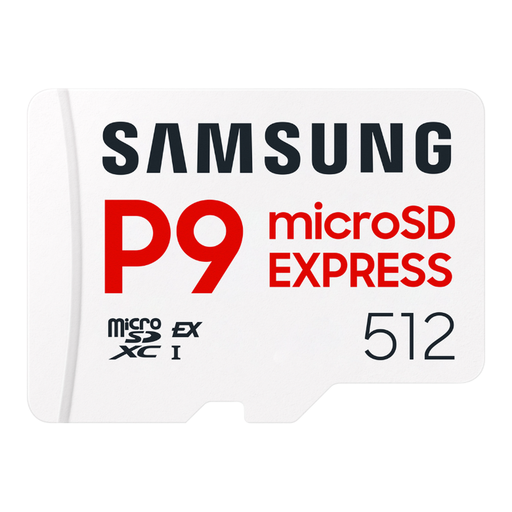 Image unavailable
For a Nintendo Switch 2 household adding space for downloaded games and DLC. The listing identifies this 512GB P9 Express as a microSD Express card; Nintendo says game saves remain in console memory rather than on the card.
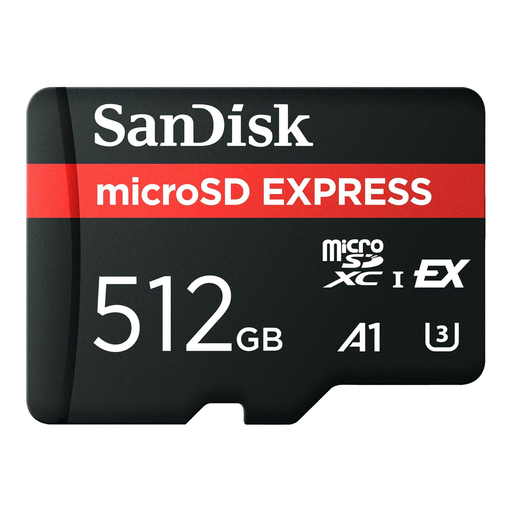 Image unavailable
Another 512GB microSD Express option for Nintendo Switch 2 downloaded-game storage. Confirm the console generation before choosing a card; extra card capacity does not expand game-save storage.
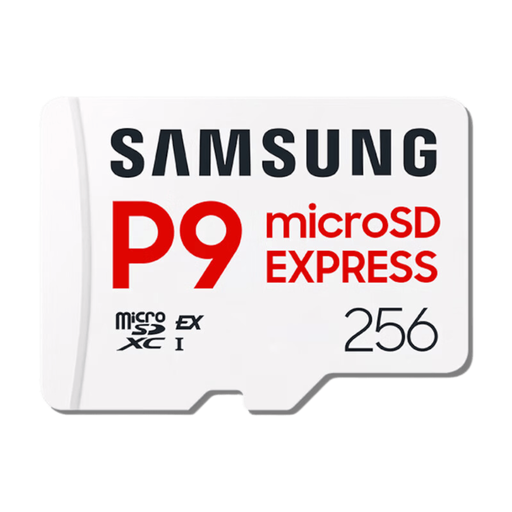 Image unavailable
For Switch 2 downloads when 256GB of added card capacity fits the library you plan to keep installed. This is the 256GB P9 Express variant, not the 512GB version above; Nintendo keeps game saves in console memory.
 Image unavailable
For a PS5 library in which storing games between play sessions is useful and transfers are acceptable. The listing identifies a 2TB portable SSD; PlayStation says PS5 games on compatible external USB storage must be moved back to internal storage before play, while PS4 games can play from it.
 Image unavailable
For a rotating PS5 or Xbox game library where a 6TB external archive is more important than launching current-generation games from the added drive. PS5 games and Xbox Series X|S Optimised titles held on external USB storage need to be moved to their respective playable storage locations before launch.
No. PlayStation says PS5 games stored on compatible USB storage must be transferred back before play, although PS4 games can play directly from it. Xbox Support says Series X|S Optimised games must be on the internal SSD or a Storage Expansion Card to launch; USB storage can hold and transfer them.
Check Sony’s supported PCI-Express Gen4x4 M.2 NVMe interface, 250GB–8TB capacity range, physical dimensions and heat-dissipation requirements for the exact drive and heatsink. PlayStation recommends a sequential read speed of at least 5,500MB/s and cautions that meeting its listed specifications does not guarantee every third-party drive will work.
No. Nintendo says Switch 2 uses microSD Express cards for its removable game storage. Check the card’s standard and the console generation rather than relying on the word microSD alone.
No. Nintendo says game saves stay in console system memory and cannot be copied to the removable card. Formatting a card erases its contents, so copy any screenshots or videos you want to keep before formatting it.