Parents arranging regular online play
If a child is moving beyond occasional games, choose the device alongside the games they want to play, their multiplayer access and the child-account settings you plan to use.


A console is a sensible starting point when a child’s games and friends centre on that console ecosystem; a Windows PC or laptop makes more sense when they need PC games or a computer for other household tasks. Before buying either, check the exact games and friends’ platforms, set up a child account, decide how communication will work, and confirm accessory and online-service requirements.
If a child is moving beyond occasional games, choose the device alongside the games they want to play, their multiplayer access and the child-account settings you plan to use.
Think about who else uses the screen or device, whether local play needs another controller, and how each child’s account and playtime settings will work.
Decide which conversations are allowed before choosing a headset. Then check the intended device connection, platform permissions and the game’s own chat settings.
Consider it when: The child’s intended console games and friends point to a particular PlayStation, Xbox or Nintendo ecosystem.
Allow for: Online access and family controls vary by game and platform; PlayStation says most PS4 and PS5 games require PlayStation Plus for online multiplayer, though some do not.
Consider it when: The child needs a PC game or the household also wants to use the computer for other tasks.
Allow for: Microsoft Family Safety settings have defined device scopes; check any separate game accounts, launchers and chat services the child will use.
| Priority | What to check | Your needs |
|---|---|---|
| Games and friends | Confirm each game’s console or Windows version, multiplayer support and whether it allows play across the friends’ platforms. Xbox Support says cross-network play is available in some games, not all. | I want my child to join the games their friends actually play. Ofcom reported in May 2026 that 72% of children aged 8–17 in its UK research gamed online; that measures children’s activity, not a preference for any device. |
| Child accounts | Set up a separate child account and review content, communication and playtime settings on the chosen platform. Check the game’s PEGI age rating and content descriptors as well. | Different people may use the same device, but I want settings that apply to my child’s account rather than relying on a shared adult login. |
| Communication | Decide whether voice, text, invites and cross-network contact should be allowed. Check both platform permissions and any chat built into the game or another service. | Before adding a microphone, I want to know who my child can talk to and which controls govern that conversation. |
| Online access | Check the intended game’s multiplayer and account requirements. PlayStation says most PS4 and PS5 games need PlayStation Plus for online multiplayer; Nintendo says Switch 2 GameChat requires internet access, a paid Nintendo Switch Online membership, mobile-number registration and parental approval for children. | The games and features my child expects to use should work with the accounts and services we are prepared to set up. |
| Accessories and shared use | Check a headset’s connection against the device and chat route. For an extra controller, confirm the exact console generation and whether the game supports local multiplayer; consider how gaming fits alongside other home internet use. | We may share a screen or play in the same room, so I want accessories that serve those plans rather than assuming online play and local play need the same things. |
Friends using different platforms cannot necessarily join the same game. Xbox Support says cross-network play is available for some games, while communication permissions are a separate setting.
List the games and friends’ platforms, then check the exact game version, multiplayer support and cross-play options before choosing a console or PC.
A headset can open a route for conversations that needs more than a mute button to manage. PlayStation, Xbox and Nintendo provide different communication controls.
Decide which communication is permitted, then check platform, game and headset connections before enabling voice chat.
PlayStation says most PS4 and PS5 games require PlayStation Plus for online multiplayer, although some do not. Nintendo says Switch 2 GameChat requires a paid Nintendo Switch Online membership.
Check the current UK requirements for the child’s specific games and intended features.
A required membership is an ongoing commitment in addition to setting up the device.
Using the adult login makes it harder to apply controls to the child separately. PlayStation’s family manager sets controls on child accounts, while Xbox family settings are managed for family members.
Create the appropriate child account during setup and review content, multiplayer, communication and purchase permissions before the child starts playing.
These platform tools matter when choosing an ecosystem; a family setting on one platform should not be assumed to cover every game or chat service.
Relevant when a child’s games are on Nintendo Switch or Nintendo Switch 2 and the family needs to plan console restrictions and account settings.
Relevant when the child’s intended games and friends are on PlayStation and the household wants settings on a separate child account.
Relevant to Xbox gaming and households considering family settings across connected Xbox and Windows devices.
These Xbox consoles suit a household considering Xbox games, while the wired and wireless headsets offer accessory options to consider after deciding whether voice chat is allowed. Check each child’s games, device connections and communication route before choosing.
 No image available
Consider this Xbox console if the child’s intended games and friends fit the Xbox ecosystem. Its stated storage is 1TB; check each game’s multiplayer access, cross-play and child-account settings before choosing it.
 No image available
For an Xbox setup, check that the child’s games are available in a suitable digital format before choosing this Digital Edition. It has stated 1TB storage; confirm game-specific online requirements and set up the child’s family settings.
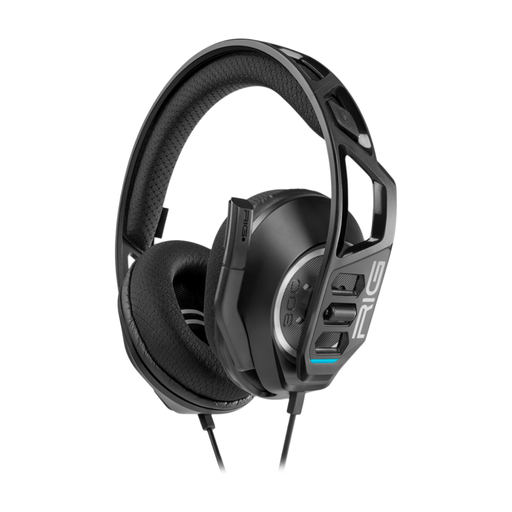 No image available
A wired headset option once the household has decided whether voice chat is allowed. Confirm its connection works with the intended device, that the cable suits the seating arrangement, and that the game’s chat route permits the planned use.
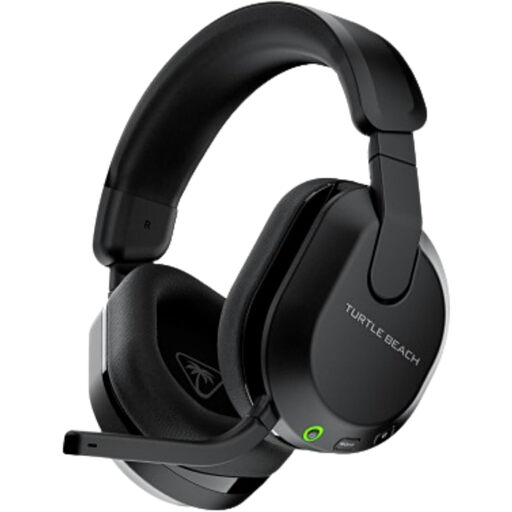 No image available
Consider this wireless headset for a planned PS5, PS4 or PC setup after checking the intended connection and game chat route. Platform and game communication permissions still need to be configured separately.
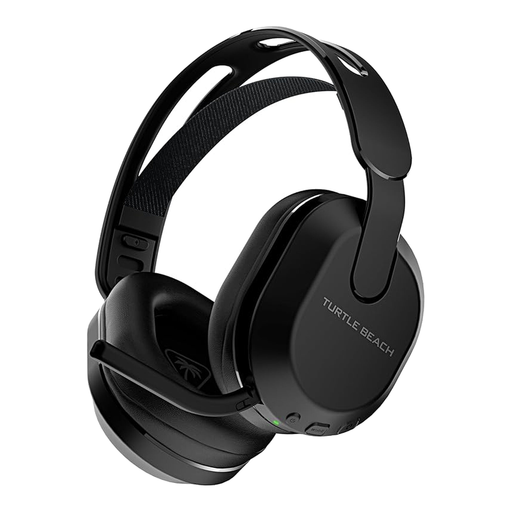 No image available
This wireless headset is identified for PC, PS5 and PS4. If it is for a child’s voice chat, confirm the device connection and the game’s chat route, then review family and game communication settings before use.
Use a separate child account in the chosen platform’s family system where available. PlayStation lets a family manager apply controls to each child account, while Xbox and Microsoft family tools manage settings for family-group members; check the settings on the account the child will actually use.
They can restrict some platform-level communication, but do not assume one setting covers every chat route. PlayStation offers child-account communication restrictions, Xbox provides communication and cross-network settings, and Nintendo requires additional parent setup for supervised users’ Switch 2 GameChat. Check the individual game and any separate chat service too.
No. Xbox Support says cross-network play works in some games, including games involving other consoles or PC, but availability depends on the game. Check its exact platform versions and the child-account permissions before buying hardware to join friends.
It depends on the game and feature. PlayStation says most PS4 and PS5 games need PlayStation Plus for online multiplayer, although some do not; Nintendo says Switch 2 GameChat requires a paid Nintendo Switch Online membership. Check the current UK requirements for what the child intends to use.
Microsoft says app and game limits can extend across connected Windows, Xbox and Android devices, while its app and game content filters work on Windows and Xbox only. For a Windows gaming PC, also check the settings of each game account, launcher and chat service the child uses.