
24/7 Customer Support

Free returns

Same-day & Next-day Delivery

Quality Guaranteed

Unlock Your Welcome Offers: FREE Delivery | Up to 80% OFF | Free 30-day JoyPlus trial
Download the APP
Choosing content creator equipment is rarely about buying the most feature-packed item. The right choice depends on your room, recording style, existing devices and how often you need to move your setup. A USB microphone may suit a first-time streamer, while an XLR connection offers a clearer upgrade path for a more advanced audio system. Likewise, a small camera light can solve uneven facial lighting without requiring a full studio arrangement.
The following guide highlights common buying traps, the specifications worth checking and our top recommendations for different UK creator profiles.
RGB lighting, app control, wireless connectivity and smart functions can look attractive on a product page. However, these features may be irrelevant if the device lacks the connection, mounting option or power arrangement your setup requires.
For example, an RGB microphone may offer visual appeal for gaming, but the lighting does not improve recorded audio. Check whether it also provides useful controls such as mute, headphone monitoring and gain adjustment.
A USB XLR microphone can be versatile, but XLR operation normally requires a separate audio interface or mixer and cable. These accessories should be included in your budget. A microphone with only USB connectivity may be easier to start with, but could offer fewer options if you later build a more advanced audio chain.
The same issue applies to projectors. Built-in Netflix access, HDMI ARC, Bluetooth and Wi-Fi may reduce the need for extra streaming devices, but you should still confirm network compatibility and the services you actually use.
A high-resolution projector cannot compensate for strong daylight, a poor projection surface or unsuitable positioning. For lighting, a high colour range does not automatically mean a light is suitable for every scene. Look at colour temperature, brightness control, battery capacity and mounting options together.
For a podcast microphone, gaming microphone or streaming setup, first identify the connection method:
A stated frequency response such as 50Hz–16KHz describes the range the microphone is designed to capture. It should be considered alongside microphone placement, room treatment and voice distance rather than treated as a complete measure of recording quality.
For a camera light or portable LED video light, look for:
A light stick can be useful for portrait photography, product photography and YouTube vlogging equipment because it can be repositioned quickly. Avoid staring directly into a high-brightness LED and keep rechargeable lights away from moisture and excessive heat.
When comparing a portable 1080p projector, Netflix projector or outdoor movie projector, check whether 1080P is native resolution rather than merely a supported input format. Native Full HD means the displayed panel resolution is 1920 × 1080.
Useful convenience features include:
For outdoor use, place the projector on a stable, dry surface with suitable ventilation. Outdoor conditions can affect visibility, sound and electrical safety.

Why This Fits Their Persona: Suitable for new podcasters, gamers and streamers who want USB setup now with an XLR upgrade route later.
USB connection, tap-to-mute and a headphone jack reduce the need for extra equipment at the start. XLR is available when paired with a separate interface and cable.
Dynamic, unidirectional design; 50Hz–16KHz frequency range; RGB and function controls available through USB.
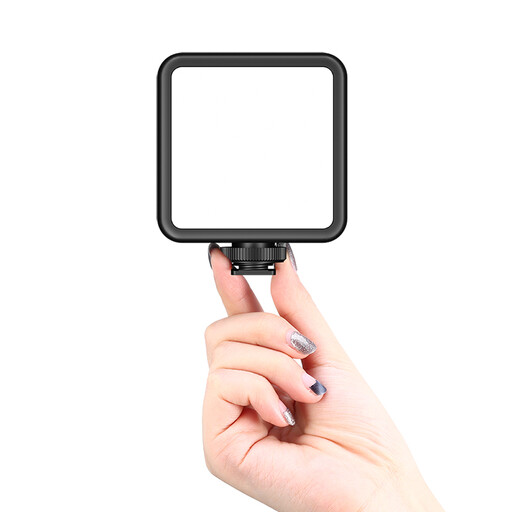
Why This Fits Their Persona: A practical choice for photographers, videographers and creators who want precise lighting control in compact shooting spaces.
Adjustable 2500K–9500K colour temperature and dimming provide more control than a fixed-colour lamp.
2000mAh battery; magnetic back; compact format for macro, product and vlog lighting.
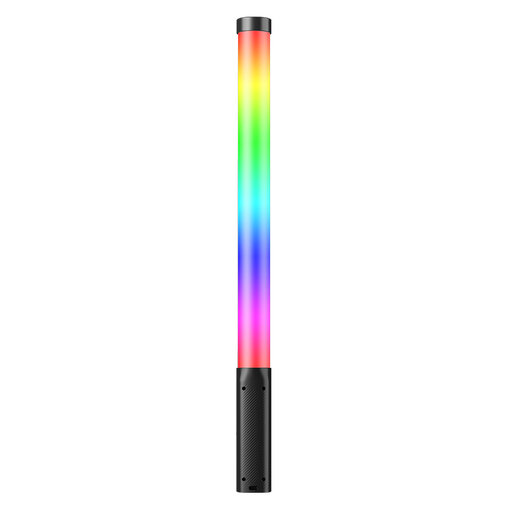
Why This Fits Their Persona: Designed for frequent mobile shoots, portrait sessions and creators who need a handheld RGB light stick rather than a fixed panel.
It combines brightness adjustment, 2500K–9000K colour control and RGB operation, so one light can cover several creative scenarios.
10W output; 3300mAh battery; 360° full-colour RGB light stick format.
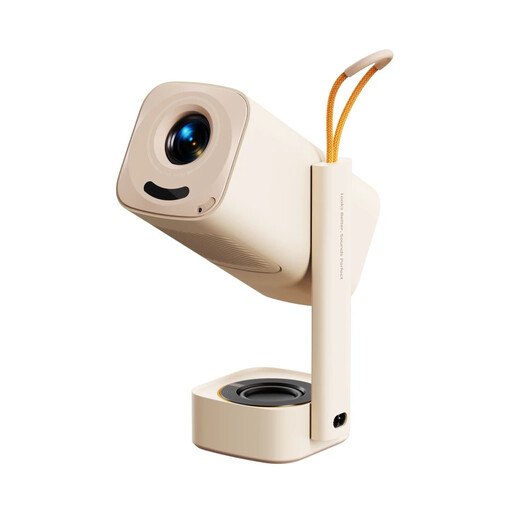
Why This Fits Their Persona: Suits households wanting a portable home cinema projector for films, sport, children’s viewing and occasional outdoor film use.
Native 1080P, autofocus, auto keystone correction and screen alignment reduce the manual setup often associated with portable projectors.
Licensed Netflix, Prime Video and YouTube; Wi-Fi 6; Bluetooth 5.4; integrated 180° stand; HDMI ARC.
We have compiled a complete, real-time list of products that fully satisfy these strict selection criteria and UK safety regulations.
You do not need to purchase every item at once. A sensible order is:
Before ordering, check included cables, power requirements, mounting threads, battery charging method and the return information supplied by the retailer. Keep packaging and accessories until the equipment has been connected and checked with your own devices.
Start with a microphone that matches your computer or console, then add a controllable light. A USB microphone is usually simpler to configure than an XLR model, while a compact camera light can improve video quality without taking up much space.
Neither connection is automatically suitable for every user. USB is convenient and commonly plug-and-play. XLR requires an interface or mixer but can fit more expandable recording systems. Choose based on your current equipment and whether you expect to add audio processing later.
Running cost depends on the projector’s power consumption, usage time and electricity tariff. Portable LED-based models generally avoid lamp replacement in the same way as traditional lamp projectors, but you should still check the manufacturer’s technical information. Allow ventilation space, switch the unit off properly and let it cool before moving or storing it.