Choose a controller that works with your gaming platform and gives your headphones a suitable connection path before considering extra controls. An official console controller offers a native option for its own platform, but headphone connections differ: PlayStation says the DualSense headset jack requires a wired connection on PC or Mac, while Xbox and Nintendo specify controller-side jacks on the models discussed below.
Who this is for
Console players using wired headphones
If you mainly play detective games on one console, you may want to plug a compatible wired headset into the controller. Xbox lists a 3.5 mm headset jack for its Wireless Controller, while Nintendo specifies a CTIA-standard jack for the Switch 2 Pro Controller.
PC players planning their audio connection
If you play on Windows or Mac, decide whether your headphones will connect to the computer or through the controller. PlayStation says the DualSense headset jack works on PC and Mac only when the controller has a wired connection.
Players who want adjustable controls
If you regularly revisit clues, navigate menus or make dialogue choices, remapping may be useful to you. 8BitDo lists profiles, button mapping and programmable back buttons for its Ultimate 2 Bluetooth Controller; check headphone routing separately.
What to check before buying
Start with the device running the game, trace where headphone audio will go, then decide whether adjustable controls would help with your usual actions.
| Concern |
What to check |
Who this matters to |
| Platform and headphones |
Confirm the exact console or computer and whether your headset can use the controller jack or needs another audio connection. |
I play on one console and want my wired headphones to connect without changing my audio setup. Around 50% of consumers would put platform and headphone compatibility first. |
| PC and other devices |
Check the game’s controller support and whether controller-routed audio needs USB rather than Bluetooth. |
When I move between a computer and other devices, I need to know which controller and audio features still work. For around 30% of consumers, that cross-device question would be the main concern. |
| Adjustable controls |
Look for remapping or profiles if you intend to use them, and consider whether the button layout suits longer sessions. |
Repeated clue, dialogue and menu actions make control placement important to me. Roughly 20% of consumers would prioritise personalising those controls. |
Buying pitfalls
-
Assuming a wireless controller means wireless headphone audio
Controller connectivity and headset connectivity are separate. PlayStation says the DualSense headset jack needs a wired PC or Mac connection, and Xbox Support says an Xbox One console cannot connect to a headset using Bluetooth.
Check the route from your headset to the controller or gaming device, including the plug or wireless connection you intend to use.
Depending on that route, you may need a compatible cable, headset adapter or separate audio connection.
-
Choosing the wrong Nintendo console generation
Nintendo says the Switch 2 Pro Controller works only with Nintendo Switch 2, not the original Nintendo Switch.
Match the console generation in the controller’s name and compatibility details to the console you own.
-
Focusing on extra buttons before checking support
PlayStation says some DualSense features depend on the game or a USB connection on PC. Remapping and profiles are useful only if they fit the actions you want to change.
Confirm platform, game and headphone compatibility first, then check the game settings and controller instructions for the features you plan to use.
-
Putting an old rechargeable controller in household waste
GOV.UK advises against putting electrical products and batteries in household rubbish when they no longer work.
Use a suitable electrical-waste collection point or an applicable retailer take-back route. If the battery cannot be removed, keep it in the controller for electrical-waste handling.
Relevant controller brands
PlayStation
DualSense is the native PS5 controller route; PlayStation also lists PC, Mac and mobile compatibility for the current model.
- PlayStation lists haptic feedback and adaptive triggers where supported by the game.
- On PC and Mac, its headset jack requires a wired controller connection; PlayStation says the jack feature does not work with mobile devices.
Xbox
Microsoft lists the Xbox Wireless Controller for Xbox consoles, Windows PC, Android and iOS.
- The controller has a 3.5 mm stereo-headset jack for compatible headsets, alongside device-switching controls.
- Xbox Support says Xbox One does not connect to Bluetooth headsets directly; check the headset connection required by your console.
Nintendo
The Nintendo Switch 2 Pro Controller is a Switch 2-specific route with a controller-side audio connection.
- Nintendo specifies a CTIA-standard four-pole 3.5 mm audio jack and mappable GL/GR buttons.
- Nintendo says this controller cannot be used with the original Nintendo Switch.
8BitDo
The Ultimate 2 Bluetooth Controller offers configurable controls for the Switch and Windows devices listed by 8BitDo.
- 8BitDo lists profiles, mapping, programmable back buttons and a charging dock for this model.
- If you want wired headphones to connect through the controller, confirm an appropriate audio route before choosing it for that purpose.
Joybuy controller choices
These controllers offer Xbox or PC options for detective games, including wired Xbox models and two other models to consider for supported devices. Match each one to your gaming platform, headset connection and game before choosing.
 No image available
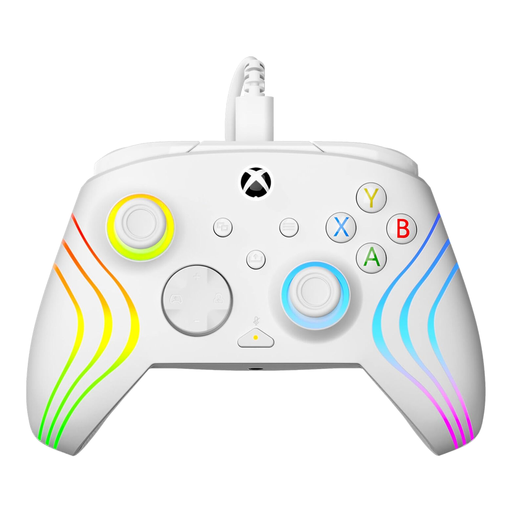
Turtle Beach PDP Afterglow Wave Wired Controller for Xbox and Xbox Series – White
Consider this for Xbox detective games if a wired controller fits your setup. Check that your headset connection and the game’s controller support meet your needs.
Wired controller; White variant. Check that your device has a suitable USB connection.
View on Joybuy
 No image available
Turtle Beach Afterglow Ignite Time Wired RGB Controller for Xbox and PC – Time Machine
This is a wired option for Xbox or PC play when you want to plan a headset connection through your controller. Confirm your headset plug and the detective game’s controller support.
The controller uses a wired USB-C connection and has no wireless mode.
View on Joybuy
 No image available
Turtle Beach Rematch Advanced Wired Controller for Xbox and PC – Blue Kitsune
For an Xbox or PC detective game, consider this if you prefer a wired controller. Check your headset connection and whether the game accepts controller input.
Wired controller; Blue Kitsune variant. Check that your device has a suitable USB connection.
View on Joybuy
 No image available
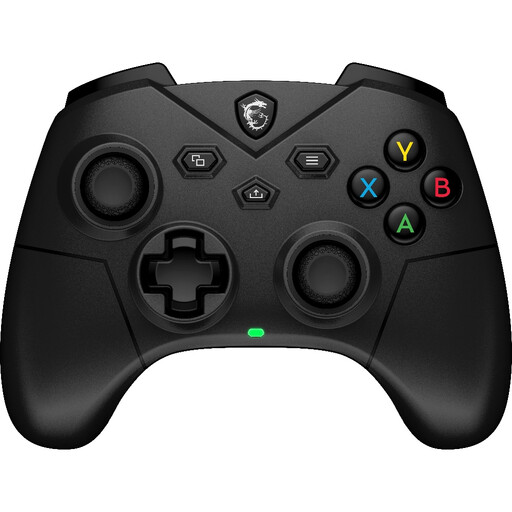
MSI FORCE GC300 W Controller
For Windows detective games, consider this model if its connection modes suit your headset setup. Check the game’s controller support and your headset plug.
Its 3.5 mm audio jack is available with a wired or 2.4 GHz connection, not Bluetooth. The stated device compatibility is Windows 10 or later and Android 8 or later; check console compatibility separately.
View on Joybuy
 No image available
Microsoft Xbox Elite Wireless Controller Series 2 (Xbox One, Xbox Series X/S and PC)
Consider this for Xbox or PC detective games if you want to assess a wireless controller with adjustable controls. Confirm the connection mode your device and headset require, as well as the game’s controller support.
Elite Wireless Controller Series 2; check the headset plug before relying on controller-routed audio.
View on Joybuy
Frequently asked questions
Can I plug wired headphones into any game controller?
No. Check the controller’s jack and your headset plug: Microsoft lists a 3.5 mm stereo-headset jack for the Xbox Wireless Controller, while Nintendo specifies a CTIA-standard four-pole 3.5 mm jack for the Switch 2 Pro Controller. If a suitable controller connection is unavailable, check whether your gaming device offers another audio route.
Will the DualSense headset jack work on PC over Bluetooth?
Do not rely on Bluetooth for that connection. PlayStation says the DualSense headset-jack feature requires a wired controller connection on PC or Mac and does not work with mobile devices.
Can a Bluetooth headset connect directly to Xbox One?
No: Xbox Support says Xbox One does not support connecting a headset to the console using Bluetooth. If you want audio through a controller instead, check that your wired headset is compatible with its 3.5 mm jack.


