Platform-first players
If you already play on a console or another particular device, start with a controller specified for that platform rather than choosing by appearance.


Choose a controller specified for the device you play on, then check whether each mystery game supports controller input. Steam notes that gamepad-only inputs work only in games with gamepad support. For a student-room setup, weigh the connection your device accepts against the controller's charging or battery routine.
If you already play on a console or another particular device, start with a controller specified for that platform rather than choosing by appearance.
On a Windows laptop or desktop, check both how the controller connects and whether each game accepts gamepad input.
If you want fewer cables between your seat and screen, consider how you will charge the controller, whether you have a suitable cable and where it can charge safely.
Start with your device and the game's controller support. Then choose a connection method and power routine that work in your room.
| Concern | What to check | Who this matters to |
|---|---|---|
| Platform and game compatibility | Match the exact controller model to your device, and check the mystery game's controller-support listing. | If I mainly play on one console or computer, the controller and game both need to accept my inputs; around 36% of consumers put platform and game compatibility first. |
| Laptop connection | Check your operating system, available USB ports and Bluetooth support against the controller's stated connection options. | Moving between my laptop and another device is easier when I know how the controller connects to each. Around 29% of consumers prioritise connection convenience. |
| Wireless use and charging | Check the power source, cable inclusion and any conditions attached to battery-life claims. | I want to play away from my desk without leaving a controller charging continuously afterwards; roughly 21% of consumers put wireless use and charging first. |
| Returns and after-sales support | Keep the order record and check the seller's returns terms and any manufacturer warranty for the exact model. | If the controller turns out to be unsuitable or develops a fault, I want to know which seller or warranty process to use. Around 14% of consumers make after-sales confidence their primary concern. |
A computer detecting a controller does not establish that a particular mystery game accepts gamepad input. Steam says gamepad-only input styles work only with games that support gamepads.
Check the individual game's controller-support information before ordering.
8BitDo specifies its Ultimate 2C Wireless for Windows and Android, while the Ultimate 2C Bluetooth is specified for Switch and Switch 2. A similar name does not make their platform support interchangeable.
Match the complete model name and its stated connection method to your device.
Sony states that a USB cable is not included with the DualSense controller. Its haptic feedback and adaptive triggers may require USB and a game that supports those features.
Check the package contents and whether you already have a suitable cable.
You may need to obtain a suitable USB cable separately.
London Fire Brigade advises against covering chargers, using damaged batteries or leaving devices continuously on charge after charging is complete.
Charge on a clear surface with a suitable charger. If a battery swells or is damaged, stop using it and seek appropriate repair advice.
An official controller route for Xbox players who also use other supported devices.
The official DualSense route for PS5 owners and users with a compatible PC, Mac or mobile setup.
A conventional controller option for Nintendo Switch play instead of attached Joy-Con controllers.
A third-party route where the exact model matches your platform.
These choices include models named for Switch 2, Xbox, PS4 and PC, and smartphones, plus a tri-mode controller. Choose for your actual device and check the mystery game's controller support before buying.
 No image available
For mystery games on Nintendo Switch 2, check that the individual game supports controller play.
 No image available
If connection options matter in your room, check which mode of this tri-mode controller works with your device and mystery game.
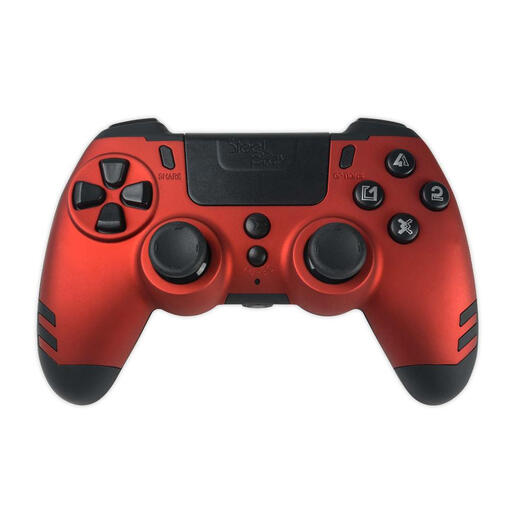 No image available
For a PS4 or PC mystery game, check gamepad support and confirm the connection you intend to use.
 No image available
If you play on Xbox and another supported device, this model is worth considering once you have checked each mystery game's controller support.
Microsoft lists Windows PC, iOS and Android alongside Xbox consoles for the Xbox Wireless Controller, with Bluetooth and Xbox Wireless connection options. Confirm the method your device accepts.
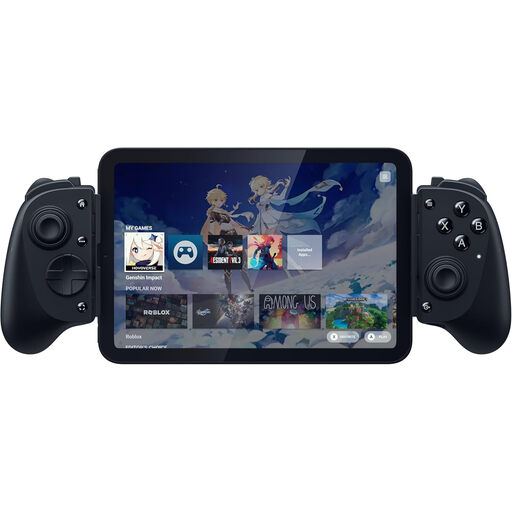 No image available
For mystery games on a smartphone, check that your exact device fits this mobile controller and that the game supports controller input.
No. Check the individual game's controller-support information: Steam says gamepad-only input styles work only with games that support gamepads. Pairing a controller with your PC does not change the game's controls.
Yes, depending on how you charge or use it. Sony says DualSense haptic feedback and adaptive triggers may require USB and a supporting game, and that a USB cable is not included with the controller.
Keep the controller and charger uncovered and use a suitable charger. London Fire Brigade advises against using damaged batteries or leaving devices continuously on charge after the charging cycle is complete.
Take electrical waste and batteries to an appropriate recycling point rather than putting them in household rubbish, as advised by the Office for Product Safety and Standards on GOV.UK. Check how to handle any removable battery before disposal.
No. Citizens Advice says warranties and guarantees add to legal rights. Keep proof of purchase, and check both the seller's process for faulty goods and the separate terms of any manufacturer warranty.