What to check before buying
Start with the device running your mystery game and the route your headphones need. Once those fit, consider whether you need adjustable controls and whether the controller feels comfortable to hold.
| Concern |
What to check |
Who this matters to |
| Device and headphone connection |
Confirm support for your console or computer and whether your headset connects to the controller, the device or separately. Check any wired-connection requirement. |
I want to hear the game through headphones without discovering that my chosen controller connection leaves its headset jack unusable; roughly 50% of consumers put this fit first. |
| PC setup and button mapping |
Check the intended game’s controller support and its available button-mapping options, including Steam Input where applicable. |
When a mystery game’s controls do not suit me, I want to adjust the layout rather than work around it; around 30% of consumers make configurable PC controls their primary concern. |
| Comfort during longer sessions |
Consider grip shape, button reach and where a wired headset cable will sit. Treat feedback features as game-dependent. |
I expect to spend time reading clues and exploring, so a controller I can hold comfortably matters more to me than extra features; roughly 20% of consumers prioritise that comfort. |
For an Xbox setup, Microsoft lists a 3.5 mm stereo headset jack on the Xbox Wireless Controller. PlayStation also lists a jack on DualSense, but specifies a wired controller connection for jack use on PC and Mac. Nintendo lists a CTIA-standard 4-pole 3.5 mm jack on the Switch 2 Pro Controller. These distinctions are worth checking against the particular game, device and headset you plan to use.
Joybuy controllers and a PC bundle
These choices cover an Xbox Wireless Controller, a PC-oriented controller and a PC game, headset and controller bundle. Choose by the device and headphone arrangement you intend to use; the bundle’s included game is not a mystery game.
 No image available
Xbox Wireless Controller – Robot White
Consider this for Xbox play or a compatible PC setup if you want a wired headset connected at the controller. Microsoft lists a 3.5 mm stereo headset jack for the Xbox Wireless Controller; check your headset and the game you intend to play.
View on Joybuy
 No image available
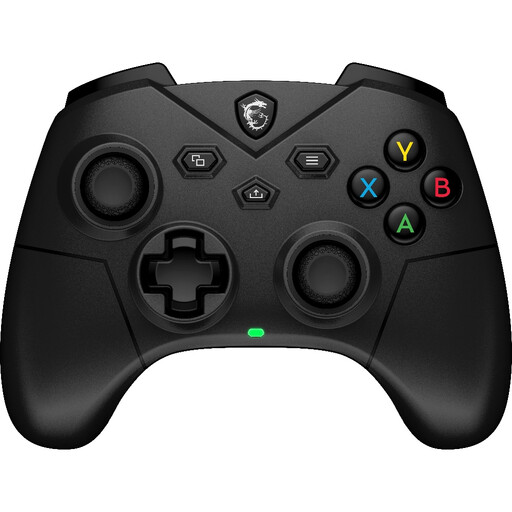
MSI FORCE GC300 W Controller
Consider this if you play on a compatible PC and want to adjust controls for individual games. For headset use through the controller, plan around the stated wired or 2.4 GHz connection requirement rather than Bluetooth, and check support for your game.
View on Joybuy
 No image available
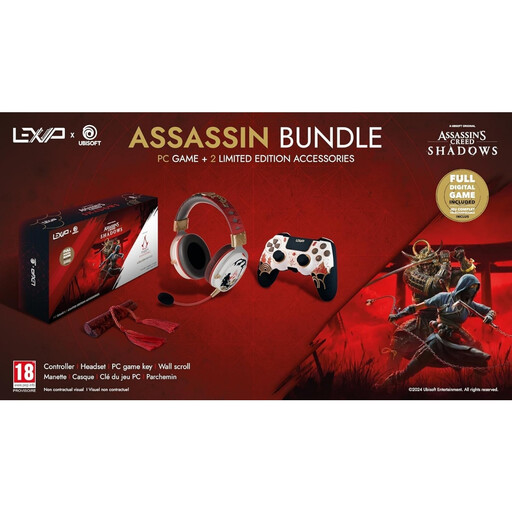
Lexip X Ubisoft Assassin's Creed Shadows Assassin Box – PC game, headset and controller
Consider this bundle if you need a separate headset and controller for PC play. The included Assassin's Creed Shadows game is not a mystery-game selection, and the headset is not controller-mounted audio; check the controller and headset routes against your intended game and PC setup.
View on Joybuy
Headphone and controller questions
Can I plug wired headphones into the controller?
Yes, with a compatible headset and a controller that supports that connection: Microsoft lists a 3.5 mm jack on the Xbox Wireless Controller, PlayStation lists one on DualSense, and Nintendo lists a CTIA-standard 4-pole jack on the Switch 2 Pro Controller. Check the exact model and gaming device before relying on controller-mounted audio.
Will the DualSense headset jack work over Bluetooth on my PC?
Do not rely on that route: PlayStation says DualSense headset-jack use requires a wired controller connection on PC and Mac. If you intend to connect the controller by Bluetooth, arrange a separate headphone connection to the computer.
Where should I connect headphones when playing on Switch?
For the original Switch, check a headphone connection to the console rather than assuming the controller has an audio jack. If you have a Switch 2 and want the cable at the controller, Nintendo lists a 3.5 mm jack on the Switch 2 Pro Controller; confirm that this is the model you are choosing.
Can Steam Input change a mystery game’s controller layout?
Steam Input offers custom bindings and community configurations for supported controllers, according to Valve. Check the individual game’s controller support and the layout you need; mapping support does not establish that audio through the controller will work.


