What matters when choosing
For consumers choosing a controller for visual novels in a bright room, start with the playing device and the game’s input options. Then consider how the controls feel over a reading session—and whether the difficulty is actually seeing the screen.
| Concern |
What to check |
Who this matters to |
| Device and game compatibility |
Check the exact visual novel’s controller-support information, then match the controller’s stated devices and connection method to your setup. |
If I want to leave the keyboard and mouse aside, the pad needs to work with both my device and the game. Roughly 46% of consumers would put that compatibility first. |
| Comfortable story navigation |
Assess grip size and button layout, particularly the controls you would use for dialogue, choices and menus. |
During a long reading session, I want advancing text and selecting choices to feel easy without paying attention to the controls. For roughly 36% of consumers, comfortable navigation would be the primary concern. |
| Bright-room readability |
View the screen in its intended position; check brightness, reflections and whether changing the angle or surrounding light helps. |
If reflections obscure the dialogue, changing the input device will not clear the screen. Readable text would come first for roughly 18% of consumers. |
Joybuy controller options
These options span Xbox and Windows PC, PS5, Nintendo Switch or Switch 2, and mobile play. Choose by the device and controller shape you intend to use, then check your visual novel’s input support; none of these controllers addresses screen glare.
 No image available
Xbox Wireless Controller – Robot White
Consider this if you play visual novels on Xbox or Windows PC and prefer the Xbox control layout. Microsoft lists support for Xbox Series X|S, Xbox One, Windows PC, Android and iOS; check the connection method for each device and controller support in the games you plan to play.
View on Joybuy
 No image available
Sony DualSense Wireless Controller – Starlight Blue, PS5 V3
This is a PS5-oriented choice if you prefer the PlayStation layout. Sony also describes DualSense use with compatible games and applications on supported PCs and other devices. Confirm support in your visual novel rather than choosing it for haptics or adaptive triggers, which depend on the game and device.
View on Joybuy
 No image available
Nintendo Switch 2 Pro Controller – Black
Consider this model for a Switch 2 visual-novel setup if you want a separate controller rather than relying on handheld controls. Confirm compatibility with your console and intended titles; guidance for the earlier Nintendo Switch Pro Controller does not establish the details of this Switch 2 model.
View on Joybuy
 No image available
Lexip SteelPlay Twin Pads Controllers
The twin-pad format may appeal if you prefer separate controls for a Switch reading setup rather than a conventional full-size pad. Check how the two pads fit your intended way of playing, as well as controller support in the exact visual novel.
View on Joybuy
 No image available
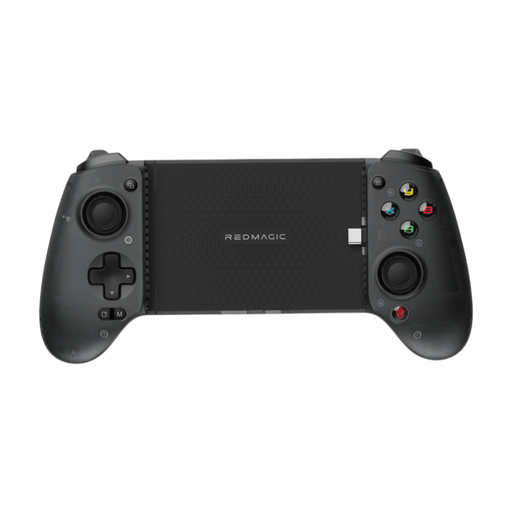
REDMAGIC Shadow Blade Gamepad 2.0 – iPhone and Android, Type-C
This is a mobile-control option to assess if you read visual novels on a phone. Its named Type-C connection and iPhone and Android compatibility do not establish a fit with every handset or game, so confirm your phone’s connection and the title’s controller controls before choosing it.
View on Joybuy
Questions about controllers and visual novels
Will a controller make a visual novel easier to read in a bright room?
No—a controller changes input, not screen brightness or reflections. Check the display from your usual seat in bright conditions, and adjust its position or brightness separately from your controller choice.
Do all PC visual novels work with a controller?
No; controller support depends on the individual game. Steam offers controller-support filters, but check the exact title’s listing and whether its dialogue, menus and save controls work as you need them to.
Will DualSense advanced features work in every PC visual novel?
No. Sony says haptics and adaptive triggers require game support, and PC haptics may require a USB connection. Choose DualSense for device and layout fit first, rather than assuming those features will be used by a particular story game.
What if I want to return a controller bought online in the UK?
Check whether you are changing your mind or reporting a fault, because these are different routes. GOV.UK says traders must tell distance-sale customers about cancellation up to 14 days after delivery; check the seller’s applicable process and terms before using the controller extensively. Faulty-goods remedies are separate from a seller’s change-of-mind policy.
What should I do if the controller is faulty?
Contact the seller with your order details and a clear account of the fault. UK consumer law addresses faulty goods, so do not assume that a manufacturer warranty is your only route.


