
24/7 Customer Support

Free returns

Same-day & Next-day Delivery

Quality Guaranteed

Unlock Your Welcome Offers: FREE Delivery | Up to 80% OFF | Free 30-day JoyPlus trial
Download the APP
By Joybuy Product Recommendation Officer
Whether you need a portable handheld fan for a commute, a desk fan for a warm home office, a car cooling fan for summer driving or a PC case fan for a gaming build, the right choice depends on more than advertised airflow. Battery capacity, mounting, connector type, noise and compatibility can all affect whether a fan remains useful beyond the first few weeks.
This guide explains the main buying pitfalls and compares suitable options for different UK use cases.
A high RPM figure or “powerful motor” does not automatically mean better comfort. A small fan may produce a concentrated breeze, while a tower fan spreads air over a wider area. For personal use, air direction, blade design and speed control may matter more than a headline speed figure.
For PC cooling, check both airflow and static pressure. Airflow suits open case ventilation, whereas static pressure is more relevant when pushing air through a radiator, heatsink or restrictive dust filter.
A rechargeable USB fan is convenient, but battery performance depends on speed setting and use. Some advertised operating times refer to the lowest setting rather than maximum output. For desk use, a fan that works while charging may be more practical than one designed only for cordless operation.
In a car, check whether the product uses USB power or a 12V/24V cigarette lighter connection. A dual-head car fan may offer broader airflow, but it needs a suitable vehicle socket and enough space for secure positioning.
ARGB lighting can add visual appeal to a PC, but it requires the correct 5V 3-pin ARGB connection. This should not be confused with a 12V RGB header, as connecting lighting to the wrong voltage can damage the component. Likewise, a CPU cooler must match the processor socket and fit inside the PC case.
For UK households, always follow the supplied instructions, use compatible charging equipment and check that electrical products are suitable for the intended environment. Keep fan grilles clear and never insert objects into moving blades.
For a mini personal fan, battery capacity is a useful comparison point, but it is not a guarantee of runtime. A 2,000mAh battery may suit short journeys, while a 3,000mAh or 5,000mAh model can be more suitable for a full working day or outdoor event.
Look for:
Lithium-ion products should be stored away from excessive heat and water. Do not disassemble, short-circuit or expose a built-in battery to fire.
A 3-speed fan offers simple low, medium and high control. Models with five or more settings allow finer adjustment, which can help when using a fan at a desk or bedside. For a quiet cooling fan, look for a published noise figure, but remember that perceived noise can vary with speed and placement.
A tower fan may be preferable when floor space is limited, while a desk fan or handheld fan directs airflow at one person. Oscillation can distribute air around a room, but it does not necessarily increase the amount of air produced.
For car use, check the mounting method. A suction cup needs a clean, smooth surface, while a vent clip may suit smaller dashboards. A 360-degree adjustable head can help direct airflow towards the driver or passengers, but the fan must not obstruct the driver’s view or interfere with controls.
For PC upgrades, check:
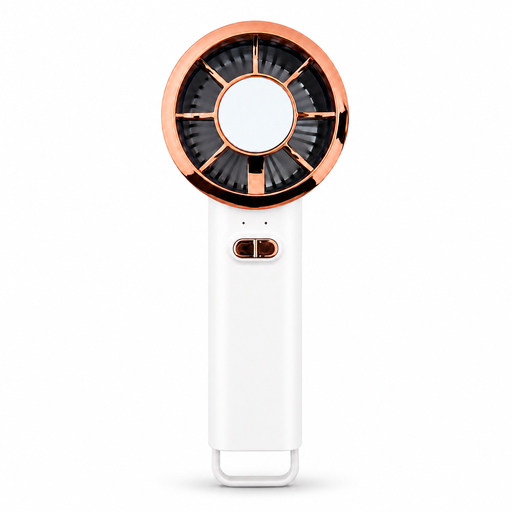
Why This Fits Their Persona: A straightforward option for commuting, office use or occasional travel without requiring a large tower fan.
Three speed settings provide more control than a basic single-speed model, while USB charging works with laptops, adapters and power banks.
Lightweight design, USB-rechargeable operation and an included stand for hands-free desk use.
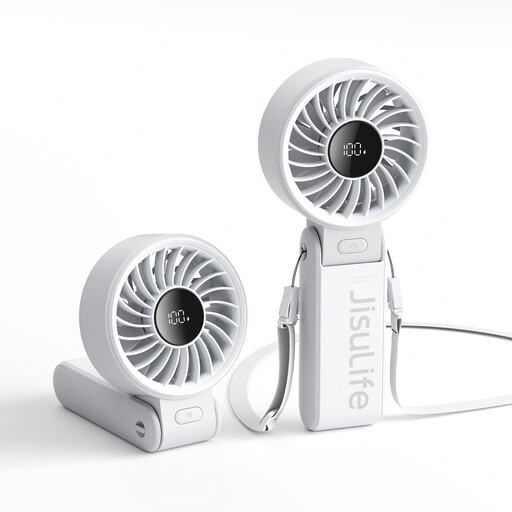
Why This Fits Their Persona: Suitable for longer days outdoors, festivals, travel or users who want handheld, desk and hands-free cooling in one device.
The battery display shows remaining charge, helping avoid unexpected downtime; the stated runtime varies by speed and should be read accordingly.
5,000mAh battery, five wind speeds, USB-C cable and up to 19.5 hours stated operation on the lowest setting.
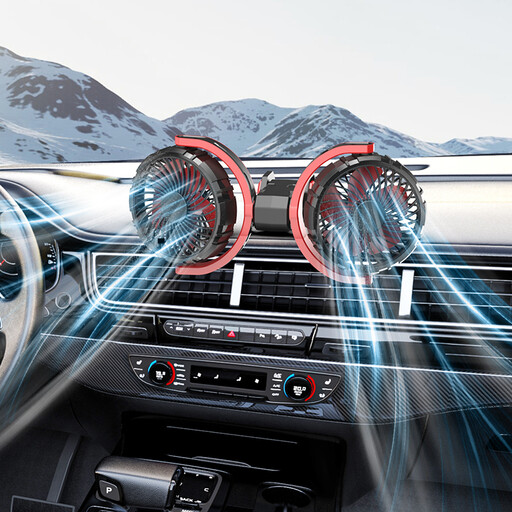
Why This Fits Their Persona: Designed for road trips, larger vehicles and situations where driver and passenger need separately directed airflow.
It uses a 12V/24V vehicle input rather than relying on an internal battery, and its foldable format helps with storage when not in use.
Twin fan heads, 360-degree adjustment, three speeds and two built-in USB charging ports.
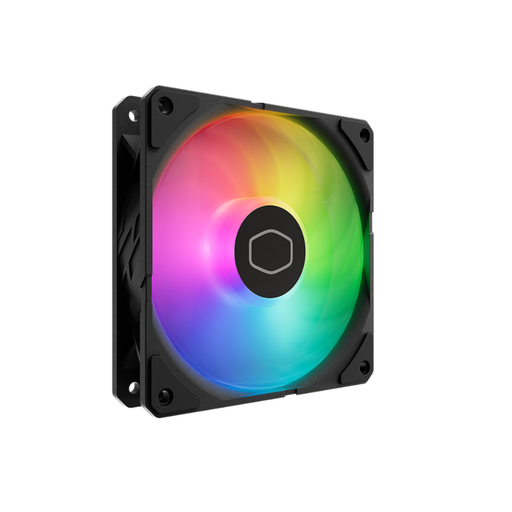
Why This Fits Their Persona: A practical upgrade for compatible desktop cases, radiators or builds where PWM control and lighting are both required.
The 4-pin PWM connection supports speed adjustment, while the separate 3-pin 5V ARGB connection makes compatibility checks clear before installation.
120mm format, 690–2500 RPM PWM range, up to 70.7 CFM airflow and included ARGB mini controller.
We have compiled a complete, real-time list of products that fully satisfy these strict selection criteria and UK safety regulations.
A USB rechargeable fan generally uses modest power, but running cost depends on battery capacity, charging frequency and your electricity tariff. A fan with a lower wattage may use less energy, although it may also produce less airflow. For a PC fan, check the rated power and use motherboard fan curves to reduce speed when temperatures allow.
A desk fan or compact tower fan is usually easier to position than a handheld model. Look for adjustable speeds, stable placement and a published noise figure. A portable Type-C rechargeable fan can be useful where sockets are limited, but check battery runtime and whether it can operate while charging.
Lifespan varies according to motor type, bearings, dust exposure and operating hours. Keep grilles and blades clean, avoid moisture and do not block the airflow path. For PC installations, secure cables away from the blades and power off the computer before cleaning or replacing a fan.