Console households adding a controller
If your platformer runs on PS5, Xbox, Nintendo Switch or Switch 2, the additional controller needs to work with that console and your intended local-player setup.


Choose an additional controller for the device running the platformer, not simply for the television displaying it. For PS5, Xbox and Nintendo Switch play, start with a controller compatible with that console; for a PC or cloud-gaming app, check the exact connection and device support. Before buying for a group, confirm the game’s local-player limit and how many controllers the setup can use at once.
If your platformer runs on PS5, Xbox, Nintendo Switch or Switch 2, the additional controller needs to work with that console and your intended local-player setup.
When a Windows PC runs the game and the home-cinema screen displays it, check the controller’s PC connection method and whether its layout suits the people playing.
If a television or streaming-device app runs the game, check the exact controller and connection method against that app and device’s compatibility guidance.
Identify what runs the game before comparing controller layouts or batteries. Then check the game’s player limit alongside the device’s controller-connection rules.
| Concern | What to check | Who this matters to |
|---|---|---|
| Platform and game compatibility | Confirm the device or app running the platformer and support for the exact controller. | If I play through a TV app rather than a console, I need the controller to connect to that app and device. Around 33% of consumers put platform and game compatibility first. |
| Enough inputs for local play | Check the game’s local-player limit and the device’s controller rules, including any Bluetooth-audio restriction. | When friends join me on the sofa, I need enough working inputs for everyone, not just enough controllers in the room. Roughly 27% of consumers make the multiplayer setup their primary concern. |
| Power during a session | Compare built-in charging, replaceable AA batteries and any accessories needed for your preferred arrangement. | For a longer session, I want a way to keep each controller powered without interrupting play. Around 20% of consumers prioritise charging and battery arrangements. |
| Directional controls and layout | Check D-pad placement, button layout and any remapping options on a compatible model. | If several people share the game, I care whether the controls feel familiar to them; a specification alone cannot settle that preference. Approximately 20% of consumers put control layout first. |
A controller that works with a console will not necessarily work with a particular television app. Features can also differ when the same controller is used on another platform.
Identify the console, PC or named game app running the platformer, then check support for the exact controller and connection method.
The game may allow fewer local players than the device allows connected controllers. Nintendo also says that connecting Bluetooth audio to a Switch limits it to no more than two wireless controllers.
Check the platformer’s local-player specification and the console’s connection rules for the accessories you plan to use.
Published battery durations depend on use and features; they are not a promise that every controller will last through your particular session.
Decide how each player will charge or replace batteries before buying several controllers.
Your chosen arrangement may also call for charging cables, a dock, AA batteries or a rechargeable battery pack.
A polling-rate or Hall Effect specification does not establish that a controller works with your console, game or television app, or that every player will prefer its layout.
Confirm compatibility first, then assess the directional controls and button arrangement for your players.
Sony’s DualSense is a controller route for PS5 play; PlayStation also lists PC, Mac and mobile compatibility.
Microsoft lists the Xbox Wireless Controller for Xbox consoles, Windows PC and other supported devices, including selected Xbox smart-TV app setups.
Nintendo’s full-size Pro Controller options are relevant to Switch-family couch play, but check the exact controller against the console you own.
8BitDo positions its Ultimate 2C Wireless Controller for Windows PC and Android use.
These controllers cover Xbox and Windows PC play, Switch 2 play, and a pair listed for Nintendo Switch TV mode. Choose within the platform that runs your game, then check its local-player requirements.
 No image available
Consider this variant if the game runs on a compatible Xbox console or Windows PC. For a cloud-gaming television setup, check the exact app and device; also confirm the connection and battery arrangement you intend to use.
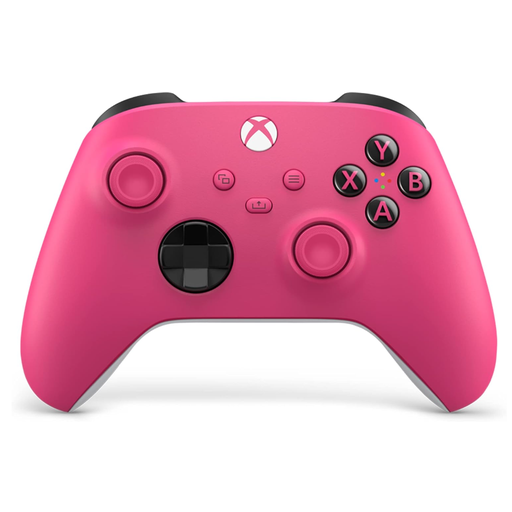 No image available
This variant is a choice for compatible Xbox or Windows PC play. The standard Xbox Wireless Controller uses AA batteries or an optional rechargeable pack; check the game’s player limit before adding controllers.
 No image available
Consider this model for an Xbox or Windows PC setup named in its product title. Confirm your exact device and game’s local-controller support before choosing it for a couch group.
 No image available
This is the Switch 2 controller choice in the list. Check that the platformer runs on Switch 2 and supports the number of local players you intend to seat together.
 No image available
Consider this pair for Nintendo Switch TV-mode play. Before counting it as two player inputs, confirm how the controllers pair and work in your particular game; do not assume Switch 2 compatibility.
Check the game’s local-player limit as well as the console’s controller limit. PlayStation says PS5 can use up to four controllers at once. Nintendo says Switch pairing capacity varies with controller type and features, and Bluetooth audio limits it to no more than two wireless controllers.
It will work only if the particular device and game app support that controller and connection method. Microsoft Xbox Support lists several controllers for specified smart-TV Xbox app environments; check the guidance for your exact television or streaming device before buying.
Choose a power arrangement you can maintain for every controller in the session. PlayStation lists a built-in battery and USB-C connection for DualSense; Microsoft Xbox Support describes AA batteries or an optional rechargeable pack for the standard Xbox Wireless Controller. Nintendo estimates about 40 hours per full charge and approximately six hours to charge a Nintendo Switch Pro Controller, with use affecting battery life.
Check the product information for the specific controller and any charger rather than assuming one marking settles its conformity. GOV.UK guidance dated 31 March 2026 says CE marking continues to be recognised alongside or in place of UKCA where applicable for products placed on the Great Britain market; that guidance does not establish the requirements for an individual controller or a Northern Ireland conclusion.