Wide-sofa co-op hosts
If friends or family sit across the sofa, check whether the picture remains clear from its outer seats, not just the middle. RTINGS identifies viewing angle as important for wide seating arrangements.


Choose a couch co-op TV by measuring the sofa-to-screen distance, the space available for the set and where the outer players will sit; a smaller diagonal does not automatically make shared play more comfortable. For a wide sofa, check the exact model’s off-centre picture before prioritising console features. If your games can use 120 Hz or variable refresh rate (VRR), confirm those modes on the HDMI input you plan to use; compare OLED and LCD-based options against the room’s lighting rather than assuming either suits every room.
If friends or family sit across the sofa, check whether the picture remains clear from its outer seats, not just the middle. RTINGS identifies viewing angle as important for wide seating arrangements.
A short distance between sofa and screen makes both physical fit and viewing comfort important. Measure the TV’s width and stand as well as its diagonal.
If you want to use higher-refresh gaming modes, check the exact TV, HDMI input and games you will use. PlayStation says PS5’s 120 Hz output applies to TVs and games that support it.
Start with the seating positions and the space for the TV, then decide which console modes and picture characteristics matter for the games you play.
| Concern | What to check | Who this matters to |
|---|---|---|
| Side-seat clarity | Assess the exact TV from the left and right sofa positions, or consult a model-specific viewing-angle test. | With friends spread across the sofa, I want the outer players to see the action without a washed-out picture; around 36% of consumers put side-seat clarity first. |
| Room fit and viewing comfort | Measure seated eye-to-screen distance, TV width and stand depth; compare sizes in the intended position. | If the sofa is close to the screen, I need shared details to be visible without the TV dominating the room. Roughly 29% of consumers make fit and viewing comfort their primary concern. |
| Console modes | Confirm the exact model’s supported refresh modes, VRR and auto low-latency mode (ALLM), including which HDMI inputs provide them. | I want the console and supported games to use the modes I chose the TV for; around 21% of consumers prioritise compatible console features. |
| Room lighting and picture | Compare model-specific reflection handling and picture performance in lighting like your room’s. | When daylight or lamps reach the screen, I need a picture I can comfortably follow during play. Approximately 14% of consumers put room-light usability and picture priorities first. |
A TV that looks clear straight on can look different to players at the ends of a wide sofa. RTINGS notes that viewing angle matters when people watch from several positions.
Check the exact model’s horizontal viewing-angle results, or view it from positions resembling the outer sofa seats.
Console modes depend on the TV, selected input, connected equipment and game. Sony UK, for example, specifies VRR on HDMI 3 and 4 for its K-55XR8M2 rather than on every input.
Check the exact model’s port allocation and supported resolution and refresh combinations before connecting multiple devices.
A compact screen still needs to show shared-play details clearly, while a larger one must suit the seating distance and available furniture space.
Measure from seated eye position to the planned screen location, then compare each model’s full width and stand depth.
An old television needs a suitable handover or recycling plan. GOV.UK says retailers must offer take-back of electrical waste of the same type as the item a customer buys.
Check how the seller arranges take-back and whether the handover method works for your old TV.
Use these specific ranges and models as points of comparison, then check the specifications of the set you intend to buy.
LG UK lists the OLED48C56LB, a 48-inch 4K OLED C5 option for a room where that size fits.
Samsung UK lists 43-inch TVs; its 43-inch QN90D is a model-specific example to assess for small-room play.
Sony UK’s 55-inch BRAVIA 8 II K-55XR8M2 is worth assessing only if the room can accommodate a set of that size.
TCL UK lists the 43T6C-UK as a 43-inch 4K QLED Fire TV with Game Master.
These choices include 42- and 43-inch TVs to assess for a tighter space, plus a 55-inch option that needs a more careful fit check. For any of them, assess the view from the outer sofa seats rather than assuming screen technology alone settles the choice.
 Image unavailable
Consider this 42-inch model if a compact screen suits your seating distance and you want to compare an OLED option. The product name specifies 4K and HDR; check its physical footprint, side-seat picture and the HDMI modes you need.
 Image unavailable
Consider this 43-inch model where furniture space favours a compact set. Its name specifies 4K HDR and a 120Hz Game Accelerator for FHD; that FHD qualification does not establish 4K 120 Hz input, so check the modes and ports your console needs.
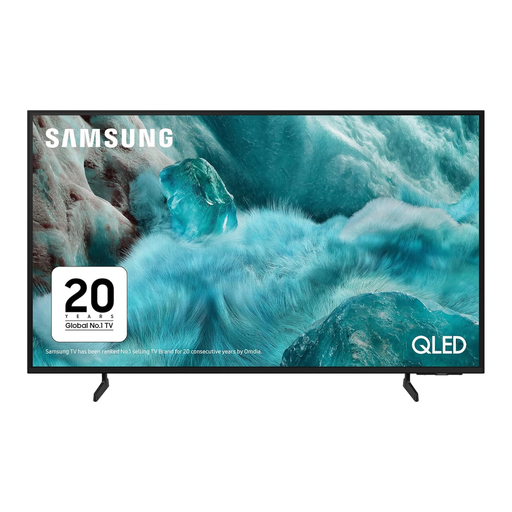 Image unavailable
Compare this 43-inch model if you need to keep the screen size modest for the room. Check its full dimensions, picture from the outer sofa seats and exact console-mode support before deciding.
 Image unavailable
Assess this 43-inch option if that diagonal suits both the furniture and your seated viewing distance. Its name specifies HDR10+; check the view from the sofa’s outer positions and the gaming modes required by your console.
 Image unavailable
Consider this larger option only if a 55-inch screen suits the room, furniture and sofa distance. The product name identifies its 4K QLED display; confirm the exact resolution and refresh modes for your planned HDMI connection rather than relying on its gaming feature name.
No, not unless the console and the particular game can use 120 Hz output. PlayStation says PS5’s 120 Hz output is for TVs and games that support it, so seating angle and comfortable screen size may be more useful priorities for games that do not.
No; check the port allocation for the exact TV. Sony UK specifies VRR on HDMI 3 and 4 for the K-55XR8M2, illustrating why the model’s individual inputs matter more than a general HDMI label.
Choose after measuring both the normal sofa-to-screen distance and the space for the TV and stand. Samsung UK gives 1.32 m as its stated viewing distance for a 43-inch TV, but treat that as a starting point: compare the actual seating positions and each model’s physical dimensions.
Open Settings, then Screen and Video, then Video Output on the PS5 to inspect the connected display information. Enable 120 Hz output only when the TV and game support it, as PlayStation advises, and confirm that the console is connected to the intended HDMI input.