What matters when choosing?
Start with a copy you could actually restore before submission, then match the local device and cloud account to your files and working routine. The National Cyber Security Centre suggests using both online storage and a storage device for additional protection; neither removes the need to keep copies up to date.
| Concern |
What to check |
Who this matters to |
| Recovery before a deadline |
Keep a separate copy away from the laptop; open a copied file to check it, and disconnect a local drive afterwards. |
If my laptop fails during the final edits, I need a copy I can open in time to submit. Around 36% of consumers put recoverability first. |
| Portable project files |
Check the ports on each device, the drive connector and the cable; try copying an actual project folder. |
When I move large active folders between study locations, a workable connection matters to my routine. For around 29% of consumers, portability and file transfer are the primary need. |
| Space for an archive |
Measure current folders, drafts and expected exports, then allow room for retained copies. |
I want to keep earlier modules alongside growing media or research folders without running out of space. Capacity comes first for around 21% of consumers. |
| Portable-data security |
Check university handling rules, the exact drive's protection and recovery options, and cloud-account security. |
If I carry coursework containing personal information, I need to consider what happens if the drive is lost. Around 14% of consumers make protection of that copy their main concern. |
A portable SSD is a local option for frequently moved active folders, but its stated transfer rate depends on the exact drive, host and cable. An external hard drive is another local option when archive capacity is the priority. A USB flash drive can hold an additional small-folder or submission copy, but the University of Cumbria includes lost or failed storage devices among coursework-loss risks.
Cloud storage helps when files need to be reached from internet-connected devices, provided the account and its access terms suit the work. For a combined arrangement, update a separate local copy as well as the cloud copy and disconnect the drive after checking it. If you use university storage, check what happens to the account when you leave; Ulster University, for example, says students lose access to its OneDrive service at that point.
Portable drives on Joybuy
These portable SSDs and one portable hard drive can provide a local coursework copy. Choose capacity against your actual folders, and keep another recovery location for deadline-critical work.
 No image available
Samsung T7 Shield Portable SSD, 1 TB, Blue
A local-copy option for coursework folders you carry regularly; check that 1 TB accommodates your files and expected exports.
The product title specifies USB 3.2 Gen 2. Check your host connection and cable if transfer speed matters.
View on Joybuy
 No image available
Samsung Portable SSD T7, 1 TB, Blue
Consider this for a portable local copy of active coursework, alongside a separate recovery location.
The title specifies USB Type-C and USB 3.2 Gen 2; confirm the connections on the devices you use.
View on Joybuy
 No image available
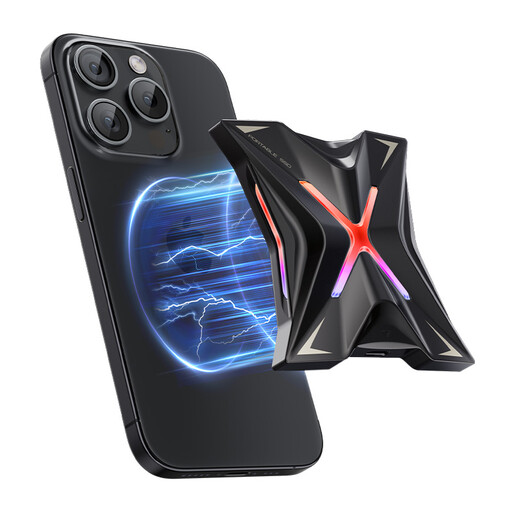
DigiEra LPS2000M-3 Magnetic Portable SSD, 1 TB, Pink
A portable local-copy option for project files; check the folder size before relying on its 1 TB capacity.
The title specifies USB 3.2 Gen 2x2 and claims up to 2000 MB/s. Confirm host support before relying on that rate, and check the exact device and recording conditions if the advertised iPhone use matters.
View on Joybuy
 No image available
MOVESPEED YSPSRX20M-1TTG Magnetic Portable SSD, 1 TB
This provides another portable local-copy option for coursework; measure your folders and expected exports against its 1 TB capacity.
The title specifies USB 3.2 Gen 2x2 and claims up to 2060 MB/s. Check host support, and verify the exact iPhone model and recording requirements if you need the advertised ProRes use.
View on Joybuy
 No image available
Western Digital My Passport Ultra for Mac, 5 TB, Silver
This portable hard drive is an option for a capacity-led local coursework archive; measure your files before deciding how much space you need.
Check the formatting and operating-system requirements before using the same drive across Mac and Windows devices.
View on Joybuy
Coursework backup questions
How much backup storage do I need for coursework?
Choose capacity from the files you need to protect, not from your course title. Measure your current folders, include drafts and expected exports, and leave room for the separate copies you intend to retain.
Can cloud storage be my only coursework backup?
A separate local copy gives you another recovery route if cloud access or file history does not work when you need it. Microsoft Support says a work-or-school administrator may turn off OneDrive document versioning, so check your account's settings rather than assuming an earlier version will be available.
Should I leave an external backup drive connected?
Disconnect it when copying or restoring is finished. The National Cyber Security Centre warns that malware can affect connected backup storage; check the copied files first, then keep the drive somewhere secure.
Do I need encryption for a portable coursework drive?
Check your university's requirements if the drive holds personal information or other sensitive material. The Information Commissioner's Office identifies encryption as a security measure to assess according to the nature and risks of the information; also consider how you would recover access if a password were lost.
Can one drive hold a Mac Time Machine backup and Windows coursework files?
Check the drive's format and how you intend to divide its storage before putting files on it. Apple Support says Time Machine cannot back up to a disk formatted for Windows, and reformatting a disk can erase its existing data.


