
24/7 Customer Support

Free returns

Same-day & Next-day Delivery

Quality Guaranteed

Unlock Your Welcome Offers: FREE Delivery | Up to 80% OFF | Free 30-day JoyPlus trial
Download the APP
A suitable CPU cooler helps your processor maintain stable performance during gaming, rendering and everyday workloads. However, buying based on appearance or radiator size alone can lead to poor results. UK PC builders should compare compatibility, case clearance, noise and installation requirements before paying for RGB lighting or display features.
A 360mm AIO cooler can provide a substantial cooling surface, but it also needs a compatible case with sufficient top or front radiator clearance. The radiator thickness, fan position and RAM height can create conflicts. A 240mm AIO cooler may be more practical for a compact ATX or micro-ATX system.
Noise levels vary with fan speed, CPU load, pump settings, case airflow and room acoustics. A quoted figure should be read alongside the fan’s PWM speed range and airflow rating. A quiet CPU cooler at idle may become more audible during long gaming or rendering sessions.
Socket compatibility is essential, but it is only one part of the installation check. Also confirm:
A cooler listed as an Intel CPU cooler or AMD CPU cooler may support several generations, but the supplied bracket should still be checked before installation.
An air CPU cooler uses a heatsink, heatpipes and fan to move heat away from the processor. It has fewer active components and does not contain a liquid loop, making it straightforward to install and maintain. The Cooler Master COOL Hyper 212 Pro, for example, uses four 6 mm copper heatpipes, a 120 mm PWM fan and a stated recommended CPU power range of 65–150W.
An AIO liquid CPU cooler, sometimes called a CPU water cooler, uses a pump, cold plate, tubing, radiator and fans. It can move heat to a radiator mounted away from the CPU socket, which may help with high sustained loads and interior presentation. It does, however, introduce pump noise, additional cabling and a small liquid-loop failure risk. Follow the manufacturer’s installation guidance and check for damage before powering on the system.
A 240mm AIO cooler generally uses two 120 mm fans and needs a compatible 240 mm mounting position. A 360mm model typically uses three 120 mm fans and requires more room. Confirm the case specification rather than relying on the label alone, as front or top mounting can affect graphics card, RAM and motherboard clearance.
For current builds, look for explicit support for AM5 CPU cooler installations and LGA 1700 CPU cooler configurations. Some newer Intel platforms may also require LGA 1851 support. Check whether thermal paste, backplates and the correct mounting brackets are included. Installation should always be carried out with the PC switched off and unplugged.
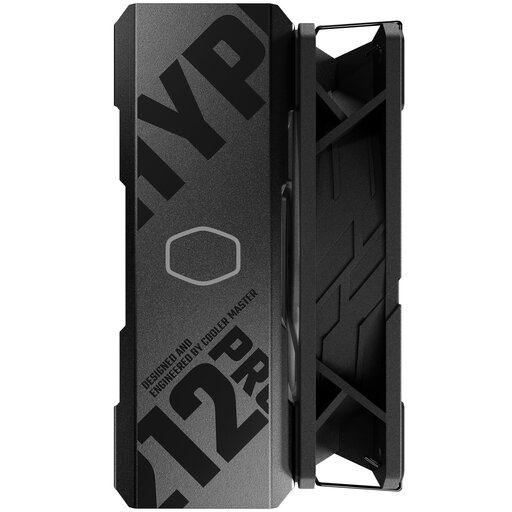
Why This Fits Their Persona: A practical air cooler for first-time builders, office PCs and mainstream gaming systems that need a simple installation without a pump or radiator.
Its stated 154 × 116 × 79 mm dimensions and 40 mm memory clearance make physical fit easier to assess than a large liquid loop.
Supports Intel LGA 1700 and AMD AM5, with a 120 mm PWM fan rated at 19–30 dBA.
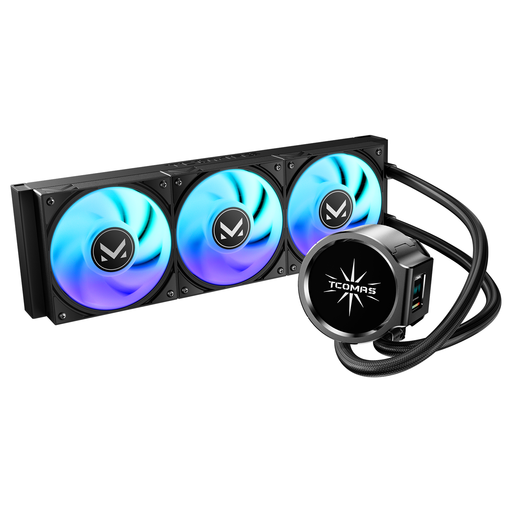
Why This Fits Their Persona: Suits builders who want a 360mm cooling layout with ARGB fans and dual-screen pump presentation for a showcase case.
The product listing clearly identifies its 360 format, Intel LGA 1851/1700 and AMD AM5/AM4 support, helping narrow compatibility checks.
Dual-screen pump design and ARGB fans provide display-based styling alongside liquid cooling.
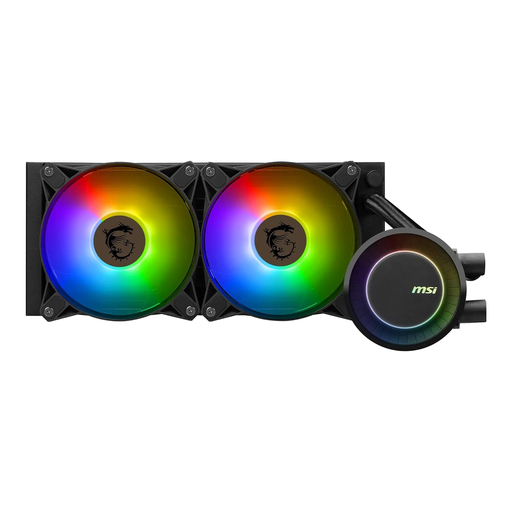
Why This Fits Their Persona: A 240mm AIO option for gamers, creators and productivity users who need sustained CPU cooling without moving to a larger 360mm radiator.
Its listed 240 mm radiator and dual 120 mm PWM fans make the required mounting format clear, while the stated socket list supports LGA 1700 and AM5.
PWM fans are specified at 500–2000 RPM, with addressable RGB lighting and Mystic Light compatibility.
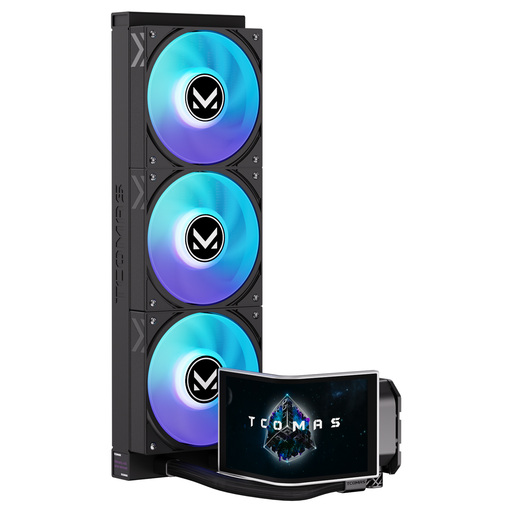
Why This Fits Their Persona: Designed for users building a visually coordinated gaming PC with a large customisable display and ARGB lighting.
It is clearly identified as a 360mm AIO with support for Intel LGA 1851/1700 and AMD AM5/AM4, so case and platform checks can be completed before purchase.
Features a 6.67-inch curved AMOLED display, customisable screen and ARGB fans.
We have compiled a complete, real-time list of products that fully satisfy these strict selection criteria and UK safety regulations.
An air cooler normally uses fan power only, while an AIO also powers a pump. The difference in electricity use is usually modest compared with the rest of a gaming PC, but fan and pump speed can influence noise and consumption. Set a sensible PWM curve rather than running every fan at full speed continuously.
During installation, apply thermal paste as instructed, tighten the CPU block or heatsink evenly and connect the main fan to the CPU_FAN header. For an AIO, connect the pump to the recommended pump header and keep tubing free from sharp bends. Monitor temperatures after installation and clean dust from filters, fans and radiator fins periodically.
For many mainstream gaming processors, an air CPU cooler with suitable capacity can be sufficient. Check the manufacturer’s recommended CPU power range, case clearance and processor settings. Higher sustained workloads or manual overclocking may justify a 240mm or 360mm AIO cooler.
An air cooler can remain usable for many years if the fan is functioning and the mounting hardware remains compatible. An AIO has additional pump and tubing components, so inspect it periodically for unusual noise, temperature changes or visible damage. Replace a cooler if it shows signs of leakage or unreliable operation.
ARGB lighting and a CPU cooler with display mainly affect appearance and system monitoring convenience rather than cooling capacity. Pay for these features when they suit your case design and motherboard connections, but prioritise socket support, dimensions, radiator fit and fan control first.