Phone-first short-video creators
For talking-head clips or product demonstrations, start by deciding where the phone will sit and whether the subject needs more light or clearer speech. Check that any clamp fits the phone with its usual case.


Choose equipment around the way you actually record: a secure mount for stationary phone clips, controllable light for uneven illumination, or a compatible microphone when speech matters. A webcam serves a computer-based stream; choose removable storage against the recording device’s requirements, and consider a gimbal when moving shots are a regular part of your content. Check fit, connections, power and software before buying accessories to use together.
For talking-head clips or product demonstrations, start by deciding where the phone will sit and whether the subject needs more light or clearer speech. Check that any clamp fits the phone with its usual case.
A computer-based setup calls for a camera and microphone recognised by the computer and streaming software. YouTube Help distinguishes webcam streaming from mobile and encoder-based streaming; upload capacity also affects the settings you can use reliably.
For walk-and-talk clips or filming away from a fixed desk, consider how you will hold or stabilise the phone, record speech and carry footage. A gimbal adds phone-fit, charging and app checks that a stationary mount does not.
Choose the recording route first, then check the accessory against the device, location and software you will use.
| Priority | What to check | Your needs |
|---|---|---|
| Framing and capture | For a phone mount, check case-on clamp fit, filming height and stability. For a webcam, check computer, port and software compatibility. Check a gimbal’s phone-size, weight and app support if you film while moving. | I make fixed phone clips and want the framing to stay consistent. If I stream from a desk or regularly follow a moving subject, I need a different way to position the camera. |
| Speech and connections | Match the microphone output to the device’s input, including TRS or TRRS wiring, adaptor support and any plug-in power requirement. For a USB microphone, check recognition in the intended software. | Viewers need to hear my explanation, so a connector that merely fits is not enough. I want to test a recording through the complete setup. |
| Lighting | Check light position, brightness control, power and mounting stability. Place it with reflective products, screens or glasses in mind. | My face or product is unevenly lit in the place where I record. I need a light I can position without obstructing the shot. |
| Recording storage | Check the device’s supported card or drive format and capacity. For video on a memory card, match the required sustained-write speed class to the camera manual, as the SD Association advises. | I record enough footage to need removable storage, and it must work with my device and chosen recording mode. |
| Livestream reliability | Match resolution, frame rate and bitrate to available upload bandwidth. YouTube Help recommends testing upload speed; test the planned audio and movement in a stream too. | I want the live session to remain usable throughout, rather than choosing capture settings solely for their headline resolution. |
A 3.5 mm connection does not establish that the phone or camera accepts the microphone signal or supplies the power it needs. RØDE’s guidance for the VideoMicro II, for example, specifies plug-in power of 1.5 V to 5 V.
Check the microphone output, host input, adaptor and required power together, then make a short test recording.
A compatible cable or audio adaptor may be needed in addition to the microphone.
Video recording needs sustained writing, which a headline read-speed figure does not describe. The SD Association identifies speed classes for this purpose.
Find the recording device’s required card type and speed class in its manual before choosing a card.
A moving-shot accessory does not address a fixed shot’s lighting or audio. A kit also needs to fit the actual phone, mounting arrangement and microphone input.
Try a short clip in the intended location, then choose equipment for the framing, lighting, speech or movement that needs attention.
An incompatible kit component can mean sourcing a separate mount, cable or adaptor.
Higher-resolution or higher-frame-rate settings can require more upload bitrate. YouTube Help advises choosing settings the connection can carry reliably.
Test upload speed and run a trial stream at the intended settings, including the speech and movement you plan to broadcast.
A reference point for checking the specifications of a desk-based webcam, rather than assuming all webcams offer the same features.
Useful for understanding the connection checks involved in a compact microphone for phone or camera video.
Its iPhone guidance shows why external storage must be checked against the device and recording format.
These options cover desk audio, phone mounting and lighting, computer-based capture, and removable storage. Choose by the device and recording format you use, then check each accessory’s fit and connections.
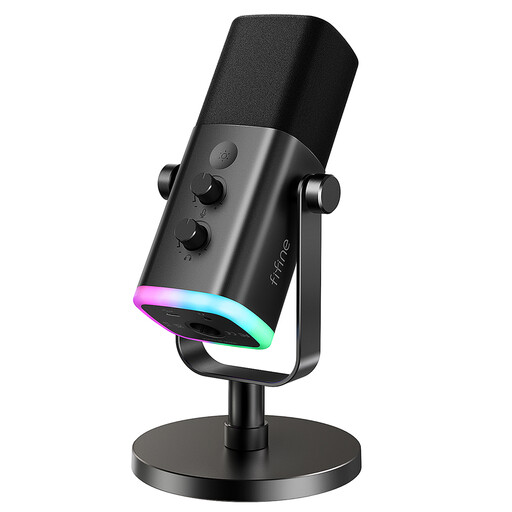 No image available
For spoken recordings or streams at a desk, this model has USB/XLR connections, a mute button, headphone jack and desktop stand. Check that your computer and recording software recognise the connection you intend to use, and whether the supplied stand fits your desk arrangement.
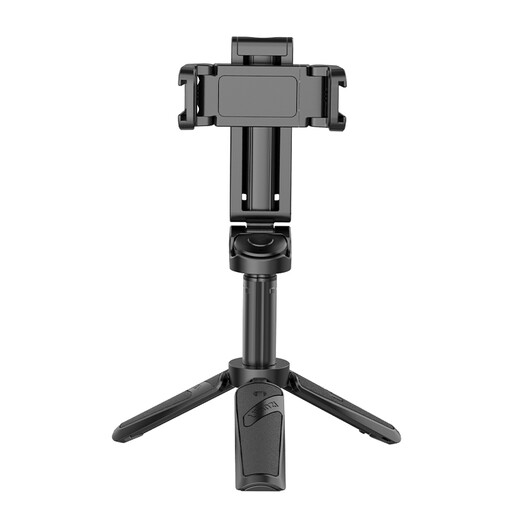 No image available
For hands-free phone framing, the JJ02 combines a phone grip, extendable tripod, Bluetooth remote and two cold-shoe mounts. Check grip fit with your usual phone case and stability at the filming height you need.
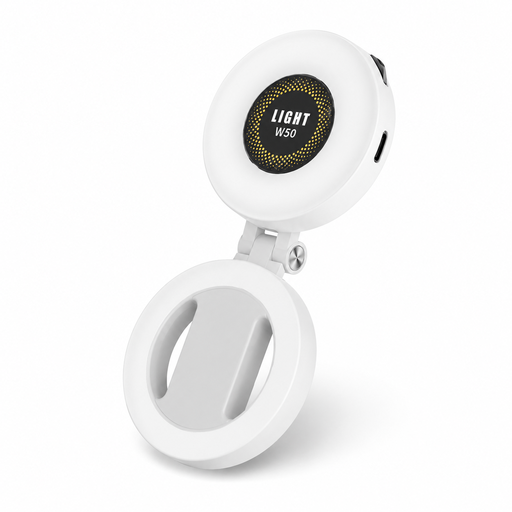 No image available
For phone-based clips in uneven light, this portable light offers adjustable brightness and three colour-temperature settings. Check how its magnetic attachment or included metal ring adaptor fits your phone and case; confirm battery capacity, runtime and weight for the exact variant before relying on it away from a power source.
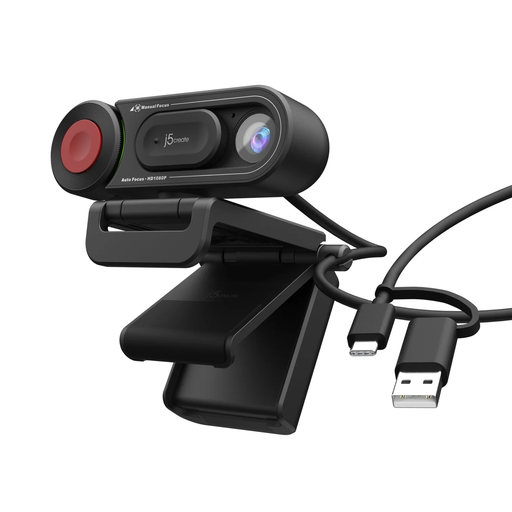 No image available
For a fixed computer-based stream or tutorial, the JVU250 offers auto and manual focus and a built-in microphone. Confirm the required USB connection, computer compatibility and recognition by your chosen streaming software; test stream settings against your upload connection.
 No image available
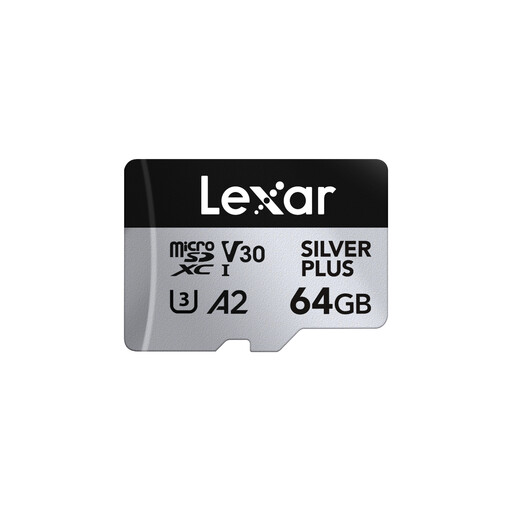
For a recording device that accepts compatible removable media, this card carries U3 and V30 markings and includes an SD adaptor. Check the device’s supported card format, capacity and required sustained-write speed class for your recording mode; a stated maximum transfer speed alone does not establish video compatibility.
Use a phone for mobile updates or vlogging; consider a webcam when you stream from a computer at a desk and want the phone available for other tasks. YouTube Help treats mobile, webcam and encoder streaming as distinct routes. Whichever you choose, test the camera, audio and upload settings before going live.
The microphone and phone may need different TRS or TRRS wiring, or an adaptor that accepts microphone input rather than headphones alone. Some microphones also require plug-in power; RØDE specifies 1.5 V to 5 V for its VideoMicro II. Check the complete connection and make a test recording.
Use the recording device’s documented requirement for your chosen video mode. The SD Association explains that video depends on sustained-write performance, so a card’s advertised maximum speed is not a substitute for checking its applicable speed class.
No. Apple Support says external storage needs a compatible connection, a supported format and a single data partition; some drives need external power or a powered hub. Direct external ProRes recording has additional requirements for the specified Pro iPhone models and drive performance, so check the exact phone and recording mode.