
24/7 Customer Support

Free returns

Same-day & Next-day Delivery

Quality Guaranteed

Unlock Your Welcome Offers: FREE Delivery | Up to 80% OFF | Free 30-day JoyPlus trial
Download the APP
Curved gaming monitors can add useful screen space and a more enveloping view, but the shape alone does not guarantee a better gaming experience. UK buyers often compare refresh rates and panel types without checking whether their graphics card, console, desk or cables can support them.
The most common buying traps are:
Resolution determines how much detail the panel can display. Full HD (1920 × 1080) remains practical for entry-level 24-inch to 32-inch screens and can be easier for a mid-range PC to drive at high frame rates.
A 1440p gaming monitor provides a sharper image and suits 27-inch to 32-inch displays. A 34-inch ultrawide gaming monitor commonly uses 3440 × 1440, giving additional horizontal workspace for racing games, strategy titles, editing timelines and multiple windows.
A 4K gaming monitor uses 3840 × 2160 pixels. It can provide fine detail for large screens and console gaming, but the higher pixel count places greater demand on the graphics card. For a 49-inch ultrawide monitor, check whether the panel uses 5120 × 1440 Dual QHD rather than standard 4K, as these formats have different GPU requirements.
The refresh rate indicates how many times the screen can update per second. A 165Hz gaming monitor can provide a useful step up from 60Hz for compatible PC games, while a 240Hz gaming monitor is more relevant to competitive players who regularly achieve very high frame rates.
Response time should be assessed alongside refresh rate. Look for whether the specification uses GtG, MPRT or another measurement. A lower quoted number does not automatically mean identical real-world motion performance across different panel technologies.
An Adaptive Sync monitor can synchronise the display’s refresh rate with compatible GPU output, helping reduce tearing and stuttering. FreeSync gaming monitors are designed for compatible AMD graphics hardware, while some models may also work with other systems under specific compatibility conditions. Confirm support in the monitor manual and graphics-card settings.
For a gaming monitor for PC and console, check each input separately. HDMI 2.1 may be important for supported consoles and high-resolution output, while DisplayPort is commonly used for PC refresh rates. The monitor’s product specification, cable and source device must all support the desired resolution and refresh rate.
VA panels generally offer strong contrast and are available across affordable curved displays. IPS panels are often selected for viewing angles and colour consistency. OLED and QD-OLED gaming monitors can offer self-lit pixels, deep blacks and fast stated response times, but buyers should read the manufacturer’s care guidance regarding static images, automatic dimming and panel protection.
Colour figures also need context. A stated gamut such as 99% DCI-P3 or 100% sRGB describes coverage, not necessarily colour accuracy. For content creation, look for additional information such as colour depth and Delta E, and consider calibration requirements.
Finally, check height adjustment, tilt, swivel, VESA mounting, USB hubs and USB-C power delivery. These features can matter more than decorative lighting when a monitor is used for work as well as gaming. Ensure the stand is stable, ventilation is unobstructed, and the electrical accessories are suitable for UK use.
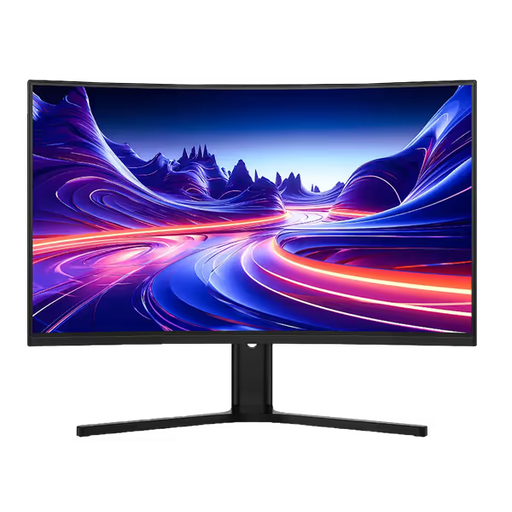
Why This Fits Their Persona: A practical option for UK buyers moving from Full HD who want a larger 32-inch curved screen for gaming, streaming and everyday desktop use.
Its specification clearly separates 180Hz DisplayPort support from HDMI output listed at up to 144Hz, helping buyers choose the correct connection.
2560 × 1440 resolution, 180Hz refresh rate, height adjustment, 1ms MPRT and VESA 100 × 100mm mounting.
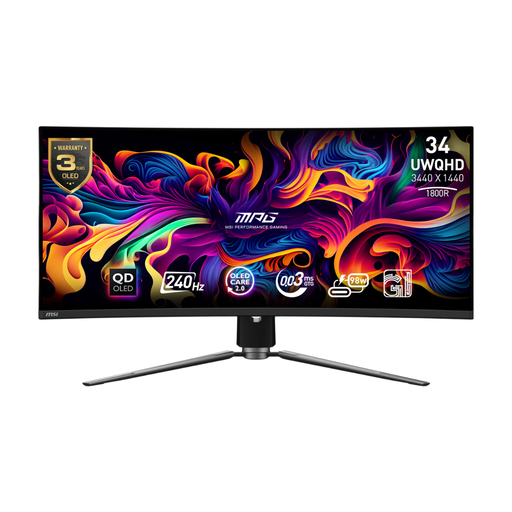
Why This Fits Their Persona: Suits PC enthusiasts and creators who want an ultrawide display with OLED contrast, fast motion handling and single-cable laptop connectivity.
The product details identify OLED Care 2.0, firmware updates and panel-care functions, giving OLED buyers information to consider before purchase.
34-inch UWQHD resolution, QD-OLED panel, 240Hz refresh rate, 99.3% DCI-P3 coverage and USB-C with 98W power delivery.
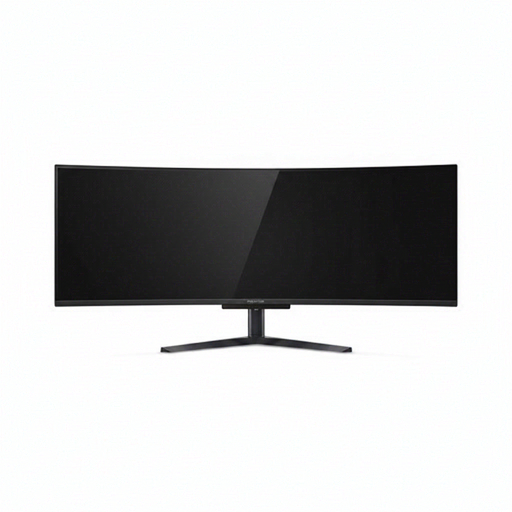
Why This Fits Their Persona: Designed for users with a wide, sturdy desk who combine immersive gaming with timelines, spreadsheets, coding or multiple application windows.
Its 49-inch width, 32:9 format and Dual QHD resolution are stated clearly, so buyers can measure their desk and assess GPU requirements before ordering.
5120 × 1440 resolution, 240Hz refresh rate, AMD FreeSync Premium, USB-C with 90W power delivery and KVM functionality.
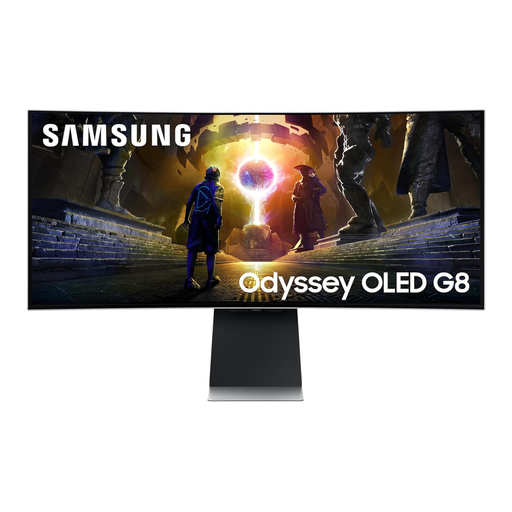
Why This Fits Their Persona: A 34-inch option for users who want gaming, streaming applications and console access in one display, while retaining height adjustment and a 21:9 workspace.
HDMI 2.1, DisplayPort, USB, Wi-Fi and Bluetooth are listed, allowing buyers to check compatibility rather than assuming every smart feature replaces a gaming connection.
3440 × 1440 QD-OLED display, 175Hz refresh rate, 0.03ms stated response time and built-in smart features.
We have compiled a complete, real-time list of products that fully satisfy these strict selection criteria and UK safety regulations.
They can be, provided the monitor supports the console’s output resolution and refresh rate through a compatible HDMI port. Check whether the game console supports ultrawide formats; many console titles use a standard 16:9 image, which may leave unused space on a 21:9 or 32:9 screen.
For many PC players, 165Hz offers smooth motion without requiring the same sustained frame rate as 240Hz. A 240Hz model may be more relevant to esports players with a suitable graphics card and games that run consistently at high frame rates. Compare the full specification rather than choosing solely by the larger number.
Running cost depends on panel size, brightness, refresh settings and daily usage. Larger OLED and ultrawide screens may have higher maximum power figures than smaller Full HD models. To estimate cost in the UK, multiply the monitor’s kilowatt rating by hours used and your electricity tariff; use typical rather than maximum consumption where that information is available.