If important buttons are hard to reach, consider a remappable controller that works with your platform; if you need separately positioned switches or joysticks, assess an adaptive controller system instead. A compatible thumbstick attachment can change grip without replacing the controller, but it cannot remap buttons. Check the configuration method before choosing: Xbox Accessories cannot configure an Elite Series 2 over Bluetooth on Windows, while shorter DualSense Edge trigger-stop settings disable trigger effects.
Who might need a different layout?
PS5 players who need easier button reach
If moving a thumb off the stick to press an important button disrupts your control, the DualSense Edge offers mappable back buttons and switchable profiles. PlayStation also documents adjustable trigger settings and separately sold replacement stick modules.
Xbox and Windows players who use saved layouts
The Xbox Elite Wireless Controller Series 2 offers paddles and controller profiles for players who change controls between games. On Windows, plan to configure it through an Xbox console, USB connection or compatible Xbox Wireless Adapter rather than relying on Bluetooth alone, as Xbox Support advises.
Players who need inputs in different positions
When extra controls on a conventional pad are not enough, the Xbox Adaptive Controller provides a route for connecting external switches, buttons, mounts and joysticks. The devices needed to complete a particular layout are sold separately.
What should you check before buying?
Start with the control you need to change, then check whether the controller, connection and configuration app will let you make that change on your console or PC. An attachment is worth considering when stick grip or thumb position—not button placement—is the issue.
| Concern |
What to check |
Who this matters to |
| Platform and app compatibility |
Confirm the console or Windows version, connection method and app needed to configure your chosen controller. Xbox Support says Xbox Accessories cannot configure an Elite Series 2 over Bluetooth on Windows. |
I want to change my controls on the device where I play, not just connect a controller to it; around 34% of consumers put platform and configuration compatibility first. |
| Remapping and physical controls |
Identify the actions you need to move, then check the relevant back buttons or paddles, profiles and trigger adjustments. PlayStation says medium or shallow DualSense Edge trigger stops disable trigger effects. |
Reaching an action without leaving the stick matters more to me than changing the controller’s appearance; roughly 33% of consumers prioritise remapping and adjustable controls. |
| External-input layout |
List the switches, buttons, joysticks and mounting positions you need, and check that each device can connect to the proposed system. |
A conventional pad still puts the controls in the wrong places for my setup; about 20% of consumers put an external-input layout first. |
| Stick grip and maintenance |
Check attachment fit against your exact controller, or confirm the compatible replacement module if you have a DualSense Edge. PlayStation says replacement stick modules are sold separately. |
My main concern is stick grip, thumb position or replacing a faulty module rather than moving buttons; around 13% of consumers prioritise these physical changes. |
Common buying mistakes
-
Assuming Bluetooth is enough for Xbox configuration
An Elite Series 2 may connect to a Windows PC for play without being detected for configuration in Xbox Accessories over Bluetooth, according to Xbox Support.
Before buying, make sure you can use an Xbox console, USB cable or compatible Xbox Wireless Adapter to set up the controls you want.
-
Choosing shorter triggers without checking the trade-off
PlayStation says DualSense Edge trigger effects stop working when its trigger-stop sliders are set to medium or shallow travel.
Decide whether shorter trigger travel or trigger effects matter more in the games you play.
-
Expecting a thumbstick attachment to remap buttons
An attachment can change stick grip or thumb position, but it does not add rear-button mapping, control profiles or external-input ports.
Choose an attachment for stick feel; look at a remappable controller or adaptive system if the problem is where you need an action button or other input.
-
Assuming a replaceable stick comes with a spare
DualSense Edge stick modules can be replaced, according to PlayStation, but replaceability does not mean a spare module is included.
Check compatible replacement-module availability before making repairability a deciding factor.
Replacement DualSense Edge stick modules are sold separately.
Relevant brands to consider
PlayStation
The DualSense Edge is a PS5-oriented route to mappable back buttons, control profiles and adjustable stick and trigger settings. PlayStation Accessories also supports profile configuration on a Windows PC.
- PlayStation documents replaceable DualSense Edge stick modules.
- Medium or shallow trigger-stop settings disable trigger effects, and replacement stick modules are sold separately.
Xbox
The Xbox range includes the Elite Wireless Controller Series 2 for paddles and saved layouts, and the Xbox Adaptive Controller for arrangements using external inputs.
- Xbox documents adjustable stick tension and stored profiles for the standard Elite Series 2, alongside external-device connections for the Adaptive Controller.
- Xbox Accessories configuration on Windows requires more than a Bluetooth connection; an adaptive layout may also need separately sold devices.
KontrolFreek
KontrolFreek offers thumbstick attachments for players who want to alter grip or thumb position while keeping their existing controller.
- KontrolFreek lists Rush versions for PS5, PS4, Xbox Series X|S and Xbox One controller families.
- A thumbstick attachment does not provide button remapping, saved profiles or external-input connections.
Joybuy controller choices
These controllers are choices to examine when you want to change a conventional control layout on PlayStation, Xbox or Windows PC. Match the exact model and its setup requirements to the controls you need; this selection does not replace the separate decision about adaptive input systems or stick attachments.
 No image available
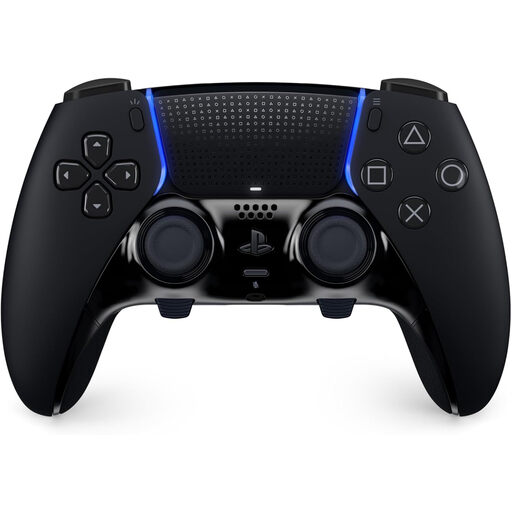
Sony DualSense Edge PS5 Wireless Controller – Midnight Black
Consider this PS5 controller if moving actions to back buttons would make them easier to reach. PlayStation documents mappable back buttons, switchable profiles and replaceable stick modules for DualSense Edge; replacement modules are sold separately. If you plan to use it on PC, check support in the games and applications you use. Medium or shallow trigger-stop settings disable trigger effects.
View on Joybuy
 No image available
Xbox Elite Wireless Controller Series 2
Consider the standard Series 2 if you play on Xbox or Windows and want paddles and layouts you can switch between. Xbox documents adjustable stick tension, trigger locks, interchangeable components and up to three custom profiles plus a default profile for this model. To configure it through Xbox Accessories on Windows, use USB or a compatible Xbox Wireless Adapter rather than Bluetooth alone.
View on Joybuy
 No image available
Turtle Beach Victrix Pro BFG Reloaded Wireless Modular PlayStation Controller – White
Consider this modular controller if changing the physical arrangement of controls is central to your PlayStation setup. Confirm the module arrangement you need, the model’s connection options and any Windows compatibility required for your games. If you rely on several saved layouts, check how this exact variant handles them before choosing it.
View on Joybuy
 No image available
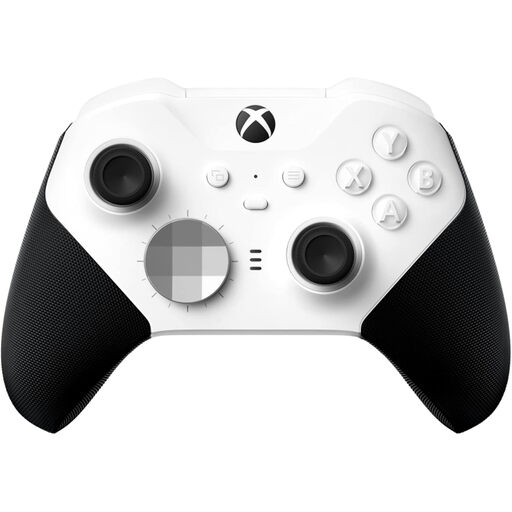
Xbox Elite Wireless Controller Series 2 Core – White
Consider the Core variant if you want to configure Xbox controls, but check its contents if rear paddles are essential to your layout. The Joybuy product information describes button remapping and profile management through Xbox Accessories. On Windows, Xbox Support says configuration needs USB or a compatible Xbox Wireless Adapter rather than Bluetooth alone.
View on Joybuy
 No image available
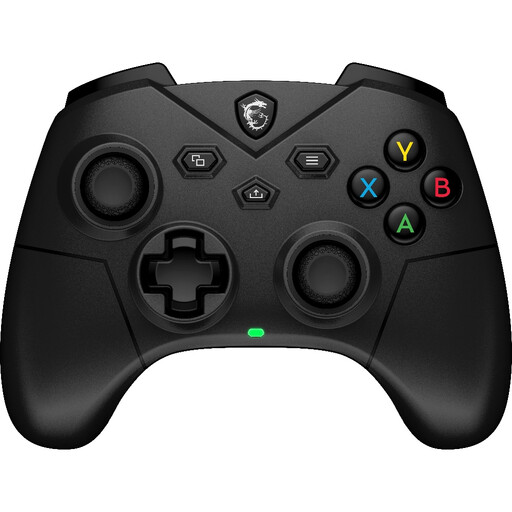
MSI FORCE GC300 W Controller
If you are considering this controller for a Windows setup, check whether its rear-button configuration meets the actions you want to move. Confirm the connection method and any saved-layout features you need; for console use, check compatibility with your exact console before buying.
View on Joybuy
Frequently asked questions
Can I set up DualSense Edge profiles on a Windows PC?
Yes. PlayStation Support says PlayStation Accessories on Windows can create, edit and switch DualSense Edge profiles. Check that the PC games and applications you intend to use support the controller when connected.
Can I configure an Xbox Elite Series 2 over Bluetooth on Windows?
No, not through the Xbox Accessories configuration workflow. Xbox Support says the app will not detect the controller over Bluetooth on a Windows PC; use USB or a compatible Xbox Wireless Adapter to configure it.
Do shorter DualSense Edge trigger settings retain trigger effects?
No. PlayStation Support says trigger effects do not work when the DualSense Edge trigger-stop sliders are set to medium or shallow travel. Choose the setting according to which feature matters more in your games.
Can I replace a faulty DualSense Edge stick module?
Yes. PlayStation Support says a DualSense Edge stick module that stops working can be replaced with a new module, and either module fits the left or right position. Replacement modules are sold separately, so check compatible-part availability before relying on this option.


