Drivers focused on the road ahead
A front-facing camera covers the forward view without a rear-camera cable to route. Check its mounting position and storage requirements if you want a straightforward record of driving incidents.


Choose a front-facing dash cam if you mainly want a record of the road ahead; choose a front-and-rear system if events behind the car matter too. For parked-car damage, the camera also needs a documented parking mode and a compatible way to remain powered after the ignition is off. Check what triggers a clip, where the cameras point and how footage is stored: parking mode does not guarantee continuous recording around the whole vehicle.
A front-facing camera covers the forward view without a rear-camera cable to route. Check its mounting position and storage requirements if you want a straightforward record of driving incidents.
Look beyond a parking-mode label. Check the exact camera’s off-ignition power method, compatible accessories, battery protection and the event that starts or saves a recording.
A front-and-rear system records both road-facing directions when correctly installed. Allow for rear-camera placement, cable routing and the storage requirements of two recording channels.
Start with the directions you need to record, then check parking power and clip behaviour before choosing storage and installation accessories.
| Priority | What to check | Your needs |
|---|---|---|
| Camera coverage | Choose a front-only or front-and-rear layout. Check where each camera can be mounted and how a rear cable will reach it. | I mainly want the road ahead on video, or I also need a view behind the car. A front-facing camera cannot provide rear footage. |
| Parking power | Confirm the exact model’s off-ignition power requirements, compatible hardwire, OBD or battery-pack accessories, and any battery-protection settings. Garmin says its Parking Guard needs constant power; VIOFO describes permanent and switched-power connections for its compatible HK4 kit. | My car may be left unattended, so I need to know whether the chosen setup can remain powered when the ignition is off. |
| Parked-event clips | Check whether the selected mode responds to impact or motion, uses time-lapse, or records continuously; compare its trigger, clip length and camera angles. Modes differ between models. | I want to know which kinds of parked incident could appear in the footage, rather than assuming the camera watches every side of the car at all times. |
| Memory card | Follow the exact camera’s supported capacity and speed class. Nextbase specifies a U3 microSD card for the 622GW; save footage you need before formatting a card or allowing older recordings to be overwritten. | When an incident matters, I need to retain its clip instead of relying on it remaining on a card used for ongoing recording. |
| Audio and cabin view | Check whether inward-facing video or audio can be switched off. The Information Commissioner’s Office treats in-vehicle audio as intrusive in its guidance for organisations; the Driver and Vehicle Standards Agency sets separate recording conditions for driving tests. | If other people may be recorded, I want control over the cabin camera and microphone, not just the outward-facing road view. |
An ignition-switched socket may stop supplying power when the car is parked. Garmin says Parking Guard requires constant power, while compatible VIOFO parking setups use a hardwire connection to permanent and switched power.
Check the camera manual, your vehicle’s socket behaviour and the specified power accessory before relying on parked recording.
A compatible hardwire installation, OBD cable or battery pack may be needed in addition to the camera.
Parking modes have different triggers and recording patterns. Even a powered camera cannot show an event outside its field of view.
Compare the exact model’s trigger, clip length and camera placement with the directions from which damage concerns you.
A camera may require a particular speed class: Nextbase specifies U3 microSD for its 622GW. Ongoing recording can also put a wanted clip at risk of being overwritten.
Follow the camera maker’s card requirements and copy important footage before reusing or formatting the card.
The Information Commissioner’s Office’s guidance on organisational vehicle surveillance and its domestic-use fee question address different circumstances. The Driver and Vehicle Standards Agency’s restrictions on interior recording and audio cited here apply specifically to driving tests.
Check the rules for your actual use, especially if you record occupants or audio, use the camera for work, or plan to share identifiable footage.
These examples illustrate different camera layouts and parking arrangements; a feature described for one model should not be assumed across its brand’s range.
VIOFO’s UK listings include the front-only A119 Mini 2 and the front-and-rear A229 Plus Duo.
Garmin offers impact-triggered Parking Guard on compatible dash cams.
Nextbase describes impact-triggered parking recording and offers optional rear-camera accessories for the 622GW.
Thinkware’s U3000 PRO is an option to examine when parked recording is a central requirement.
These options include front-only, front-and-rear and three-channel cameras for driving footage; several also describe parking functions that need an appropriate power setup. Compare each model’s coverage and accessories against the incidents you want to record.
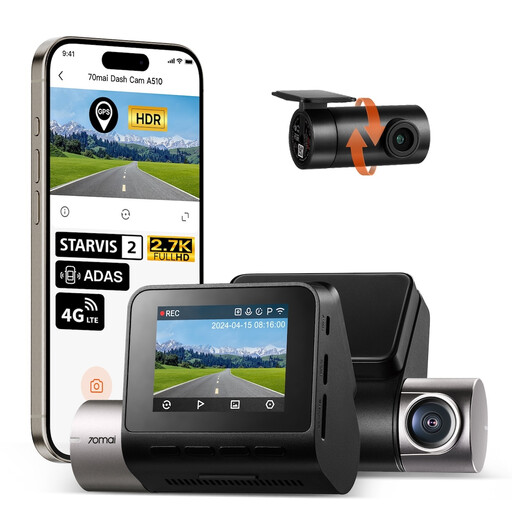 No image available
For drivers who want both road-facing views, this model lists 1944P front and 1080P rear recording. Its described parking functions require the separately sold UP04 hardwire kit; confirm the kit’s fit, connectivity requirements and compatible microSD card before purchase.
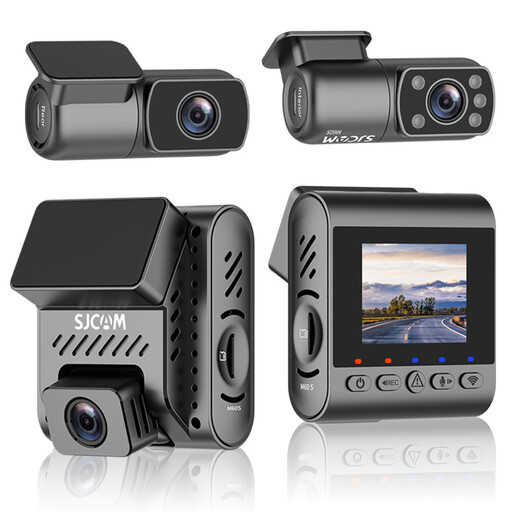 No image available
This model adds an interior view to its listed 4K front and 2K rear recording; a 64GB card is included. Check the card’s required speed class, how its parking monitor is powered and triggered, and whether cabin video or audio suits your use.
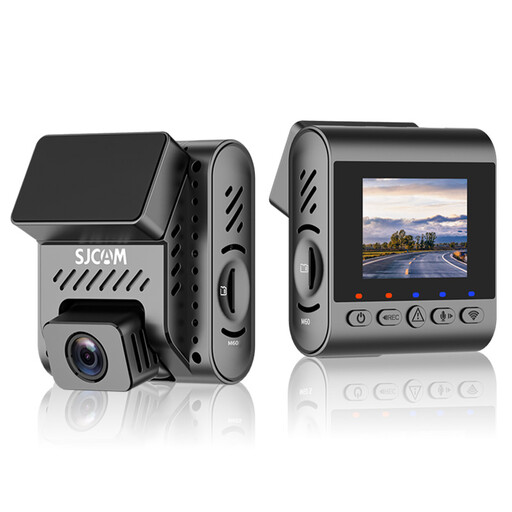 No image available
For a forward-facing view, this model lists 4K recording at 30 fps, support for cards up to 256GB and a supplied 64GB card. It is single-channel, so it does not add a rear view; check parking power, event triggers, card compatibility and the audio setting before relying on those functions.
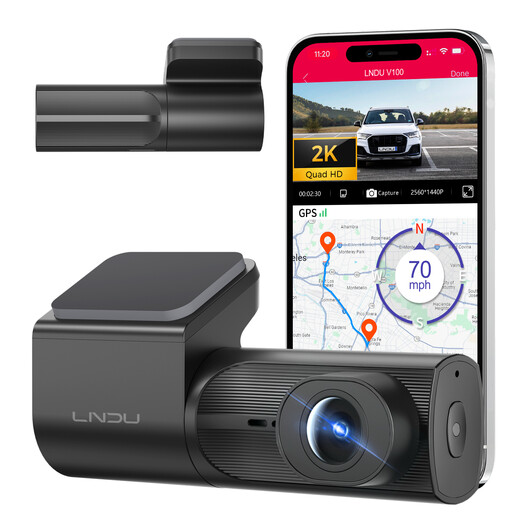 No image available
This front-facing option lists 2K recording, loop recording and G-sensor file locking. Its parking mode requires a separately sold LNDU JYX05 hardwire kit; check battery cut-off settings, parking trigger behaviour and microSD requirements for the complete setup.
 No image available
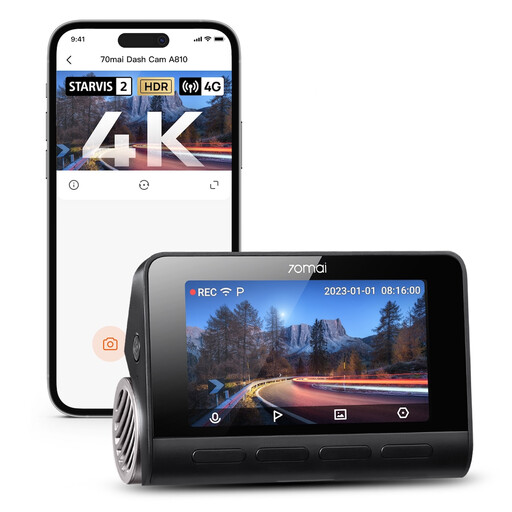
This single-channel model lists a 4K front view, a 150° angle and GPS, but no rear-camera view. The UP04 kit is specified for parking functions; confirm the exact parking behaviour, connectivity requirements, microSD card requirements and audio setting for your installation.
Only if the chosen camera and power setup support recording after the ignition is off. Garmin says Parking Guard requires constant power, while VIOFO’s compatible HK4 kit connects to permanent and ignition-switched power. Check whether your vehicle’s socket remains live before relying on a plug-in camera.
No. The recorded area depends on camera placement, and parking modes differ in what starts and saves a clip. Nextbase describes a protected 30-second file after a detected impact; check the exact model’s trigger, clip length and power requirements rather than assuming continuous, all-direction recording.
Choose front-and-rear coverage if an incident behind the vehicle is important to capture. A front-only camera records its forward-facing scene; a two-channel system adds a rear view but also requires rear-camera placement and cable routing.
Use the speed class and capacity specified for your exact camera. Nextbase requires a U3 microSD card for the 622GW because of its high recording data rate. Copy any clip you need before formatting the card or allowing ongoing recording to overwrite it.
Check whether you need audio before enabling it, especially if other people may be recorded. The Information Commissioner’s Office advises organisations that in-vehicle audio is intrusive and should normally be off by default; that guidance is not a universal rule for private motorists. During a driving test, Driver and Vehicle Standards Agency guidance specifically prohibits recording audio from inside the vehicle.