What should you check before buying?
Decide which parts of the journey or parking period you need recorded, then check whether the camera arrangement and power method can serve those needs together.
| Priority |
What to check |
Your needs |
| Recording while parked |
Check whether the accessory socket stays powered after ignition-off; confirm the camera’s required parking-mode power source and whether it saves clips after an impact, motion or another trigger. Thinkware describes hardwire and OBD options; Garmin says Parking Guard requires constant power. |
I want footage from a parked-car incident, not just from the drive there. An event-triggered mode may not record everything happening nearby. |
| Battery and fitting |
Check camera, cable and vehicle compatibility, the documented voltage cut-off or limiter, and whether fitting requires a fuse-box connection. Nextbase describes a minimum-voltage limiter for its Series 2 hardwire kit; its presence does not establish how long any particular car can support parking mode. |
My car may be parked for long stretches, so I need to understand how the chosen setup draws power and whether I am comfortable arranging the installation. |
| Camera coverage |
Confirm what cameras are included and where they record. A front-and-rear arrangement adds a rear camera and a cable run; check the fitting route before committing. |
Is the road ahead my main concern, or do I also want context from behind the vehicle? |
| Usable footage |
Check how clips are saved and retrieved, and mount the camera without blocking the driver’s view. The Driver and Vehicle Standards Agency and Department for Transport advise that items on vehicle windows must not obstruct that view; Ask the Police says evidential value depends on image quality and what the footage shows. |
I want to be able to find and preserve a relevant clip after an incident, without assuming that any recording guarantees an outcome. |
Brand features worth comparing
Parking features and power accessories are model-specific, so compare the camera and its compatible installation options rather than relying on the brand name alone.
Nextbase
Relevant to drivers comparing impact-triggered parking recording with Series 2 power and fitting options.
- Nextbase describes its Intelligent Parking Mode as responding to a bump or physical movement while the car is parked.
- Check that the hardwire kit and parking feature suit the exact camera generation and vehicle; a voltage limiter does not establish unlimited recording time.
Thinkware
Relevant when the choice centres on how to power a compatible camera while parked.
- Thinkware’s UK guidance describes hardwiring as a way to enable parking mode.
- Its hardwire approach requires a fuse-box connection. Check the installation and power options for the specific model and vehicle.
Garmin
Relevant to drivers assessing an event-triggered parking feature.
- Garmin describes Parking Guard as a parked-impact recording feature.
- Garmin says Parking Guard requires constant power; do not assume event-triggered recording captures every nearby activity.
Joybuy product options
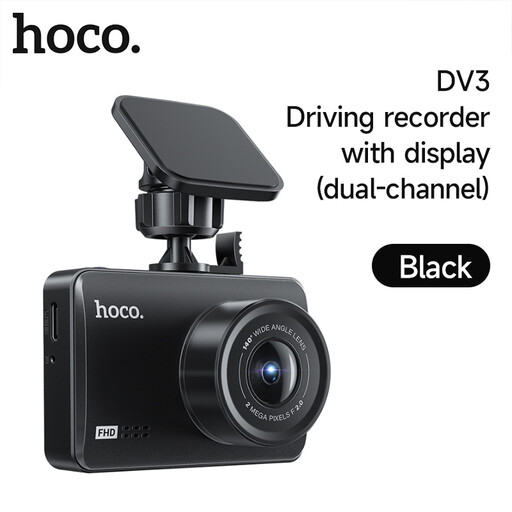
This DV3 option is relevant to assessing journey recording. If rear or parked-car coverage matters to you, confirm the included cameras and required power arrangement for this configuration before buying.
 No image available
DV3 Driving Recorder Dual-Channel Black
Consider this DV3 configuration for forward journey footage. Despite the Dual-Channel name, no rear camera is included in this selection. Loop recording is stated as absent, so saved footage needs manual management; check storage compatibility and any parking-mode power requirement before purchase.
View on Joybuy
Common questions
Do I need to hardwire a dash cam for parking mode?
Not necessarily: the requirement depends on the camera and its compatible power options. Thinkware describes hardwire and OBD approaches, while Garmin says its Parking Guard needs constant power; check whether your vehicle’s accessory socket remains live after you switch off.
Will parking mode record every incident around my car?
No recording should be assumed to capture every event. Nextbase and Garmin describe impact-triggered features, so check what activates the exact model and what footage it saves.
Where should I mount a dash cam?
Mount it and route its cable so they do not obstruct your view of the road and traffic ahead. The Driver and Vehicle Standards Agency and Department for Transport advise that items attached to vehicle windows must not block the driver’s view.
Can I send dash-cam footage to the police?
Potentially, but footage does not guarantee a particular result: Ask the Police says its evidential value depends on image quality and what it shows. Preserve the relevant clip and follow the reporting process for the police force handling the incident.
What changes if I use the vehicle for work or record passengers?
Check the purpose of the recording rather than assuming personal-use arrangements also cover work use. The Information Commissioner’s Office says processing in a purely personal or household activity is outside UK GDPR’s scope; its small-business guidance advises telling people they are being recorded and handling footage responsibly.


