What should you check before buying?
For a camera intended to record journeys and possible parked-car incidents, settle the off-ignition power arrangement before choosing coverage and fitting details.
| Concern |
What to check |
Who this matters to |
| Recording while parked |
Confirm the exact model's off-ignition power requirement and whether it records on impact, motion or another trigger. Check battery-protection behaviour. |
If my car is left unattended, I need it to capture a parked incident without switching the camera on myself; about 39% of consumers put parked-event recording first. |
| Front-and-rear coverage |
Check that the product includes a rear camera and that its cable can be routed in your vehicle. |
When an incident could happen behind my car, a front-facing view alone does not meet my need; about 23% of consumers primarily want coverage in both directions. |
| Automatic journey recording |
Check start-up and loop-recording behaviour, including how the camera protects an event clip from being overwritten. |
I want routine drives recorded without repeated button presses, even if parked coverage is less important to me; about 15% of consumers make straightforward journey recording their main concern. |
| Storage and fitting |
Check the model's supported card specification and capacity, then assess the proposed mount and power installation in your car. |
If I plan to leave the setup in place, the card and fitting need to suit how I will use it; about 23% of consumers chiefly prioritise storage and fitting confidence. |
Joybuy dash cams for these needs
These selections include front-only and front-and-rear cameras for journey recording, with parking features that call for a separate check of power and installation requirements.
 No image available
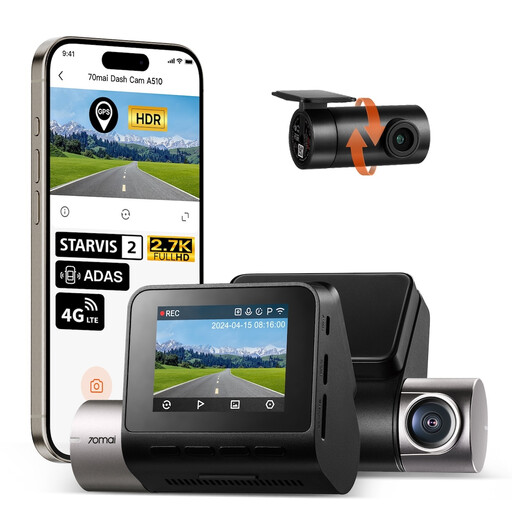
70mai A510-1 front-and-rear dash cam, 1944P+1080P
Consider this two-camera setup if recording ahead and behind matters to you. The named variant lists 1944P front and 1080P rear recording. Parking functions require the separately sold 70mai UP04 hardwire kit; check its fit and battery-protection behaviour for your car. A microSD card is not included, so confirm a suitable card before installation.
View on Joybuy
 No image available
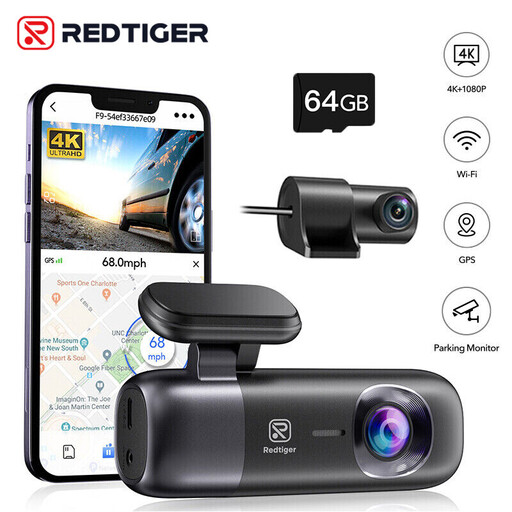
REDTIGER F9 front-and-rear dash cam, 4K+1080P, 64GB card
This is a two-camera option for drivers who need rear coverage as well as a view ahead. Its named configuration lists 4K front and 1080P rear recording, an included 64GB card and support for up to 256GB. For parked monitoring, check the compatible hardwire kit, event trigger and battery cut-off before fitting.
View on Joybuy
 No image available
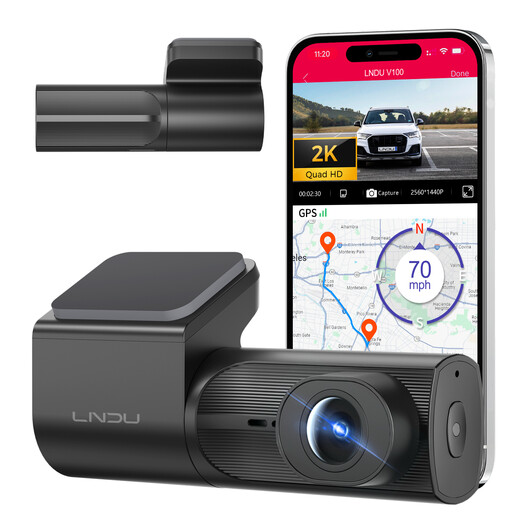
LNDU V100 2K front dash cam
Choose a front-only layout if you do not need footage from behind the car. The V100 lists 2K recording and loop recording. Its parking feature requires the separately sold LNDU JYX05 hardwire kit; confirm compatibility and battery protection. Check card inclusion and the supported card specification before buying.
View on Joybuy
 No image available
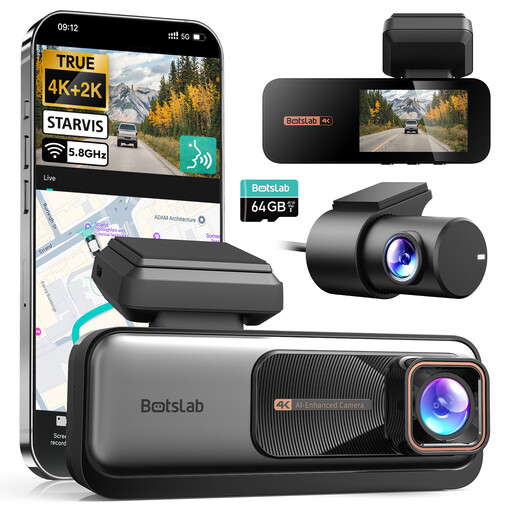
BOTSLAB 4K+2K front-and-rear dash cam
This front-and-rear model suits a driver who wants both directions recorded and can accommodate rear-camera wiring. The named configuration lists 4K front and 2K rear recording. Parked monitoring requires a separate hardwire kit; confirm the compatible kit, trigger behaviour and battery cut-off for the intended installation.
View on Joybuy
 No image available
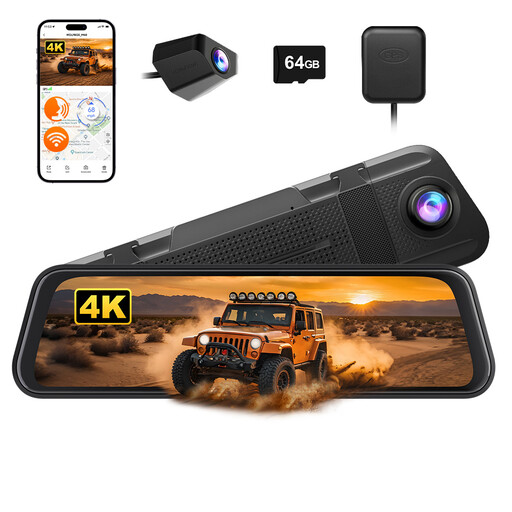
WOLFBOX M40 10-inch mirror dash cam, 4K+1080P, 64GB card
Consider this mirror-mounted front-and-rear layout if you can fit the display and route the rear-camera cable without obstructing your view. The named variant lists 4K front and 1080P rear recording and includes a 64GB card. Parked monitoring typically calls for a separate hardwire kit; check kit compatibility, trigger behaviour and battery protection.
View on Joybuy
Frequently asked questions
Can I mount a dash cam anywhere on the windscreen?
No: position the camera and mount so they do not block your view of the road and traffic. UK guidance from the Driver and Vehicle Standards Agency and Department for Transport addresses obstruction by items on vehicle windows; check the fitted position from the driving seat.
Will parking mode work from the usual plug-in lead?
Only if the camera has a suitable power supply after the ignition is off. Garmin says its Parking Guard requires constant power. Check how your car's socket behaves when parked and which power accessory the exact camera supports.
Does parking mode record everything while the car is parked?
No, not necessarily: some modes record after a trigger rather than continuously. Garmin describes impact-triggered Parking Guard clips, while Nextbase describes a protected file after a detected impact. Check the chosen model's trigger, clip length and power requirements.
Should I tell my insurer before fitting a dash cam?
Ask your own insurer whether your chosen installation needs to be declared, particularly before hardwiring it. Admiral says the information customers must provide can vary between insurers; keep your insurer's answer with your policy records.
What changes if I use the car for work?
Check your data-protection responsibilities before using a dash cam for work. The Information Commissioner's Office says businesses need to tell people they are being recorded, handle footage responsibly and assess data-protection fee obligations. Its fee self-assessment includes dash cams used for work, including mixed work and domestic use.


