Drivers who regularly park on streets or in shared car parks
Look for a camera that can respond to an incident after the ignition is off, paired with compatible parking power and a battery-protection strategy.


Choose the parking-power arrangement and recording behaviour before comparing video specifications: an accessory-socket connection may stop recording when the ignition is off, while a compatible hardwire or constant-power setup can support parking functions. For a car left unattended regularly, check how the camera detects an incident, how its power supply protects the starter battery and whether its memory card suits repeated recording. Front-and-rear coverage can provide more context, but adds cabling and storage demands.
Look for a camera that can respond to an incident after the ignition is off, paired with compatible parking power and a battery-protection strategy.
Consider whether front-only footage meets your needs or whether rear coverage warrants the additional cable routing, storage and compatibility checks.
Check whether the chosen camera and power accessory support automatic changes between driving and parking modes, and use a compatible card intended for repeated recording.
Choose when: Your main requirement is recording journeys rather than relying on footage while the car is unattended.
Trade-off: Socket behaviour depends on the car. Thinkware says its standard 12V cable does not switch its cameras into Parking Mode, even if the outlet stays live.
Choose when: Parking recording is a core need and the camera supports a suitable hardwire kit.
Trade-off: Installation and battery protection need checking for the exact setup. Nextbase says its Series 2 kit includes a minimum-voltage limiter when fitted to a permanent-live supply.
Choose when: A compatible camera and vehicle can use an OBD-II power accessory without routing a cable to the fuse box.
Trade-off: Vehicle and connector support are product-specific. Garmin specifies 12–16V passenger-vehicle compatibility and a below-12V shut-off for its Constant Power Cable.
Once the power route is clear, decide what must be captured, whether you need a rear camera and how you will manage the recordings.
| Concern | What to check | Who this matters to |
|---|---|---|
| Parked incidents | Check what triggers the exact parking mode and how much footage it saves, including whether rear recording stays active. | If my car is hit while I am away, I want the camera to save useful footage rather than only record journeys. Around 36% of consumers put parked-incident capture first. |
| Front and rear coverage | Check the camera configuration and whether both channels work in the selected parking mode. | A rear impact matters to me as much as one at the front, so I need to decide whether a second camera is worth the extra installation work. Roughly 29% of consumers prioritise coverage at both ends. |
| Power and installation | Confirm camera and vehicle compatibility, battery cut-off or timer settings, and a mounting position that preserves the driver’s view. | I want recording to start and stop without unplugging a cable, but I do not want unattended use to put the starter battery at undue risk. About 21% of consumers make power and installation their primary concern. |
| Recording storage | Check the camera’s supported microSD capacity and speed class, endurance rating, and handling of loop and protected files. | I need recent footage to remain accessible without frequent card problems or manual file management. Around 14% of consumers place storage management first. |
Parking modes capture different events. Garmin says Parking Guard saves a 15-second clip after an impact and stops continuous writing while parked; Nextbase describes Intelligent Parking Mode responding to a bump or physical movement. Neither description promises uninterrupted footage.
For the exact camera, check what triggers recording, clip length, any pre-event footage and whether a rear camera remains active.
Activity outside the selected trigger conditions may not appear in the saved footage.
Thinkware says its standard 12V cable does not enable Parking Mode, and extended use from a permanently live outlet can drain the vehicle battery.
Confirm the camera maker’s supported power arrangements and battery-protection settings for your vehicle before installation.
Repeated recording and overwriting make endurance relevant, but a card still needs to meet the exact camera’s capacity and speed requirements. SanDisk describes its High Endurance line as intended for repeated recording.
Follow the camera manual, then periodically check that recent clips play back and that protected files are managed as expected.
A mount that interferes with the driver’s view creates a safety concern regardless of the camera’s recording features.
Check the installed position from the driving seat. GOV.UK guidance sets windscreen-obstruction limits of 10mm in Zone A and 40mm in Zone B.
Nextbase Series 2 cameras and accessories are relevant to drivers comparing permanent parking-power arrangements.
Garmin offers an impact-triggered parking route for supported cameras and power accessories.
Thinkware is relevant when comparing parking modes across compatible cameras and power arrangements.
These choices are power accessories and recording storage for compatible dash cams, not complete camera systems. Match any accessory or card to your camera and vehicle before buying.
 No image available
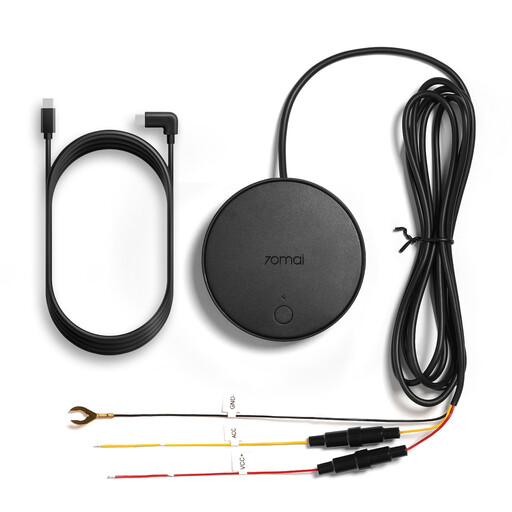
Consider this power accessory if you have a compatible 70mai camera and want a hardwired parking setup.
The product name lists A510, A810, 4K Omni and M800 cameras and identifies low-voltage protection. Confirm your exact camera variant, vehicle connection and protection settings before installation; this is not a camera.
 No image available
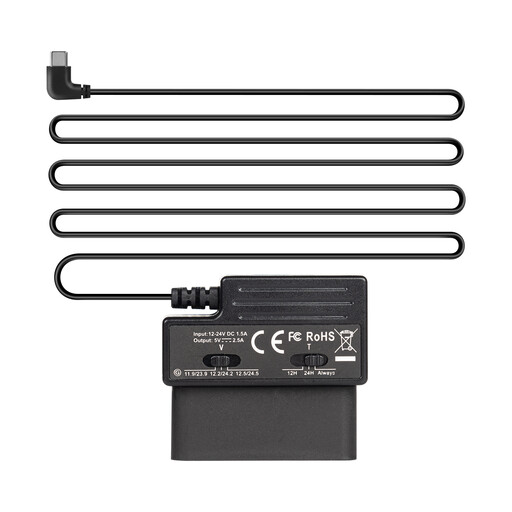
Consider this cable if you are assessing OBD power for parking recording with a compatible Type-C dash cam.
The product name specifies three-level low-voltage protection. Check the exact camera and vehicle compatibility and how the protection settings work in your setup; the cable is not a camera.
 No image available
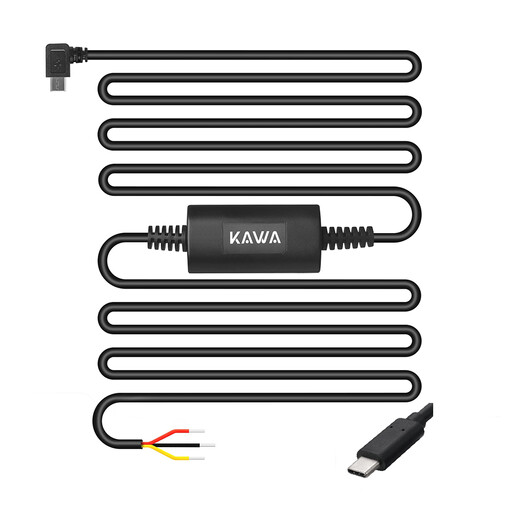
Consider this accessory if you are planning a fuse-box connection for a compatible KAWA camera.
The product name lists MINI ORB, D7 and MINI 7 Pro. Confirm support for your exact camera before buying, as the compatibility descriptions differ, and plan for fuse-box installation; the kit is not a dash cam.
 No image available
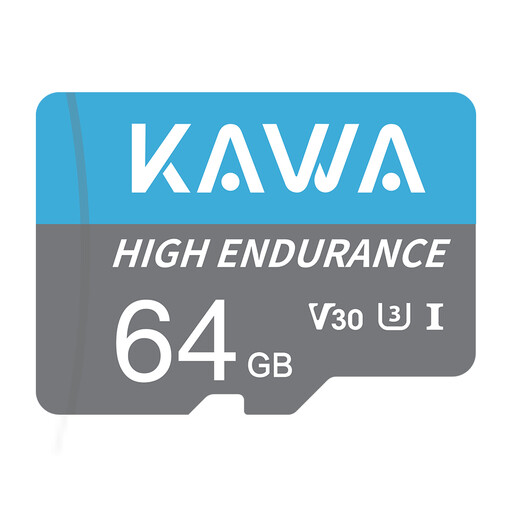
Consider this card for repeated dash-cam recording if your camera supports its capacity and card requirements.
The product name specifies 64GB, A1, U3, Class 10 and V30. Check the camera manual for supported cards and capacities; a memory card does not provide parking power or incident detection.
Not necessarily: the result depends on the vehicle’s socket and the camera’s power requirements. Thinkware says its standard 12V cable provides continuous driving mode but does not switch its cameras into Parking Mode, even if the outlet remains live. Check the requirements for your exact model.
Use a compatible parking-power arrangement with a stated low-voltage cut-off or time limit, and check its settings for your vehicle. Nextbase describes a minimum-voltage limiter in its Series 2 hardwire kit; Garmin specifies a below-12V shut-off for its Constant Power Cable. Neither feature should be assumed to apply to another kit.
Limit unnecessary capture and take care when retaining or sharing footage. The Information Commissioner’s Office says data-protection law applies when domestic CCTV captures another person’s property, a public area or a communal space; its vehicle-surveillance guidance also notes that outward-facing cameras can affect motorists and pedestrians. Check the rules applicable to your particular use rather than assuming an organisation’s vehicle-surveillance checklist applies unchanged to a private car.
No: the card must also meet your dash cam’s supported capacity, type and speed requirements. SanDisk describes its High Endurance line as designed for repeated recording, but an endurance rating alone does not establish compatibility with a particular camera.
Mount it where it does not seriously obstruct the driver’s view, checking the position from the driving seat. GOV.UK guidance says windscreen obstructions must not encroach by more than 10mm in Zone A or 40mm in Zone B; assess the relevant area in your vehicle before fixing the mount.