What should you check before buying?
Start with the direction you need to record, then check the parking trigger and its power requirements before choosing an installation route.
| Priority | What to check | Your needs |
|---|
| Camera coverage |
Choose front-only or front-and-rear recording based on the direction of likely incidents. Check where each camera can be mounted; neither layout guarantees footage beside the car. |
I mainly want a record of the road ahead, or I also need to see what happens behind the car while driving and parking. |
| Parking trigger |
Check whether parked recording responds to impact, movement or another trigger, and whether the model records continuously. Confirm the clip behaviour in the exact model's instructions. |
If someone bumps or approaches my parked car, I want to understand what would start a recording—and what might not. |
| Power after ignition-off |
Check whether parking mode requires constant power, which cable or battery works with the camera and vehicle, and whether a low-voltage cut-off stops recording. |
My car may be parked for hours or longer, so I need to weigh recording time against drawing power from its starter battery. |
| Placement and privacy |
Position the camera without obscuring the driver's forward view. Check whether audio or inward-facing recording can be switched off when it is unnecessary. |
I want useful footage without blocking my view or routinely recording conversations and people I do not need to capture. |
Relevant brand references
These brands illustrate different parking features and power accessories; check the exact camera and vehicle combination rather than assuming a feature applies across a range.
Nextbase
Nextbase offers impact- or physical-movement-triggered Intelligent Parking Mode on relevant cameras and rear-camera accessories for selected models.
- A rear accessory may suit a buyer who wants coverage behind the car as well as ahead, subject to model compatibility.
- For the 522GW, Nextbase recommends a permanently live supply for consistent parking-mode use; check the power arrangement rather than assuming the driving lead will suffice.
THINKWARE
THINKWARE describes radar-assisted, low-power parking monitoring for its U3000.
- Radar monitoring offers an event-triggered approach for buyers considering unattended parking.
- An event still has to trigger recording; check the U3000's power and installation requirements for the intended vehicle.
Garmin
Garmin offers impact-triggered Parking Guard on compatible dash cams and a Constant Power Cable for parked use.
- Garmin states that Parking Guard requires constant power and that its cable shuts down when it detects a low battery.
- Check camera and vehicle compatibility; a power cut-off also limits how long parked recording can continue.
VIOFO
VIOFO UK lists the HK4 hardwire kit for specified dash cams that need permanent and ignition-switched power.
- The HK4 listing describes four selectable voltage thresholds.
- Confirm the exact camera model and vehicle installation route; the kit is not a universal connector.
Dash cams to consider on Joybuy
These options include front-only, front-and-rear and four-channel cameras for drivers considering footage while driving and, where supported by the setup, while parked. Compare the required power accessories before choosing on parking features alone.
 No image available
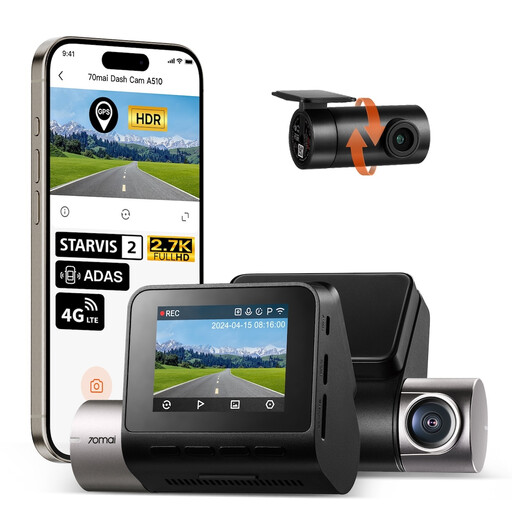
70mai A510-1 2.7K front-and-rear dash cam
Consider this two-camera layout if footage behind the car matters as well as footage ahead. The listing describes 1944P+1080P recording and parked incident clips, but says parking functions require a separately sold UP04 hardwire kit. Confirm the kit's suitability for your vehicle and check the exact SKU's cellular features if you intend to use them.
Joybuy
 No image available
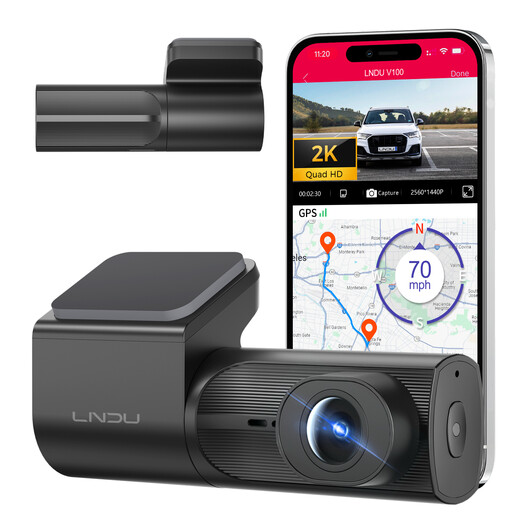
LNDU V100 2K front dash cam
This single front camera suits a primarily forward-facing view, not rear coverage. The listing describes impact-triggered parking monitoring with a separately purchased LNDU JYX05 hardwire kit. Check kit and vehicle compatibility, battery cut-off and parked clip behaviour if you need unattended recording.
Joybuy
 No image available
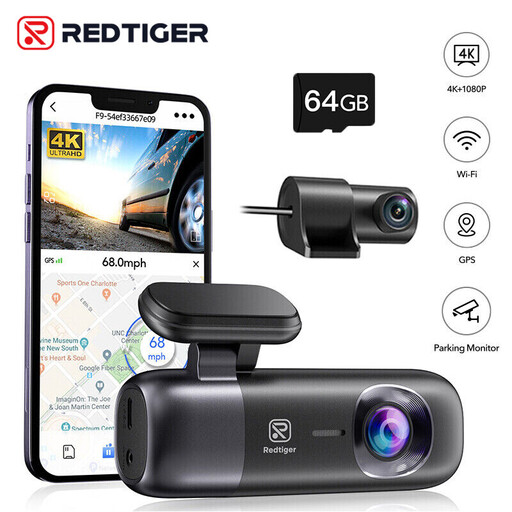
REDTIGER F9 4K front-and-rear dash cam
Its front-and-rear layout is relevant if you want to record both directions. The listing names 1080P rear recording and a 64GB card. For engine-off parking use, confirm the trigger type, compatible hardwire kit and battery protection before choosing the setup.
Joybuy
 No image available
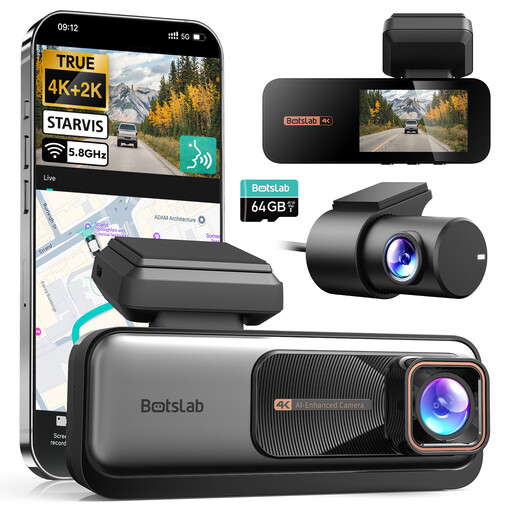
BOTSLAB 4K+2K front-and-rear dash cam
This front-and-rear arrangement addresses footage ahead of and behind the car. The listing says parking mode needs a separately purchased hardwire kit. Check which kit fits, what starts a parked clip and how the vehicle battery is protected.
Joybuy
 No image available
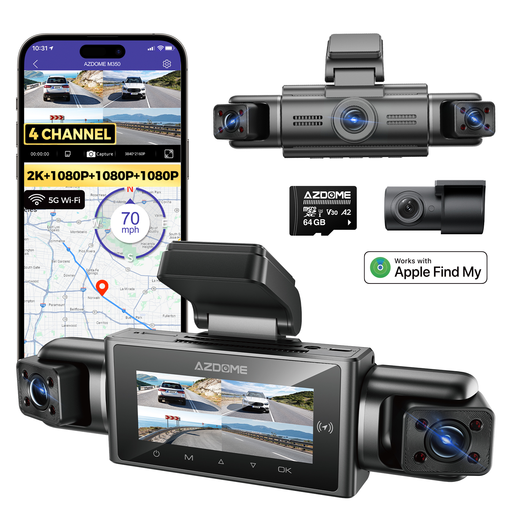
AZDOME M350 four-channel dash cam
The listing describes front, rear, left and right cameras, which may interest drivers comparing more than two viewing directions. It also advertises parking recording; confirm what triggers it, its power source, battery protection and how the cameras can be installed in your vehicle before relying on that feature.
Joybuy
Common questions
Where should I mount a dash cam in a UK car?
Mount it where it does not obstruct your forward view. UK government windscreen-obscuration guidance says drivers must have a full view of the road and traffic ahead; check the position from the driver's seat before driving.
Should a private dash cam record passengers or audio?
Avoid inward-facing or audio recording you do not need. The Information Commissioner's Office advises organisations using vehicle surveillance to inform occupants and normally keep audio off, but that organisational guidance does not itself establish an equivalent notification rule for wholly private use.
What if my camera records a shared car park?
Consider how much of the shared space and other people your camera captures, and limit unnecessary recording where practicable. The Information Commissioner's Office's guidance on home CCTV discusses public and communal-area capture, but it is not a complete set of rules for a private dash cam.
Will parking mode work from the normal 12V socket?
Only if the socket supplies power after ignition-off and the chosen camera supports that arrangement. Garmin says Parking Guard requires constant power, while Nextbase recommends a permanently live supply for consistent parking-mode use on its 522GW. Check both the vehicle and camera instructions.
Do I always need a hardwire kit for parking mode?
No; the suitable route depends on the camera, vehicle and intended parked duration. A compatible constant-power cable or dedicated battery may be another option. Check the camera's power requirements, the accessory's vehicle compatibility and any battery cut-off before choosing.


