Drivers recording the road ahead
A front-facing camera suits journey recording when the forward view is your main concern and you prefer fewer cables. It will not record traffic behind the car.


Choose a front-facing dash cam if you mainly want to record the road ahead while driving; choose front-and-rear coverage if traffic behind the car matters too. For recording while parked, check that the exact camera, vehicle and power accessory can provide power after the ignition is off, and confirm the battery-protection settings and compatible storage before relying on parking mode.
A front-facing camera suits journey recording when the forward view is your main concern and you prefer fewer cables. It will not record traffic behind the car.
A front-and-rear system adds a camera at the rear windscreen for traffic behind the vehicle. Plan for mounting the second camera and routing its cable.
Parking mode makes the power arrangement part of the decision. Check the camera’s required accessory, vehicle compatibility, battery-protection behaviour and memory-card requirements before fitting it.
Decide which views you need first, then check whether your intended power and storage setup will support recording when you need it.
| Priority | What to check | Your needs |
|---|---|---|
| Camera coverage | Check whether the system records ahead only or also uses a rear-windscreen camera. For a dual-camera model, check each channel’s stated resolution and the rear-cable route. | I mainly want the road ahead recorded, or I also want a view of traffic behind my car. |
| Parked power | Check what happens to the vehicle’s socket when the ignition is off, which power accessory the exact camera requires, and its vehicle fit and battery cutoff. Garmin Support says Parking Guard requires constant power; its constant-power cable is specified for 12–16V input, not 24V systems. | My car may be left unattended where damage is a concern, so I need to know whether recording can continue while it is parked. |
| Memory card | Check the camera’s supported card capacity and write-speed requirements. VIOFO recommends a high-endurance microSD card and U3 write speed for its 4K dash-cam recording; check the requirements of the model you choose. | I want footage to keep recording reliably and to be able to retrieve a clip when needed. |
| Fitting and use | Check the camera position from the normal driving seat, rear-cable routing where applicable, and the instructions for the vehicle and camera. UK MOT guidance published by the Driver and Vehicle Standards Agency checks whether windscreen-mounted items seriously obscure the driver’s vision. | I need a fitting route that works in my car without getting in the way of my view. |
A camera cannot record while parked if its power supply switches off with the ignition. Garmin Support says Parking Guard requires constant power, while Miofive and 70mai identify separate power accessories for the parking functions described on their product pages.
Check the exact camera’s required accessory, your vehicle’s compatibility and how the setup limits battery drain before relying on parked recording.
A compatible power accessory and fitting may add to the installation work.
Dash cams repeatedly write footage. VIOFO warns that unsuitable cards can cause recording problems and recommends high-endurance storage for its cameras.
Check the exact model’s supported capacity and write-speed requirements, then choose a compatible high-endurance microSD card.
Front and rear channels can have different stated resolutions. The 70mai A810S described in Auto Express’s April 2026 group test was listed as a 4K front and 1080P rear setup.
Compare the specifications for each camera channel separately, including the rear view you intend to use.
UK MOT guidance published by the Driver and Vehicle Standards Agency checks whether items attached to the windscreen seriously obscure the driver’s vision.
After fitting, check the view from your normal driving position and follow the vehicle and camera mounting instructions.
Consider the S1 if a front camera with an optional rear-camera route fits your coverage needs.
Compare exact model and rear-camera variants when considering a 70mai front-and-rear system.
Garmin’s Parking Guard is relevant when you are comparing camera and constant-power accessories as a system.
VIOFO’s storage guidance is useful when checking the card requirements of a specific camera.
Nextbase is another brand to consider when comparing camera fitting, footage and companion-app needs.
These options include front-and-rear systems for journey recording and a front camera with a stated parking-mode route. For any parked-car use, check the power accessory and vehicle fit for the exact model.
 No image available
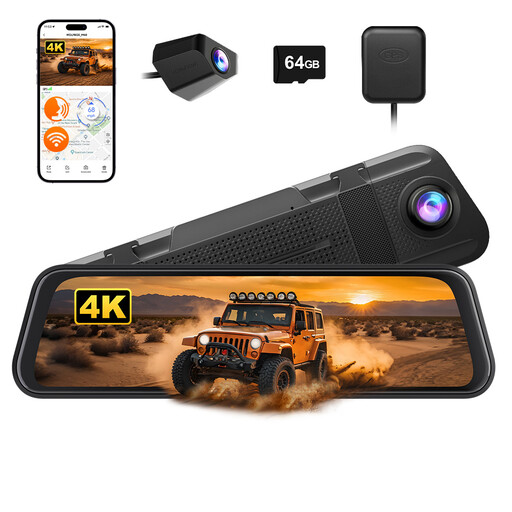
For drivers who want front-and-rear recording in a rearview-mirror camera format.
The listing states 4K front and 1080P rear recording and includes a 64GB card. Check the card’s suitability for continuous recording and the rear-camera fitting route; parked recording calls for checking a separate hard-wire kit and vehicle compatibility.
 No image available
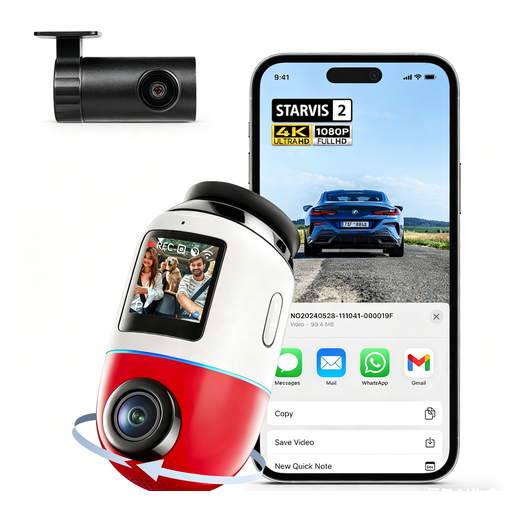
For drivers considering footage from both ends of the car and a parking-surveillance option.
The listing describes 4K front recording at 60FPS and 1080P rear recording. It says the microSD card is not included and parking functions require a separately sold UP03 or UP04 hard-wire kit; check card and vehicle-specific accessory compatibility.
 No image available
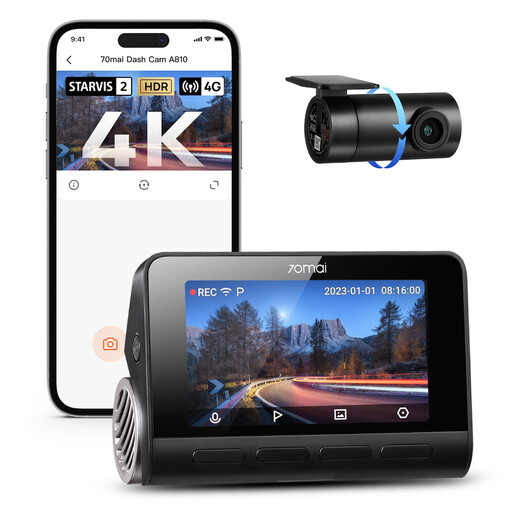
For drivers who want a stated 4K front and 1080P rear camera arrangement.
The listing states a maximum card capacity of 128GB and says an SD card is not included. Parking functions require a separate hard-wire kit; check the exact kit, card compatibility and rear-camera cable route. This A810-2 is not the A810S named in the Auto Express ranking.
 No image available
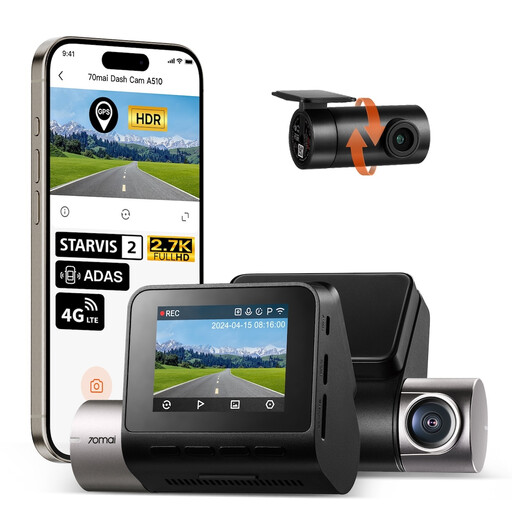
For drivers who want front-and-rear journey footage and may also fit a parked-recording power accessory.
The listing states 1944P front and 1080P rear recording. It says the microSD card is not included and parking functions require the separately sold UP04 hard-wire kit; check card requirements, vehicle fit and rear-camera cable routing.
 No image available
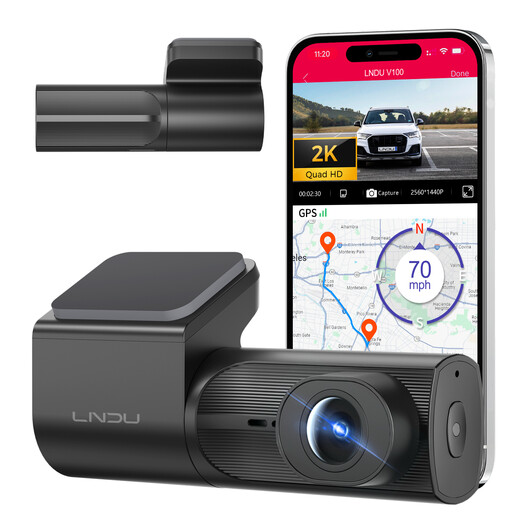
For drivers who need a forward view and want to consider parking mode without fitting a rear camera.
The listing describes 2K recording, loop recording and G-sensor event locking. Its parking mode requires a separately purchased LNDU JYX05 hard-wire kit; check vehicle fit, battery-protection behaviour and compatible memory-card requirements before relying on it.
Only if it remains powered and the camera’s parking setup supports recording after the ignition is off. Garmin Support says Parking Guard requires constant power; check your vehicle’s socket behaviour and the accessory approved for your exact camera.
Choose front-and-rear coverage if recording traffic behind the car matters to you. A front-facing camera covers the road ahead with less rear-camera fitting work; a two-camera setup also requires a suitable rear mounting position and cable route.
Start with the exact camera’s supported capacity and card requirements. VIOFO recommends a high-endurance microSD card, at least Class 10 or U1, and U3 write speed for its 4K dash-cam recording; check your chosen model’s guidance before selecting a card.
Mount it where it can record without seriously obscuring your view. UK MOT guidance published by the Driver and Vehicle Standards Agency checks windscreen-mounted items for serious obstruction; check the result from your normal driving position and follow the camera and vehicle instructions.