What should you check before buying?
Decide whether the rear camera must record traffic, help with reversing, or do both; then check how its image reaches the driver and how the system fits the car.
Front-only dash cam
Choose when: You want to record the road ahead but do not need rear footage or a reversing image.
Limitation: With no rear camera, it cannot show what is behind the car.
Front-and-rear recorder
Choose when: Footage of traffic ahead and behind matters more than an automatic parking display.
Limitation: Rear recording alone does not establish a live, reverse-gear-activated view, as Halfords distinguishes in its reversing-camera guide.
Combined recording and reversing system
Choose when: The exact package documents both two-channel recording and a reversing aid; Halfords describes the Pioneer VREC-150MD-EX this way.
Check: How the rear view appears, whether it is triggered automatically, and whether the external camera fits the car.
Separate reversing camera
Choose when: A dedicated reversing view matters more than combining it with the journey recorder.
Limitation: It needs a compatible display and does not itself replace a dash cam for journey recording. Garmin specifies compatible sat-navs for its BC 50.
| Priority |
What to check |
Your needs |
| Rear-view function |
Check for a documented live image, where it appears, and whether reverse gear triggers it or you must select it. Nextbase’s 622GW manual describes a rear-view display that the user makes full screen for its horizontally flipped reversing view. |
I want to see behind the car while manoeuvring, not just review recorded footage afterwards. |
| Display and mounting |
Confirm the exact screen compatibility and any accessories. Check whether the intended rear-camera position works with the car’s window, tailgate and available cable route. |
A rear image is useful to me only if it reaches a screen I can see and the camera can be positioned on my car. |
| Power and fitting |
Check the power connection and whether the required functions need hardwiring, OBD power or a reverse-light connection. Thinkware says parking mode on its U3000 PRO requires a hardwire or OBDII cable installation. |
For recording while driving, I would favour a simpler connection; if I also want parked recording or a reverse-triggered view, I need to plan the fitting. |
| Driver visibility |
Assess the front camera and screen position from the driver’s seat. UK construction-and-use regulations require a full view of the road and traffic ahead; the Driver and Vehicle Standards Agency also provides windscreen-obscuration guidance. |
I need to see the road clearly, and I will still check all around the car when reversing rather than rely on a screen alone. |
Which brands illustrate the options?
These examples show why the exact model and its display arrangement matter more than the brand name alone.
Nextbase
Nextbase offers rear-camera modules for selected dash cams, including a Rear View Camera that records through the vehicle.
- Nextbase’s 622GW manual describes a horizontally flipped rear image when its reversing setting is active and the rear-view display is made full screen.
- That manual description does not establish an automatically reverse-gear-triggered parking display; check the module and camera combination.
Thinkware
Thinkware offers recording systems alongside configurations intended to feed a separate in-car monitor.
- Thinkware says the supplied RCA cable on its F790 Vision can feed live secondary-camera video to an in-car NTSC monitor.
- Confirm the monitor, rear camera and vehicle installation before choosing that configuration for reversing visibility.
Garmin
Garmin’s BC 50 is a separate reversing-camera option for use with compatible Garmin sat-navs, rather than a journey recorder.
- Garmin specifies a reverse-light connection for the BC 50 and recommends professional installation.
- Garmin publishes a named-device compatibility list; do not assume the BC 50 works with an existing factory display or any Garmin dash cam.
Pioneer
Halfords describes the Pioneer VREC-150MD-EX as a two-channel recording package with an external rear camera that also assists reversing.
- The retailer’s description explicitly connects rear recording and reversing assistance for this model.
- Check its display behaviour, reverse activation and vehicle-specific fitting before relying on it for parking visibility.
Front-and-rear dash cams on Joybuy
These front-and-rear recording options are relevant if footage from both ends of the car is your priority. Before choosing one for reversing visibility, confirm how its rear image is displayed and whether the exact setup works in your car.
 No image available
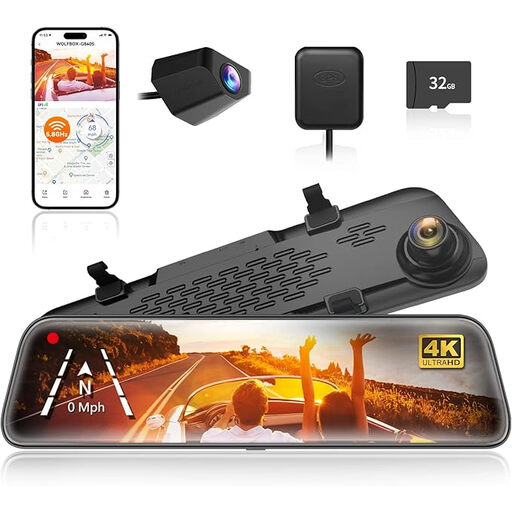
WOLFBOX G840S 12-inch 4K mirror dash cam
A mirror-style option for front-and-rear recording, with a backup camera named in the product listing. If you need it for reversing, confirm when the rear image appears and whether it provides the view you need. Check the included memory card with the seller before ordering.
View on Joybuy
 No image available
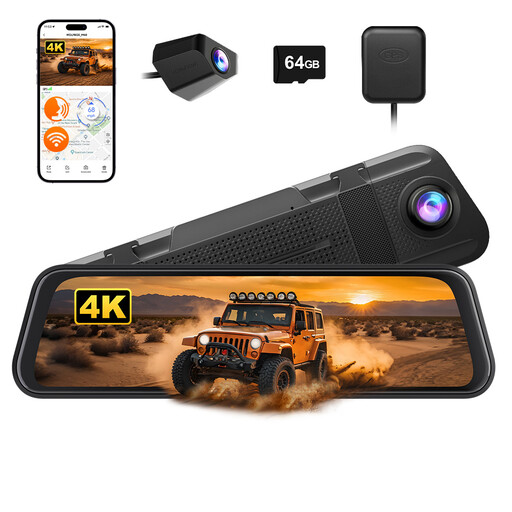
WOLFBOX M40 10-inch 4K+1080P mirror dash cam
For drivers considering a mirror-style front-and-rear recorder; the product name also specifies a 64GB card. Check mirror fit, rear-camera placement and cable routing in your car. If parking visibility is the aim, confirm the live-view and reverse-activation behaviour.
View on Joybuy
 No image available
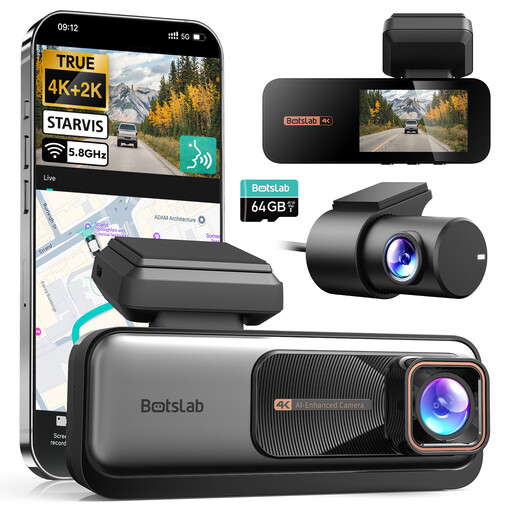
BOTSLAB 4K+2K front-and-rear dash cam
A front-and-rear recording option if footage is the main need. The product information states that parking monitoring requires a separate hardwire kit. Confirm rear-camera fit and any live reversing-display function separately before relying on it while manoeuvring.
View on Joybuy
 No image available
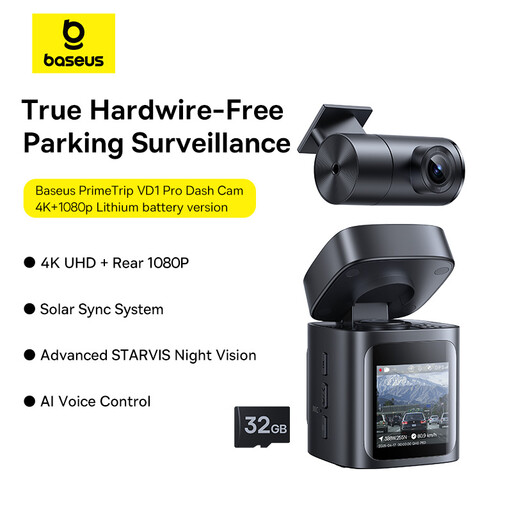
Baseus PrimeTrip VD1 Pro 4K+1080p, lithium battery version, Cosmin Black
A front-and-rear recording option. Check where its rear camera can be mounted and how it will be installed in your car. If you also need help reversing, confirm that the exact setup provides a usable live rear display and how that view is activated.
View on Joybuy
Common questions
Does a front-and-rear dash cam automatically work as a reversing camera?
No. As Halfords explains, a rear-facing dash cam is designed to record behind the car, while a reversing camera provides a live view for manoeuvring. Check the exact model’s display instructions, reverse-gear activation and rear-camera position rather than relying on the words “front and rear”.
What should I check for a rear camera in my car?
Confirm where it mounts, how its cable and power connection will be routed, and which screen shows the live image. For a separate display, check the exact device compatibility: Garmin, for example, lists specific compatible sat-navs for its BC 50.
When should I consider professional fitting?
Consider it when the installation involves concealed front-to-rear cabling, an external rear camera, hardwiring or a reverse-light connection. Garmin recommends professional installation for the BC 50’s reverse-light connection; a fitter can assess the route and connections for your particular vehicle.
Can I rely on a reversing camera instead of looking around?
No. The Driver and Vehicle Standards Agency’s learner-driver guidance describes reversing cameras and parking sensors as aids while drivers continue to check all around. Use the image alongside mirrors and direct observation.
Where can I mount a windscreen dash cam or display in the UK?
Choose a position that preserves the driver’s view of the road and traffic ahead, as required by UK construction-and-use regulations. The Driver and Vehicle Standards Agency also provides windscreen-obscuration guidance; assess the proposed position in the individual car before fitting.


