Owners who leave a car parked for days
If you want a record of incidents while the car is unused, look beyond journey recording. Check what activates the camera in parking mode, how it stays powered and when that power stops.


Choose a dashcam with a documented parking mode if recording incidents while the car is unattended is essential, but check that its power arrangement and battery cut-off suit the camera and your vehicle. Front-and-rear coverage adds another view but also requires rear-camera fitting; if you only need footage while driving, a standard switched-power setup avoids relying on parked power. Keep the camera and wiring clear of the driver’s view, and check your vehicle guidance and insurer’s terms before hardwiring.
If you want a record of incidents while the car is unused, look beyond journey recording. Check what activates the camera in parking mode, how it stays powered and when that power stops.
If maintaining starting reserve is your main concern, match the power accessory to the exact dashcam and vehicle. A documented cut-off setting matters, but it does not replace a check of the battery, wiring and parking duration.
If you can do without recording while parked, a compatible switched-power or plug-in arrangement may avoid a permanent-power installation. Do not rely on that arrangement for unattended monitoring without checking how your car’s outlet behaves when switched off.
For a car that may stand unused for days, decide whether recording parked incidents is essential before choosing camera views and a power route. Those choices determine which installation and battery checks matter.
| Concern | What to check | Who this matters to |
|---|---|---|
| Recording while unattended | Check the exact model’s parking triggers and whether the mode needs constant power. | If my car is left alone for days, I want a recording when an incident occurs, not just footage from the last drive. Around 36% of consumers put unattended incident recording first. |
| Battery and vehicle fit | Match the power kit and connector to the camera and vehicle; check the available cut-off settings and fitting guidance. | I want parked coverage, but I need the car to remain ready to start and cannot assume a generic kit will fit. For around 29% of consumers, battery protection and electrical compatibility are the primary concern. |
| Front and rear views | Decide whether a rear camera is needed and check its cable route and the model’s parking configuration. | If activity behind my parked car matters, a front view alone will not cover that direction. Front-and-rear coverage comes first for around 21% of consumers. |
| Installation effort | If parked recording is unnecessary, check the manufacturer’s standard driving-power arrangement instead of assuming an ordinary socket supplies power when parked. | I mainly record journeys and would rather avoid permanent wiring, even if that means giving up dependable parked coverage. Around 14% of consumers prioritise a simpler driving-only setup. |
Parking modes do not all work alike. Nextbase describes impact- or motion-triggered recording, including a protected 30-second file after an impact; that is not a promise of continuous footage.
Check the exact model’s trigger, recording method and power requirements against the events you want to capture.
VIOFO specifies its HK3 kit for compatible A119 V3 and A129-series cameras and notes that vehicle fuse layouts vary. Garmin says its cited constant-power cable is incompatible with 24 V systems and J1939 commercial-vehicle connectors.
Check the camera model, connector, vehicle voltage and permitted power route. If you cannot identify the appropriate circuits safely, consult a professional installer.
An incompatible accessory can mean changing the power setup or arranging installation before parked recording is usable.
The Driver and Vehicle Standards Agency and Department for Transport state that a driver must have a full view of the road and traffic ahead. A camera, mount or cable can affect that view.
Check the complete installation from your normal driving position before settling on a windscreen location.
Recording an incident locally does not mean you will receive an alert away from the car. Garmin states that its remote Parking Guard alerts require compatible equipment, constant power, active Wi-Fi and a Vault subscription.
Decide whether you need footage to review later or alerts while away, then check every requirement for the exact feature.
Relevant if you are comparing camera views and compatible hardwire arrangements for parked recording.
Relevant if impact-triggered parking recording and a compatible Series 2 installation route meet your needs.
Relevant if a compatible constant-power accessory or Parking Guard feature fits your intended setup.
These cameras list parking-monitoring features and offer different numbers of camera views. Before choosing one for a car left unused for days, check its exact parking behaviour and the power arrangement your vehicle can accommodate.
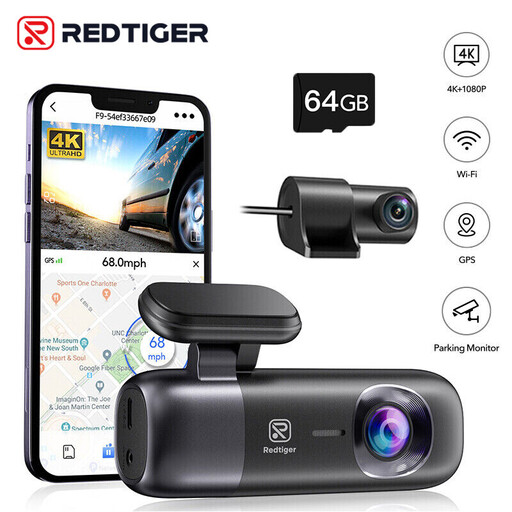 Image unavailable
Consider this front-and-rear camera if you want to assess parked monitoring from both directions. Its title lists Parking Mode; confirm its exact recording behaviour, compatible parked-power kit and battery cut-off before relying on it while the car is unattended.
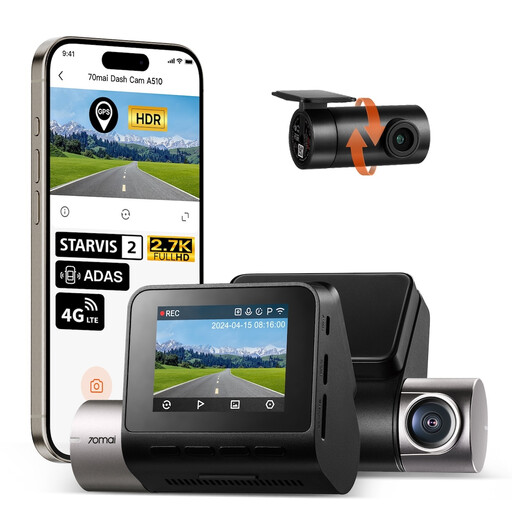 Image unavailable
This front-and-rear option is worth considering if parked recording is a priority. Its title lists 24H Parking Mode; check the required UP04 hardwire setup, vehicle fit and battery cut-off behaviour before choosing it for a long stay.
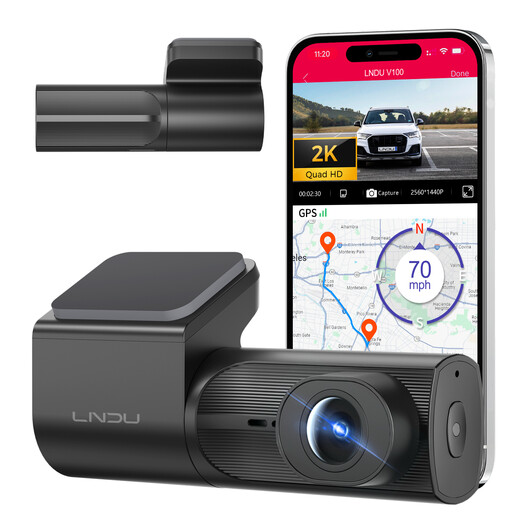 Image unavailable
Consider this model if a front camera meets your coverage needs. Check the required LNDU JYX05 hardwire kit, its battery cut-off behaviour and its fit with your vehicle before relying on parked recording.
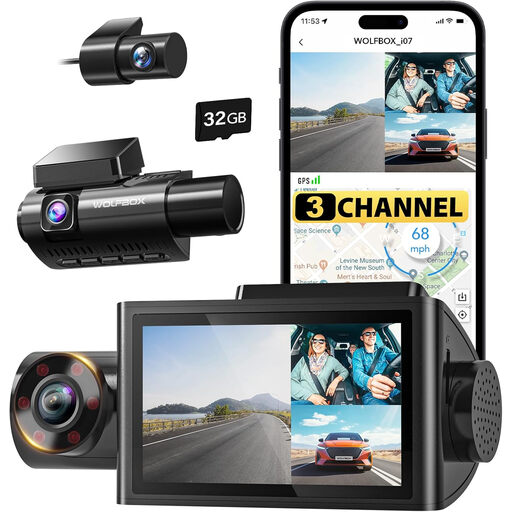 Image unavailable
Its three-channel layout may suit you if you want views beyond the road ahead. The title lists 24H Parking Mode; check what triggers parked recording, how the camera remains powered and whether the power setup protects your vehicle’s battery.
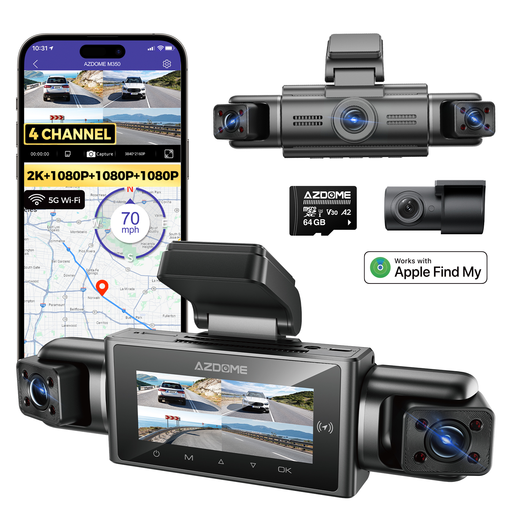 Image unavailable
Consider its four-camera layout if several directions matter to you. Check how its stated parking monitoring works, what power it needs and how battery cut-off is handled; also confirm the exact front-camera resolution before comparing specifications.
Only if the exact camera supports parked recording and has a suitable power source after the ignition is off. Garmin says Parking Guard requires constant power, while Nextbase distinguishes permanent live power for Smart Parking from switched power for ordinary use. Check how your car’s socket operates before depending on it.
A cut-off limits when a compatible kit supplies the camera; it cannot guarantee a starting outcome for every battery and parked duration. VIOFO lists selectable thresholds for its compatible HK3 kit, while Garmin documents a shut-off condition for its cited constant-power cable. Check the kit’s settings against your vehicle guidance and battery condition.
Fit the camera and mount without obstructing your view of the road and traffic ahead. The Driver and Vehicle Standards Agency and Department for Transport set out that visibility requirement in their windscreen guidance. Check the camera and cable routing from your normal driving position after installation.
Check your own policy and ask your insurer before installation rather than assuming one disclosure rule applies to every policy. Admiral says insurers set their own rules and policies; keep your insurer’s answer with your policy documents.
How the footage is used matters, so do not assume the same position applies to every private-car recording or subsequent sharing. The Information Commissioner’s Office says its organisational surveillance guidance covers organisations processing footage of identifiable people and excludes purely personal or household processing from that guidance. If you plan to share footage or use it beyond personal purposes, check the rules relevant to that use.